Proposals
Proposals lets every Member suggest a change to the map, with a reason, without needing edit rights. Editors and Owners decide, or the role holders concerned decide together by consent. The live map changes only once a proposal is accepted. The Meetings app is included with Proposals.
Propose a change
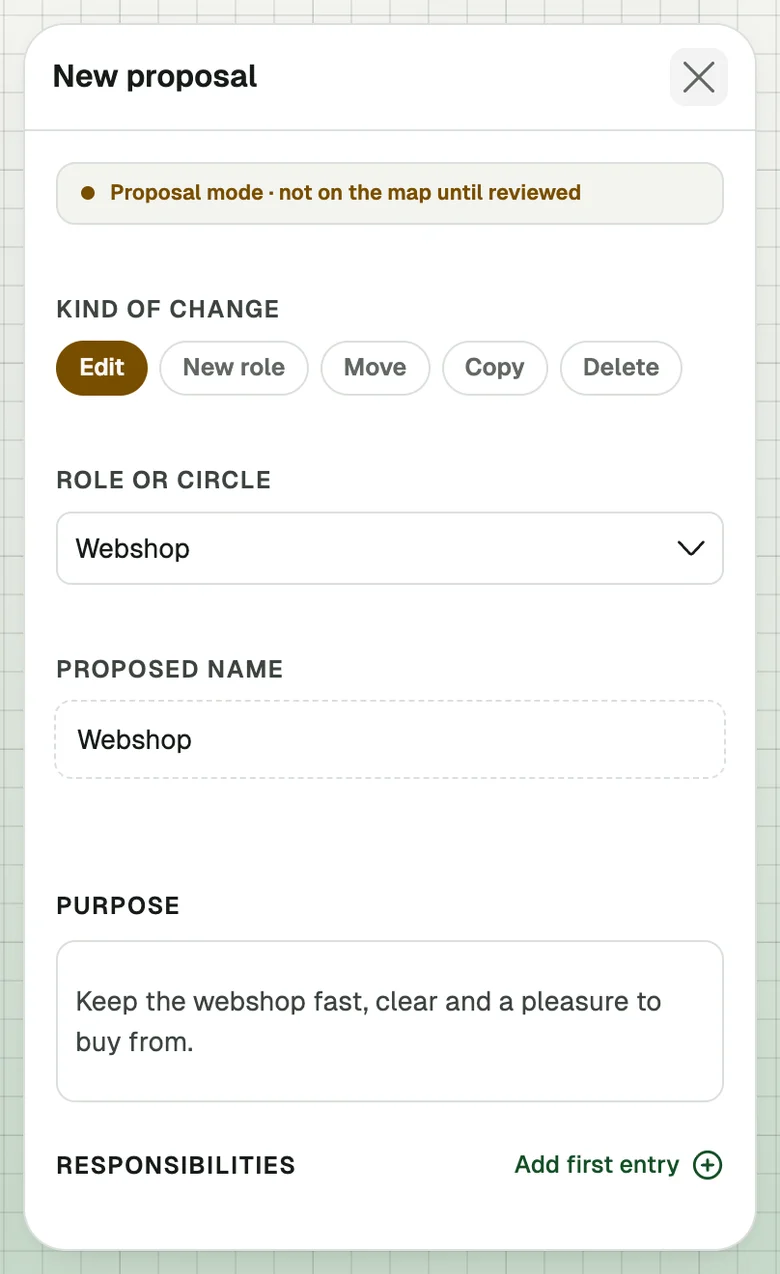
Choose New proposal in the Proposals app, or Propose change in the Proposals section of a role’s or group’s panel. Then pick the Kind of change:
- Edit: a new name, or new content for its fields, such as the purpose
- New role or new group: created inside the group you choose
- Move: to another group; the role keeps its history
- Copy: into another group; the original stays where it is
- Delete: the role or group leaves the live map once the proposal is accepted, and the Journal keeps it so it can be restored
Write the Reason for proposal. It is required, and the people deciding read it right next to the proposed change. An existing role or group has at most one open proposal at a time, and images can’t be part of a proposal yet.
Editors and Owners in Working mode who choose Propose change can pick between Switch to editing, to change it themselves, and Propose for review, to get a decision first. In a meeting, a topic’s Proposal outcome starts a new proposal, and facilitators, Editors and Owners can also link an existing one there. The proposal then links to its meeting for everyone who can open it.
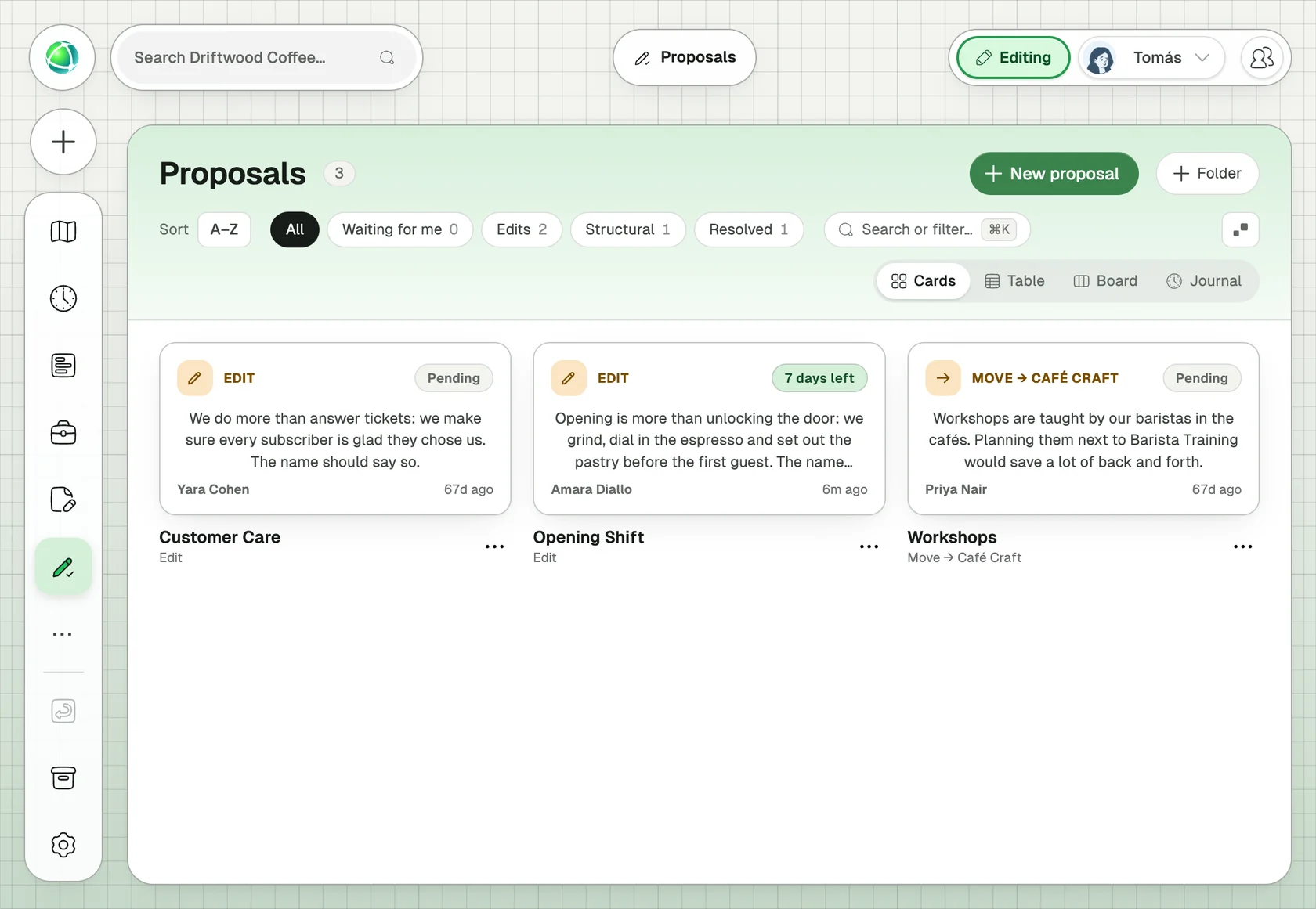
See what is waiting
The list shows the open proposals. Filter it with Edits, Structural (new, moved, copied or deleted roles and groups) or Resolved for the ones already decided. While consent rounds are open, Waiting for me shows the ones still waiting for your answer. Switch between Cards, Table, Board and Journal.
On the live map, a role or group with an open proposal wears a small dot, and a proposed new role or group shows as a ghost inside its group. The Proposals layer under Layers shows or hides them. On each role’s and group’s panel, Past proposals lists the decided ones with who proposed them and, when an Editor or Owner decided, who that was.
Choose who decides
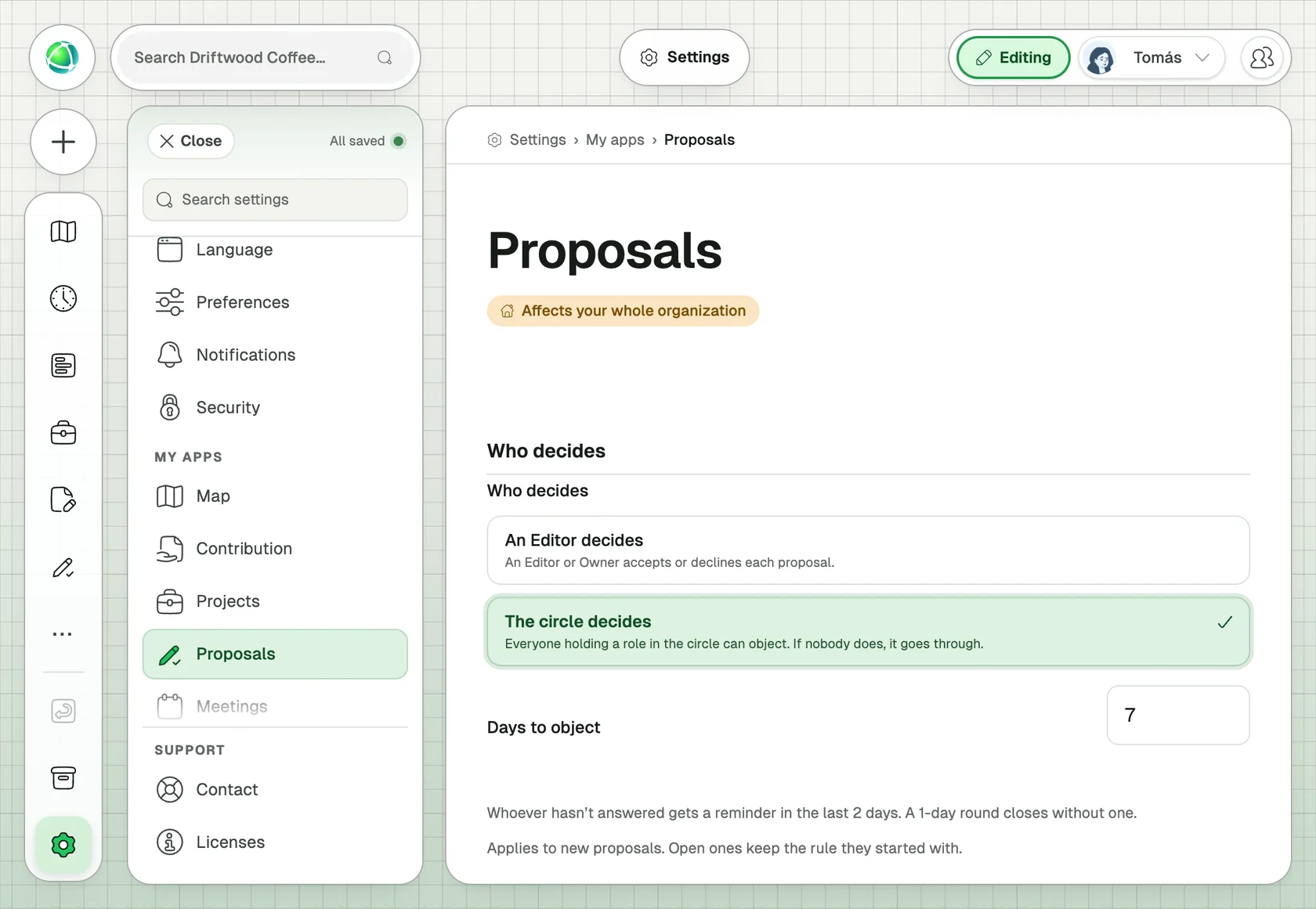
In Settings › My apps › Proposals, Owners choose Who decides:
- An Editor decides: an Editor or Owner accepts or declines each proposal
- The circle decides (named with your organization’s word for a group): the role holders in the group concerned can object, and if nobody does, the proposal goes through
With the second, Days to object sets a round’s deadline: from 1 to 30 days, 7 by default. A change of rule applies to new proposals; open ones keep the rule they started with.
Decide as an Editor or Owner
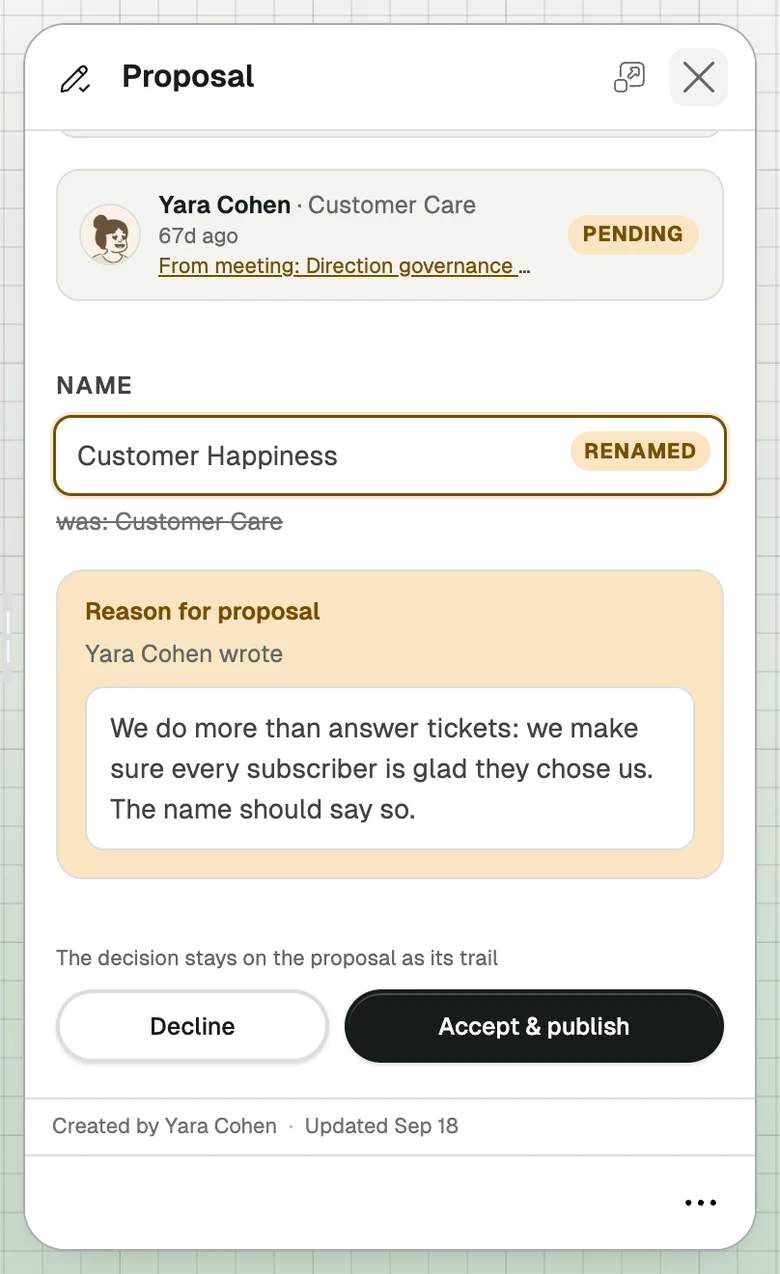
Open a proposal to see what would change, next to what is there now, and the reason. Choose Accept & publish or Decline; for a deletion, the button reads Accept removal. Accepting changes the live map at once, and the decision stays on record with the proposal.
If someone changed the name or a field that an edit would change while it was waiting, Peerdom lists what changed since and asks before overwriting it: Review again or Accept anyway.
Decide together by consent
When the circle decides, the people holding roles directly in the group concerned answer the proposal, if they have an active account with Member access or higher:
- for an edit or a deletion, the group the role or group sits in
- for a new role or group, or a copy, the group it goes into
- for a move, both the group it leaves and the group it joins
Each one answers Fine by me or Object while the round is open; the author counts as fine. Not answering counts as fine too. The proposal goes through as soon as every one of them has chosen Fine by me, or otherwise after the deadline, at a daily check when no objection stands.
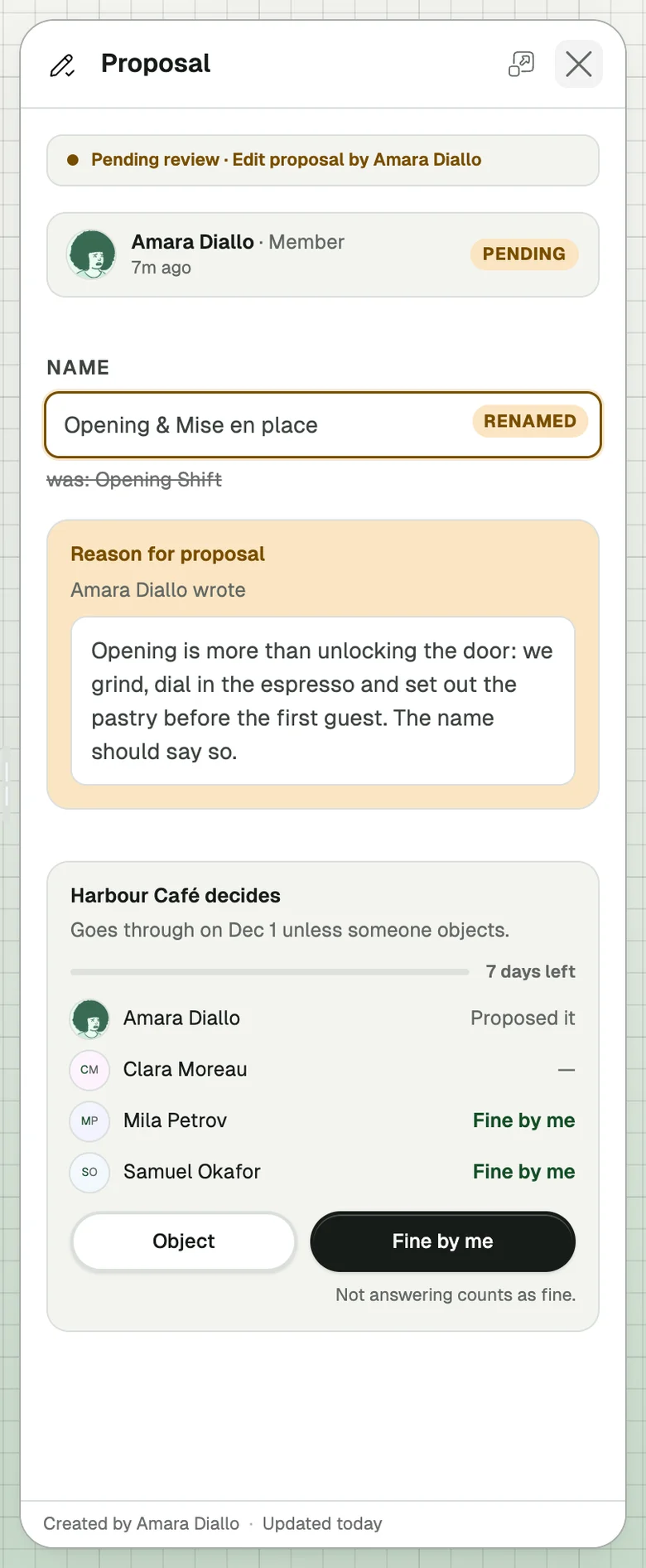
An objection says what would go wrong if the change went through. Members, Editors and Owners can see it and who raised it, and the author, the Editors and the Owners, apart from the objector, get it by email. The proposal then waits: the objector can withdraw the objection, the author can withdraw the proposal and propose again, or an Editor or Owner decides with Decide as Editor, which they can also use at any point during the round.
Peerdom emails the people answering when a round opens. In a round of 2 days or more with no objection standing, it reminds those who haven’t answered in its last 2 days. When the round accepts the proposal, the author and the people answering get an email; when a running round goes to an Editor, the author, the Editors and the Owners hear about it.
Keep proposals in order
Editors and Owners sort proposals into folders, give them labels and archive them. An archived proposal keeps its decision, and an open round pauses until the proposal is restored. The author can withdraw a proposal while it is open, which removes it completely.
Who can use Proposals
- Members, Editors and Owners propose changes
- Editors and Owners decide proposals, and can decide during a consent round
- Role holders in the group concerned answer a consent round
- Owners choose who decides in Settings
Related
- Meetings: a meeting topic can lead to a proposal
- Drafts: work out a larger restructuring before publishing it
- Circles and Groups: the groups whose role holders decide by consent