Elections
Elections helps you keep track of when role holders’ terms expire and when re-elections are due. It does not facilitate voting. It is a scheduling and tracking tool for governance roles that require periodic renewal. Explore the Elections app to see how it supports your governance process.
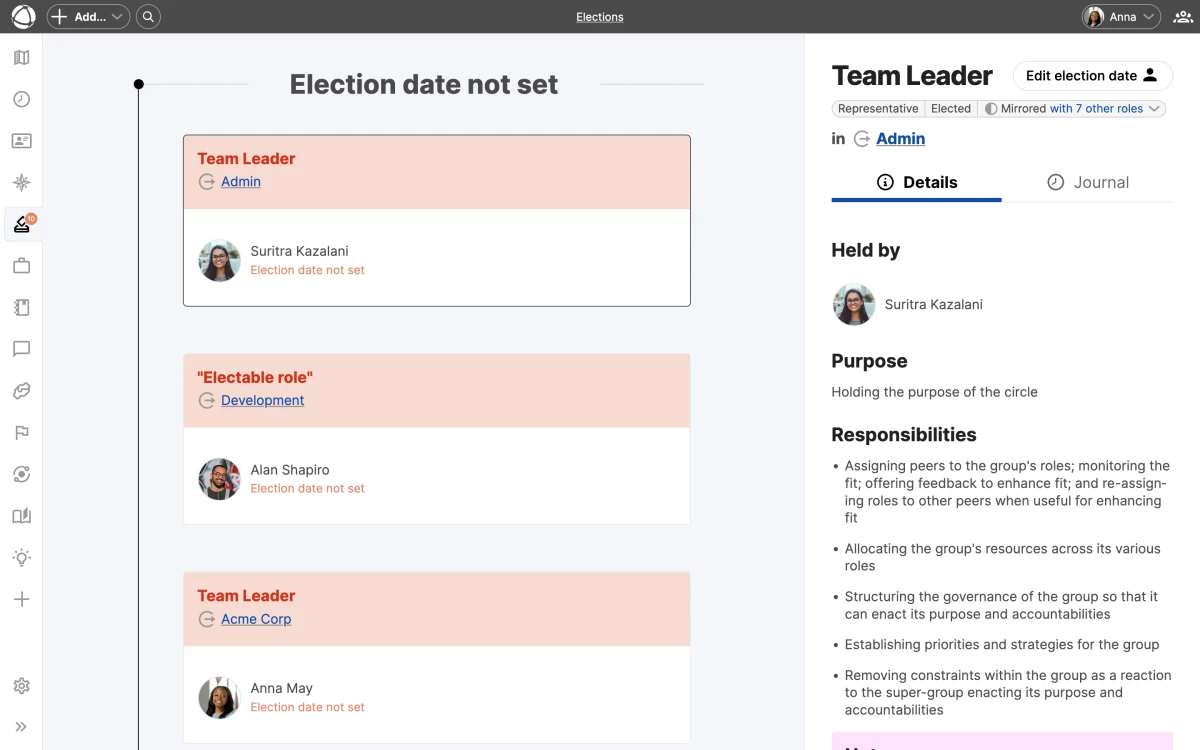
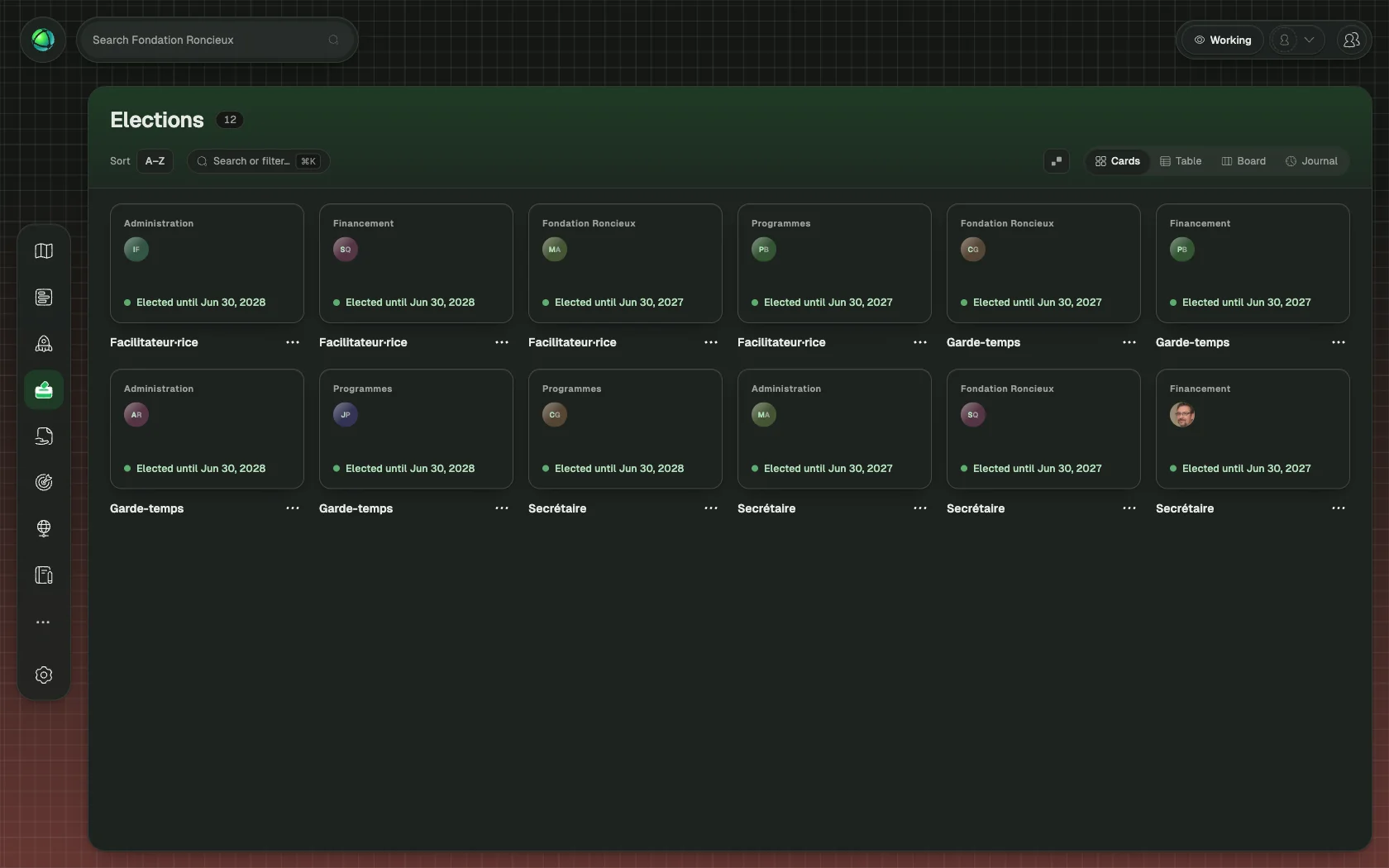
Mark a role as electable
- Select a role on the map
- Open the Inspector panel
- Enable the Electable toggle
- Set the Elected Until date for each holder
Electable roles display an arrow indicator at the top of their node on the map.
Timeline view
The Elections app shows a vertical timeline of all electable roles, grouped by urgency:
- Red (Expired): the term has passed and re-election is overdue
- Orange (Soon): the term expires within the coming weeks
- Green (Upcoming): the term is active with time remaining
This gives you a quick overview of which roles need attention now and which are on track.
Notifications
Owners receive weekly email notifications summarizing roles that need re-election. The Elections app also displays a badge on the sidebar icon when roles require attention, so upcoming expirations stay visible during regular use.
Who can manage elections
- Editors and Owners can mark roles as electable and set or update term dates.
- Members can view the Elections timeline but cannot make changes.
- Guests cannot access the Elections app.
Related
- Roles: electable role type
- Journal: historical record of election changes
- Owner Quick Reference: receive election notifications
- Access Rights: who can manage elections