Custom Fields
Every role and circle comes with three default fields: Purpose, Accountabilities, and Notes. When your organization needs more, you can add custom fields to capture any additional information.
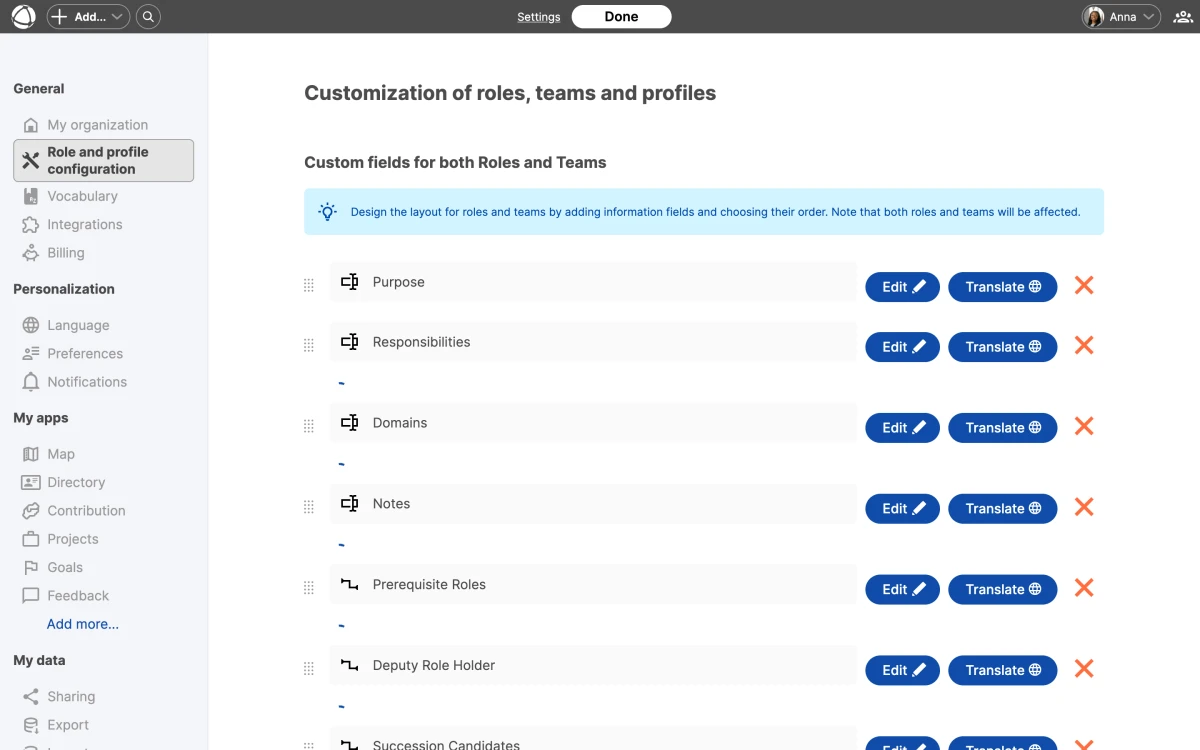
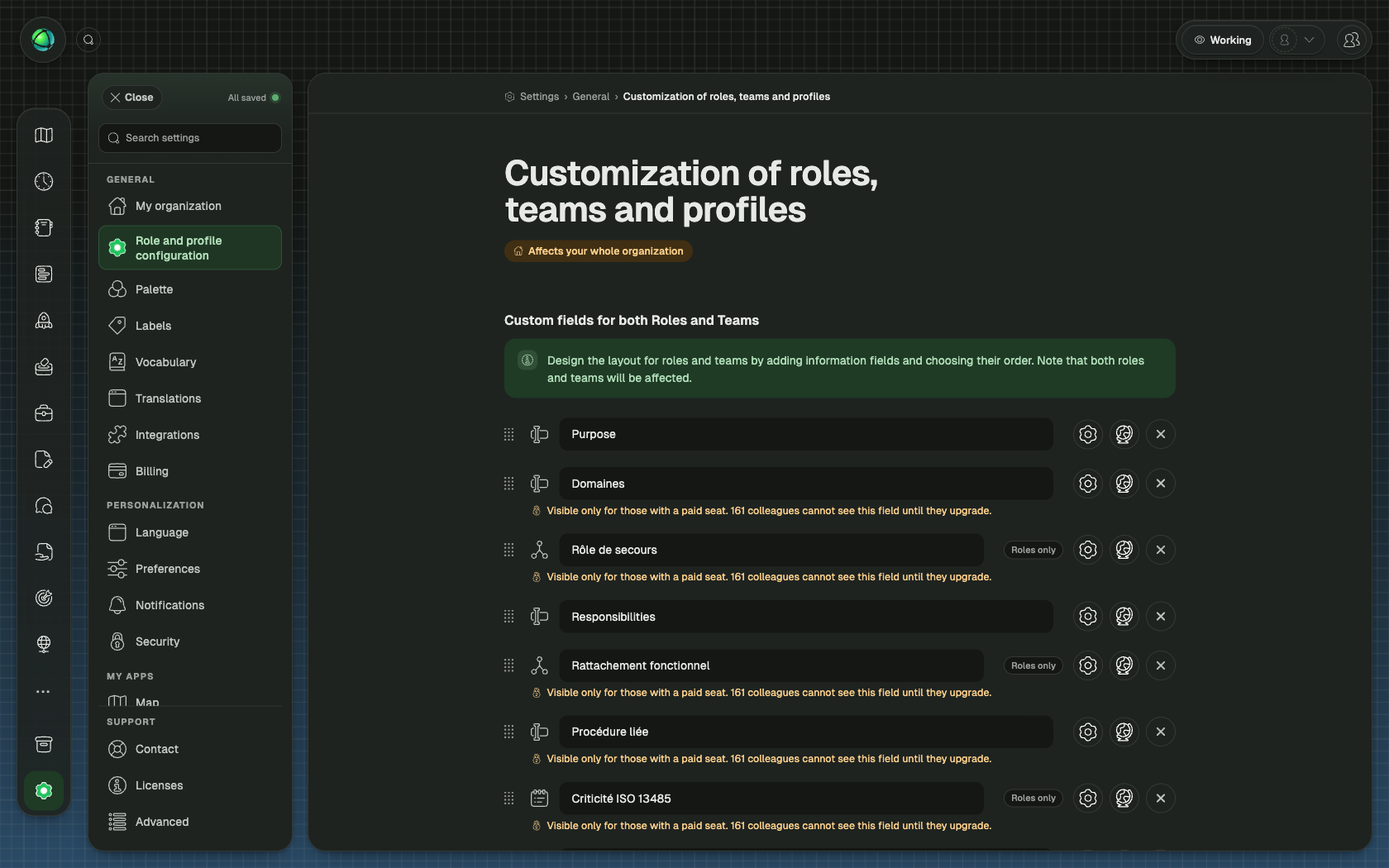
Add a custom field
- Go to Settings > Role and profile configuration
- Click Add field
- Choose a field type and configure its properties
- Save
Custom fields appear in the Inspector panel alongside the default fields.
Field formats
You can configure each field with the following options:
- Entries can be single entry or list (multiple entries)
- Text format can be plain text or rich text (with formatting)
- Type can be text or relationship (link to a peer, role, or circle)
Choose single entry for fields like “Location” or “Department”. Choose list for fields like “Key responsibilities” or “Required skills”.
Public and private fields
Each field can be set to public or private:
- Public fields are visible to all users, including guests
- Private fields are hidden from guests and visible only to Members, Editors, and Owners
Use private fields for internal information like salary bands, internal IDs, or sensitive notes. When sharing your map publicly or embedding it, private fields are automatically excluded.
Rename fields
You can rename any field, including the default ones. The new name appears everywhere that field is displayed: in the Inspector, in profiles, on Pages, and in exports.
Translate field names
Field names support five languages: English, German, Dutch, French, and Spanish. Enter translations when creating or editing the field in Settings. Each peer sees field names in their preferred language.
Delete a field
Deleting a custom field is permanent and irreversible. All data stored in that field across every role and circle is removed. Consider exporting your data before deleting a field.