Directory
The Directory gives you a searchable, filterable view of everyone and every role in your organization. Use it to find people, check assignments, and get a quick overview without navigating the map. Explore the Directory app to see how it helps you stay organized.
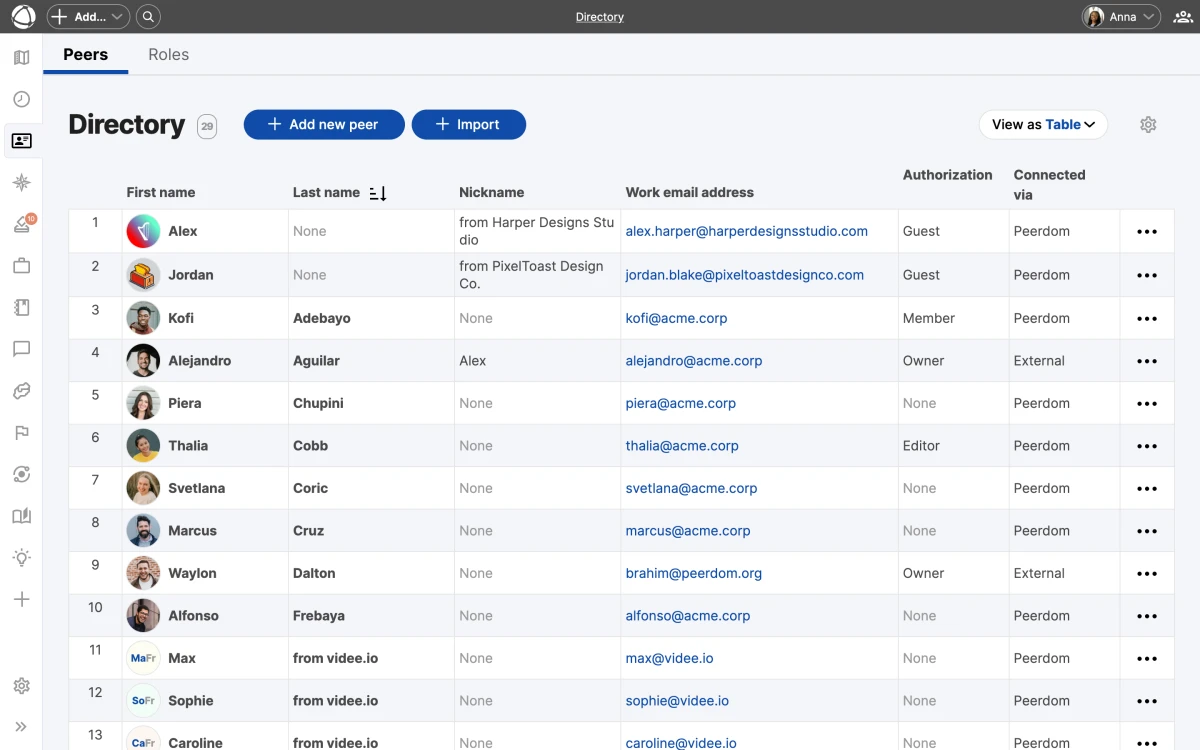
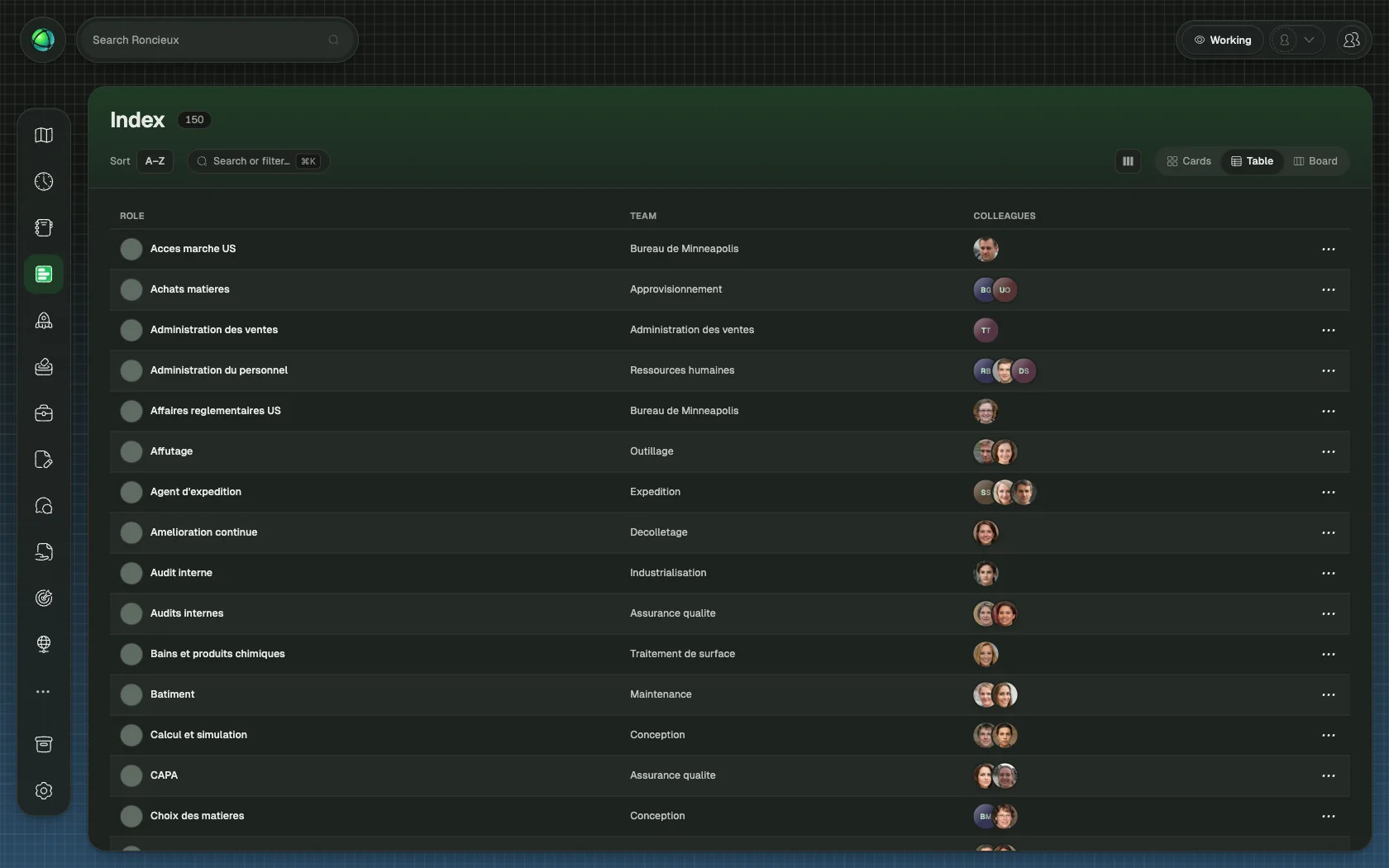
Two tabs
The Directory is split into two sections:
- Peers: all people documented in your organization
- Roles: all roles across every circle
Each tab has its own search, sort, and filter controls.
Views
Switch between two layouts depending on what you need:
- Table view: sortable columns with detailed information per row. Click any column header to sort ascending or descending.
- Card view: a visual grid with entries grouped alphabetically. Useful for scanning names and photos quickly.
Search and filter
Use the controls at the top to narrow results:
- Name: type to search by first or last name (Peers) or role name (Roles)
- Email: find a specific person by email address
- Permission level: filter by Owner, Editor, Member, or Guest
- Custom fields: any custom field you have defined appears as an available column and filter
Context sidebar
Click any row or card to open a preview sidebar on the right. The sidebar shows key details (profile information, role assignments, or role properties) without leaving the Directory.
Bulk import
On paid plans, you can import people from a CSV file. Go to Settings and follow the import flow to add multiple peers at once.
SSO integration
If your organization uses Single Sign-On, the Directory stays in sync with your identity provider. New users provisioned through SSO appear automatically in the Peers tab.
Who can use Directory
- Members, Editors, and Owners have full access to the Directory.
- Guests cannot access it.
Related
- Invite Your Team: add people to your organization
- Single Sign-On: automate user provisioning
- Managing People: edit profiles and manage departures
- Roles: understand the roles listed in Directory