On an org chart you appear once.
On a map you appear everywhere you work. Click an avatar and every role that person holds lights up.
Everyone in the organization, each with a profile.
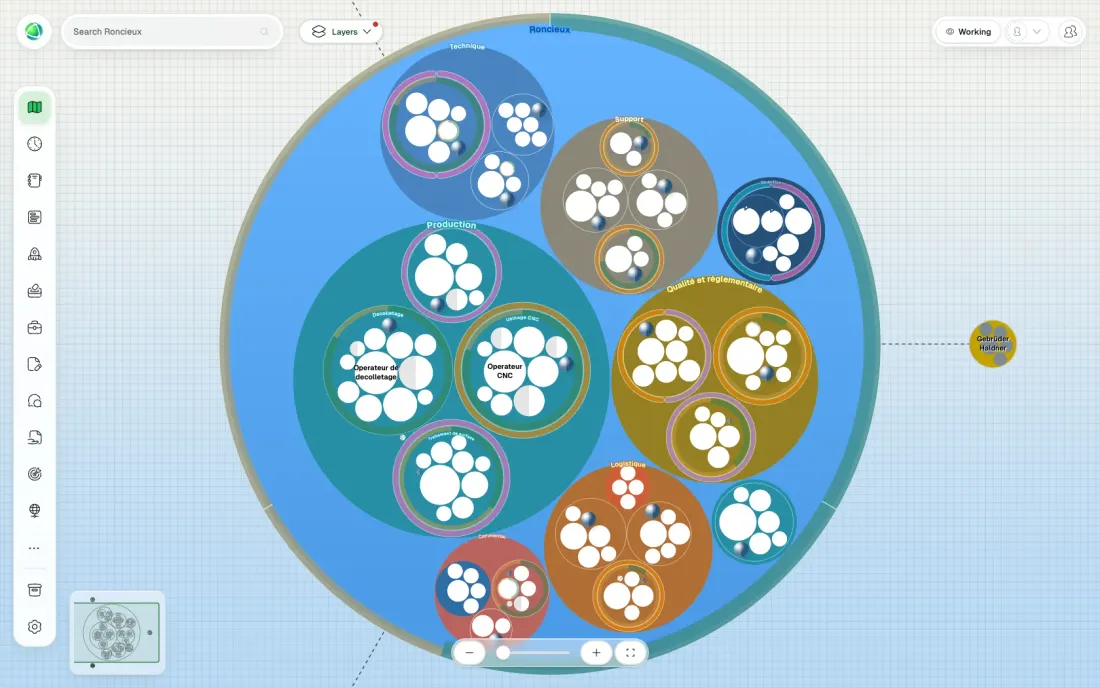
A piece of work someone holds, with a purpose and responsibilities. Most people hold several, often in different teams.
Where roles live. A department, a squad, a board. Teams can sit inside other teams.
A role stays on the map when its holder leaves, shown as unfilled.
Set your own words for teams and roles, and the whole product follows them.
Teams can be drawn as a circle, hexagon, square or diamond, and the map laid out as an organigram, tree or pyramid. Peerdom draws what you have.
How work is divided across teams and roles, and who holds what. Zoom into one team or out to the whole organization.
The roles each person holds and what they are responsible for, assembled automatically from the map.
The same structure as a searchable list. The fastest way to find a role, or spot the ones nobody holds.
On a map you appear everywhere you work. Click an avatar and every role that person holds lights up.
A mirrored role carries the same responsibilities wherever it sits, held by a different person in each team.
People, teams and roles. Under an hour, and already more than an org chart.
Why each part exists, and what its holder is responsible for.
Who mentors whom, which learning groups run, the role someone wants next.
Custom fields for the things only your organization tracks.
Where work is piling up, where roles keep changing hands.
Change a field, click away, it is stored.
One feed for the organization, and a history on each role and team.
See the organization as it stood last quarter.
With the Directory app, single sign-on and directory sync keep people in step with your other systems.
Roles, teams, projects, goals and drafts go to the archive, and come back exactly as they were.
An assistant can answer questions about your map from wherever you work.