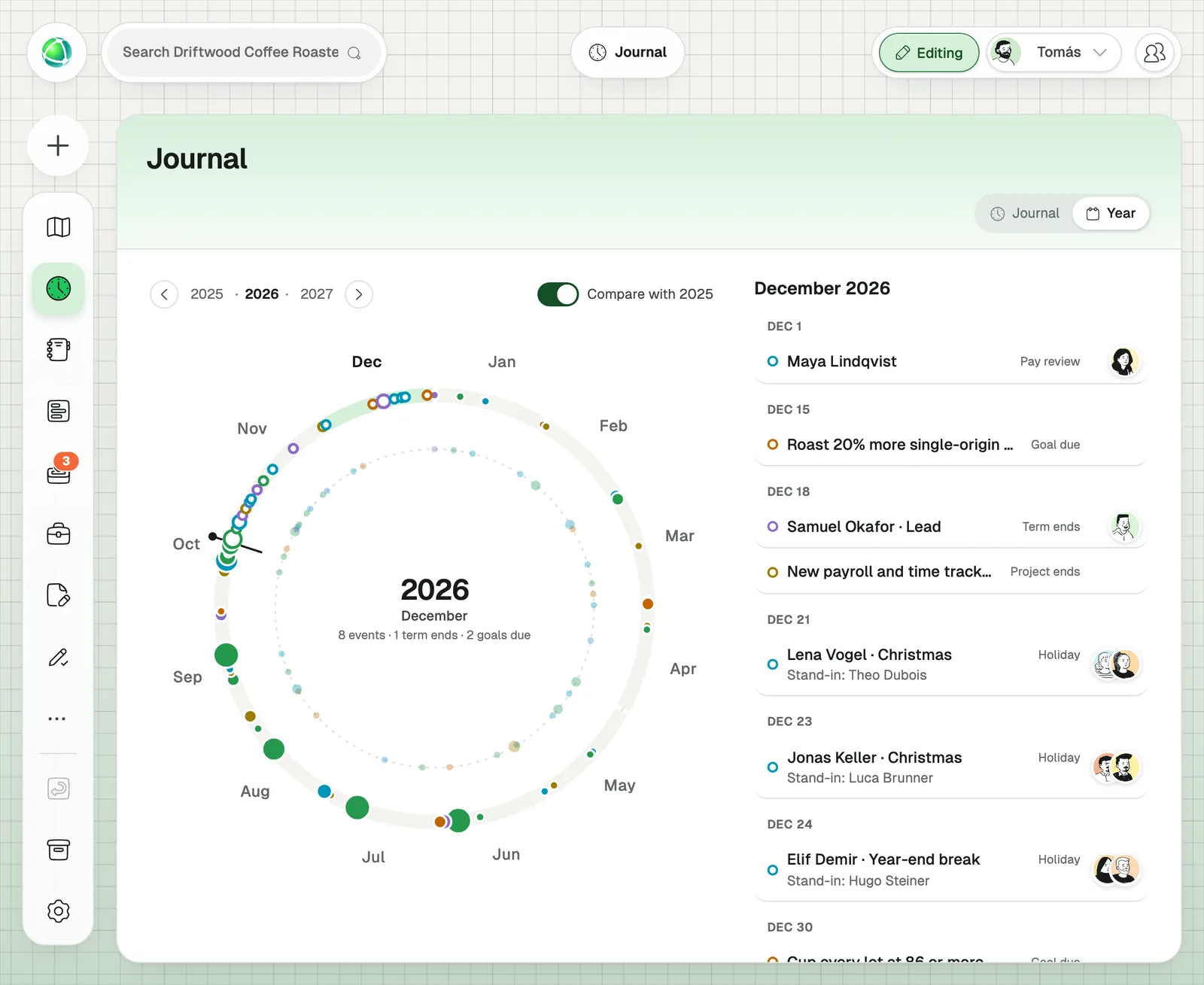
Every organization lives in the same rhythm: goals in January, holidays in summer, feedback in December, and back to January. Peerdom now shows that rhythm as one picture, the Year ring, so your team can see what’s coming, look back at what happened, and start each round with less work than the last.
Most tools treat each of these moments as a one-off project. Someone digs out last year’s goal list, someone else asks who covered for whom during the holidays, and the feedback round starts from an empty page. The year repeats, but the work doesn’t carry over.
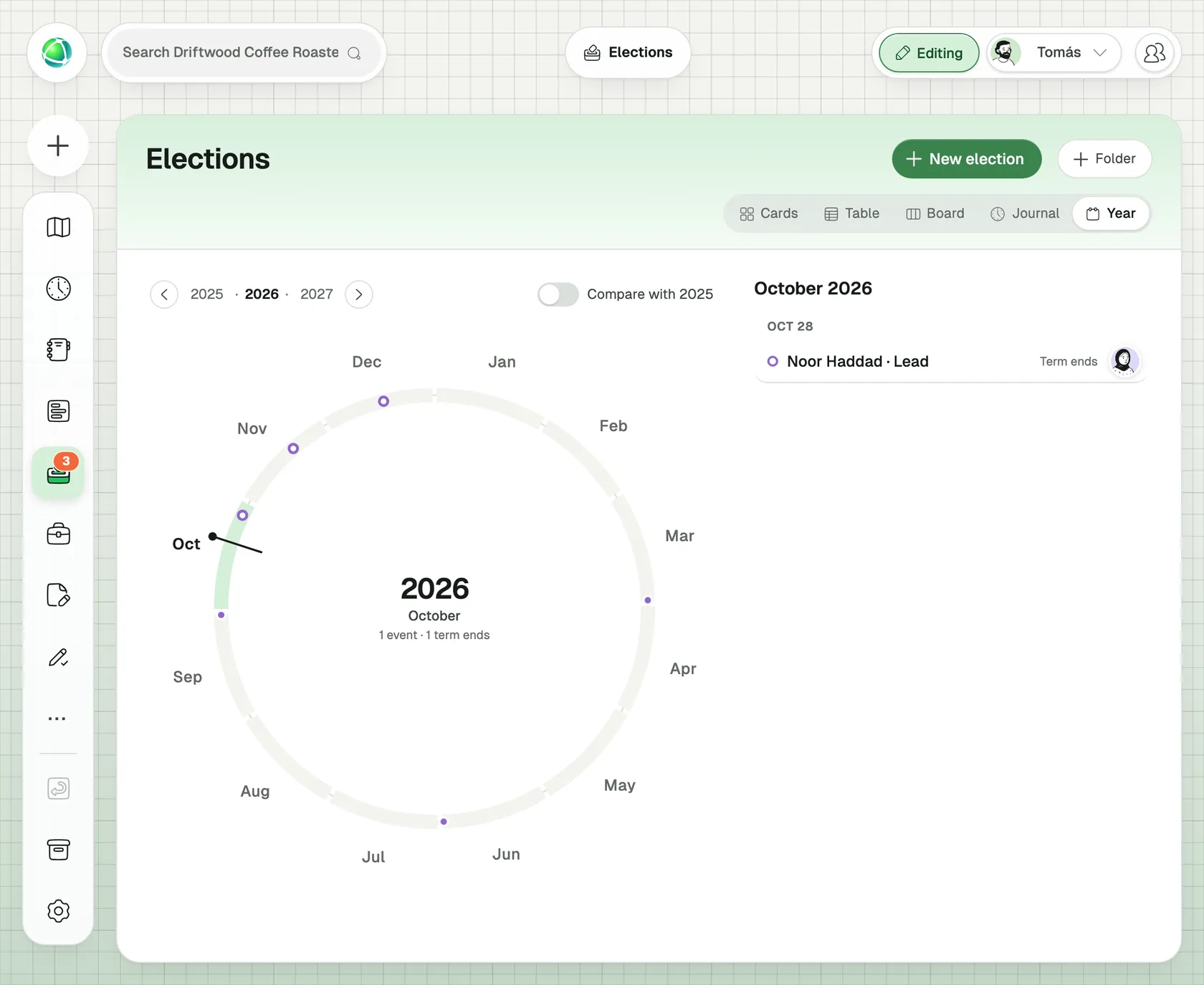
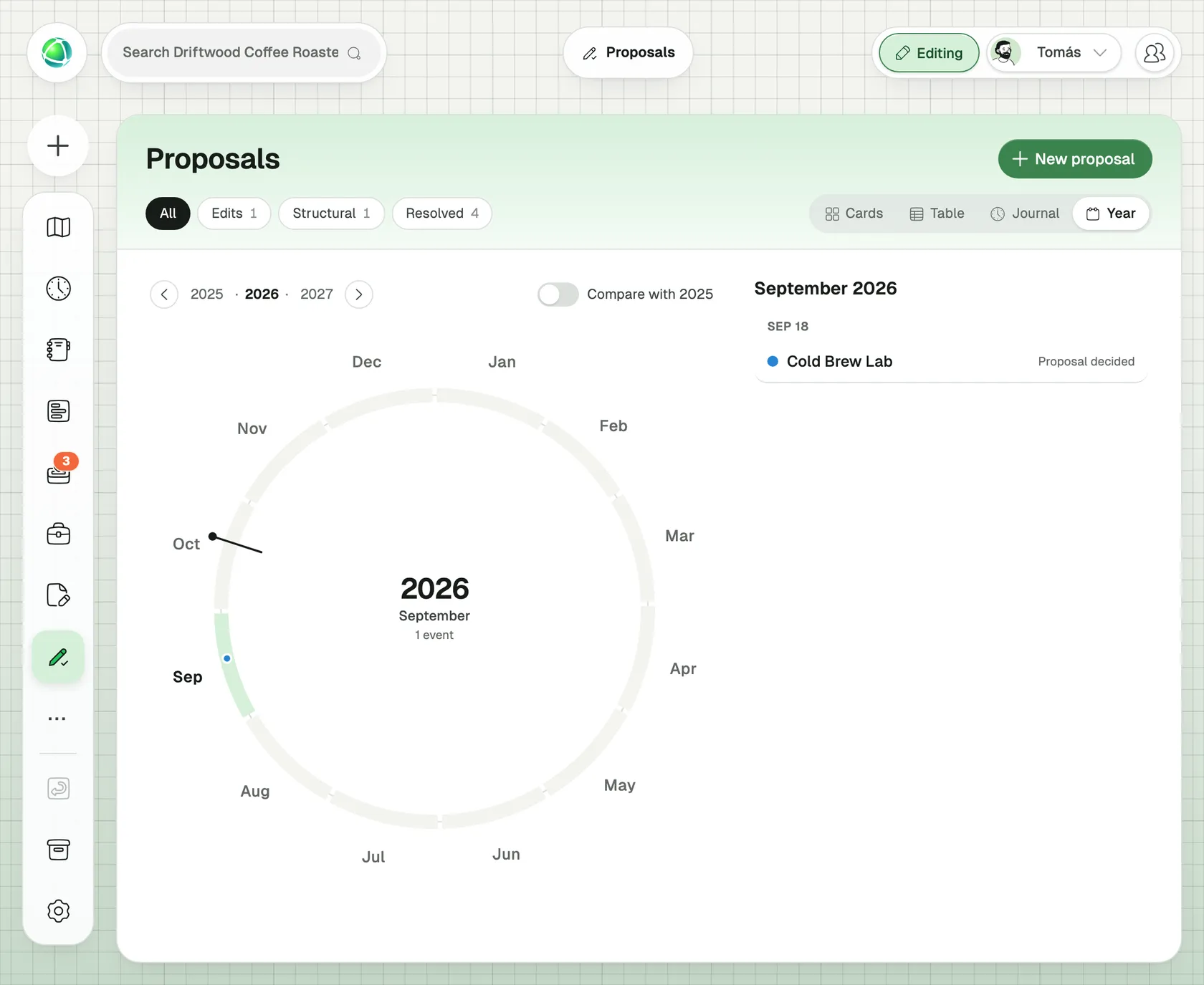
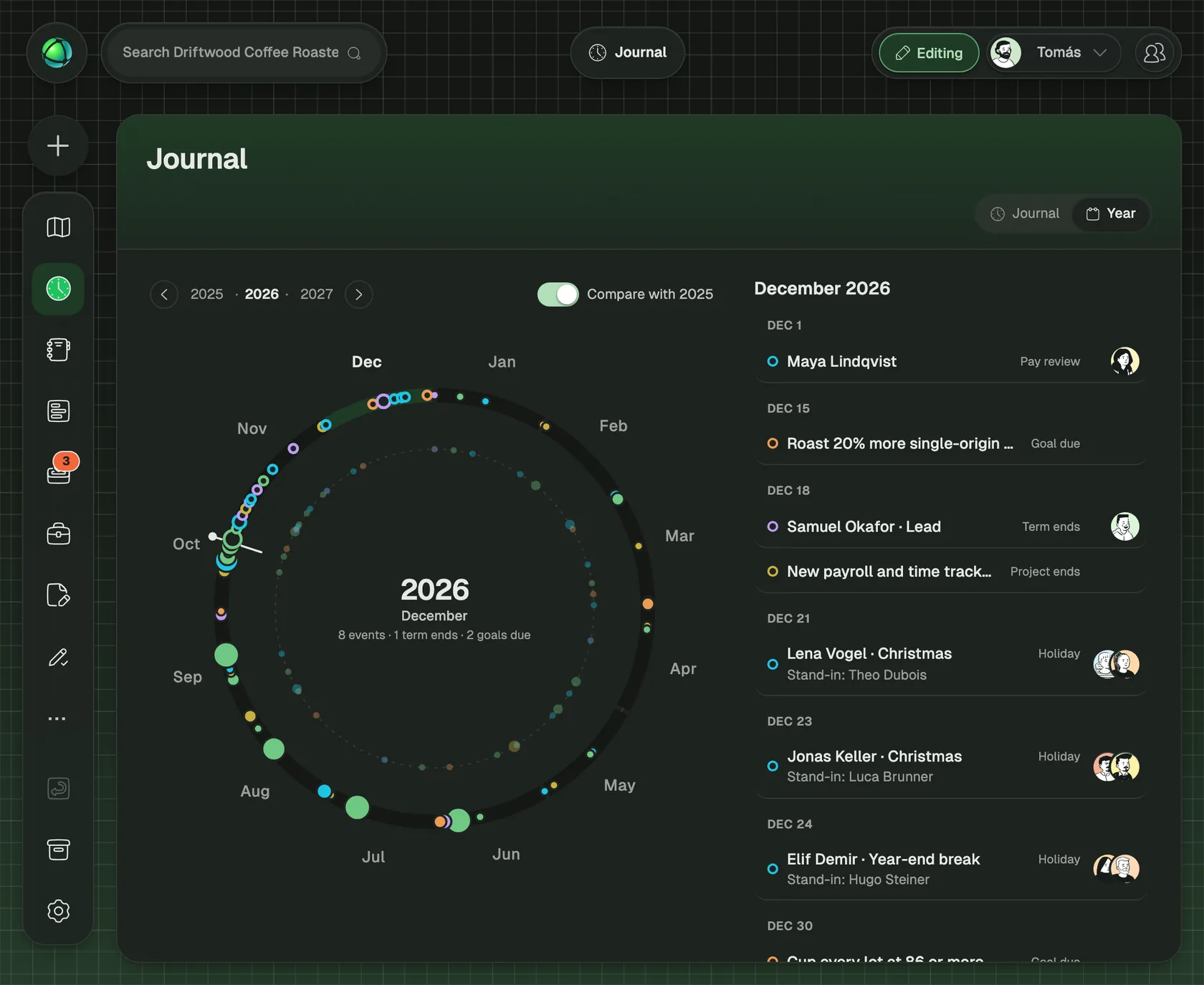
Peerdom treats the year as a cycle. Everything with a date sits on one ring: roles whose terms end, goals that are due, holidays and who stands in, decisions taken, people who joined. Behind today’s marker you see what happened. Ahead of it you see what’s coming. One click shows last year for comparison.
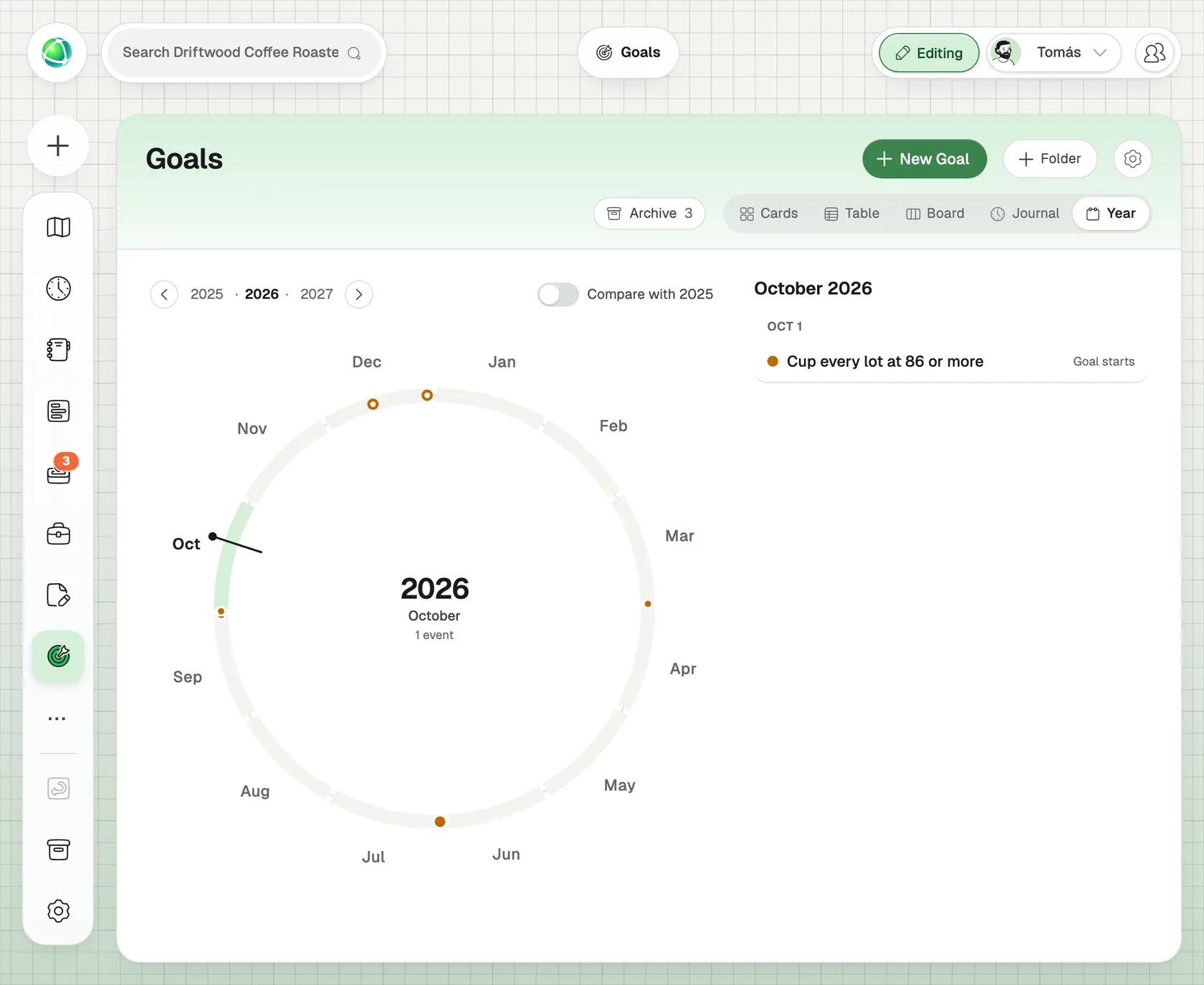
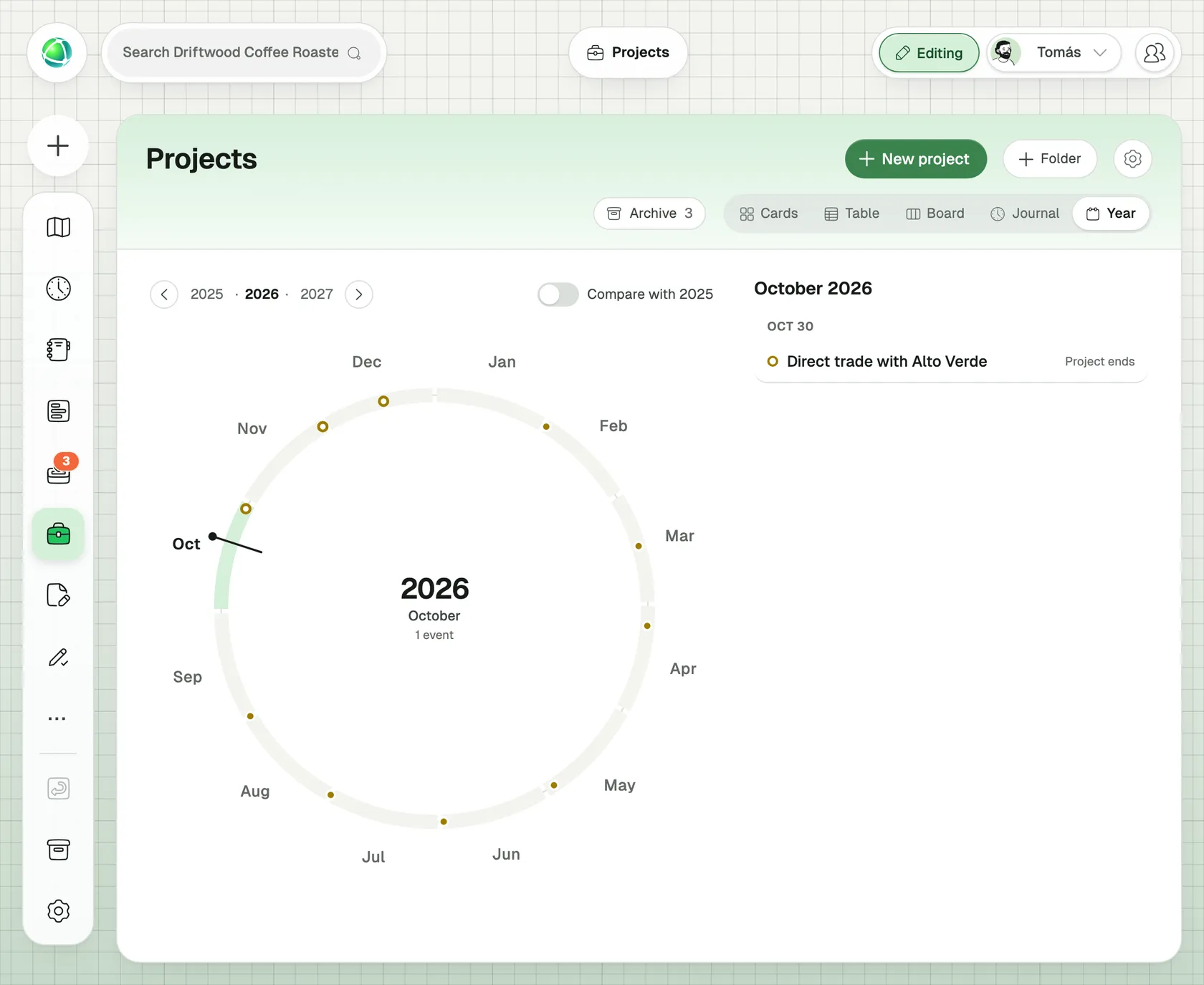
The ring isn’t only in the Journal. Goals, Elections, Projects and Proposals each have their own Year view, and so does every app you build with the Builder that has a date. Each shows only its own dates, and a click opens the item in place.
This article walks through the year season by season, with a screenshot of the real product for each step. It closes with the four things the ring gives you: anticipate, reflect, reuse and repeat.
Winter: set the year’s goals once
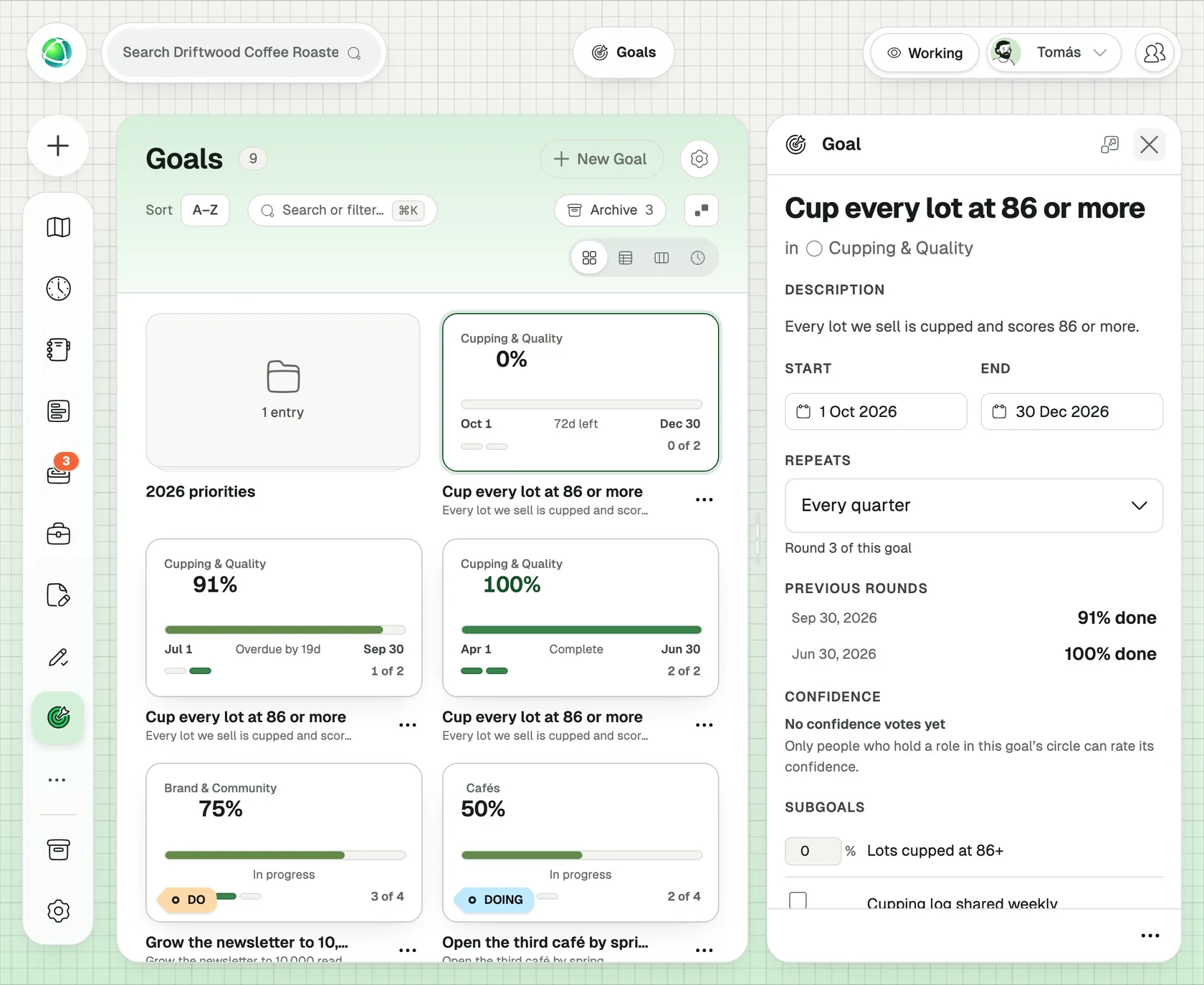
January is goal season, and in Peerdom goals that come back every year or every quarter now repeat on their own. Set a goal to repeat, and when its period ends Peerdom starts the next round for you, with the same sub-goals, the same roles and the progress reset to zero.
The earlier rounds stay as they were, so the goal panel shows “Round 3 of this goal” and how the previous rounds ended. Comparing this year’s sales target with last year’s takes one look, not a search through old files.
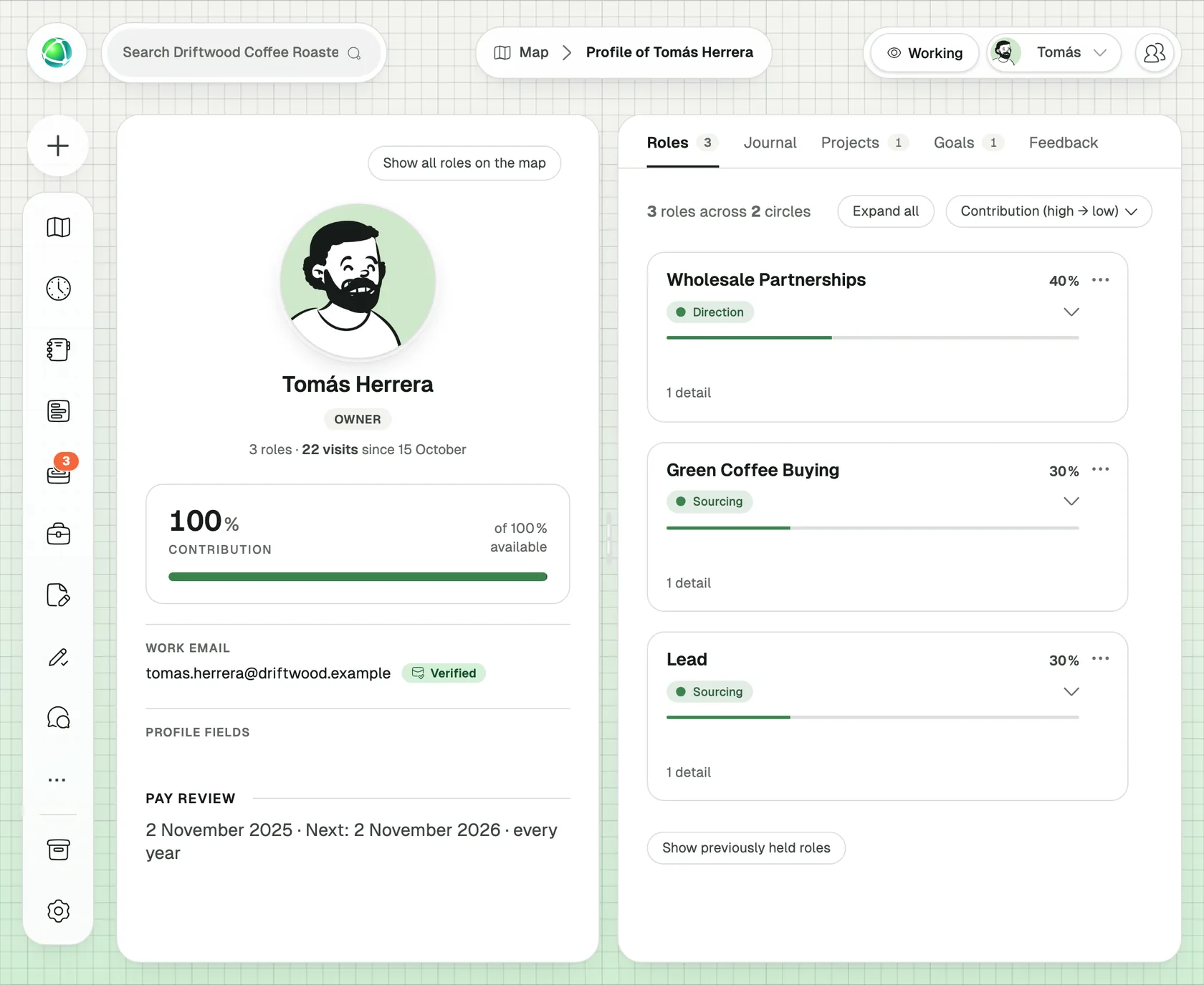
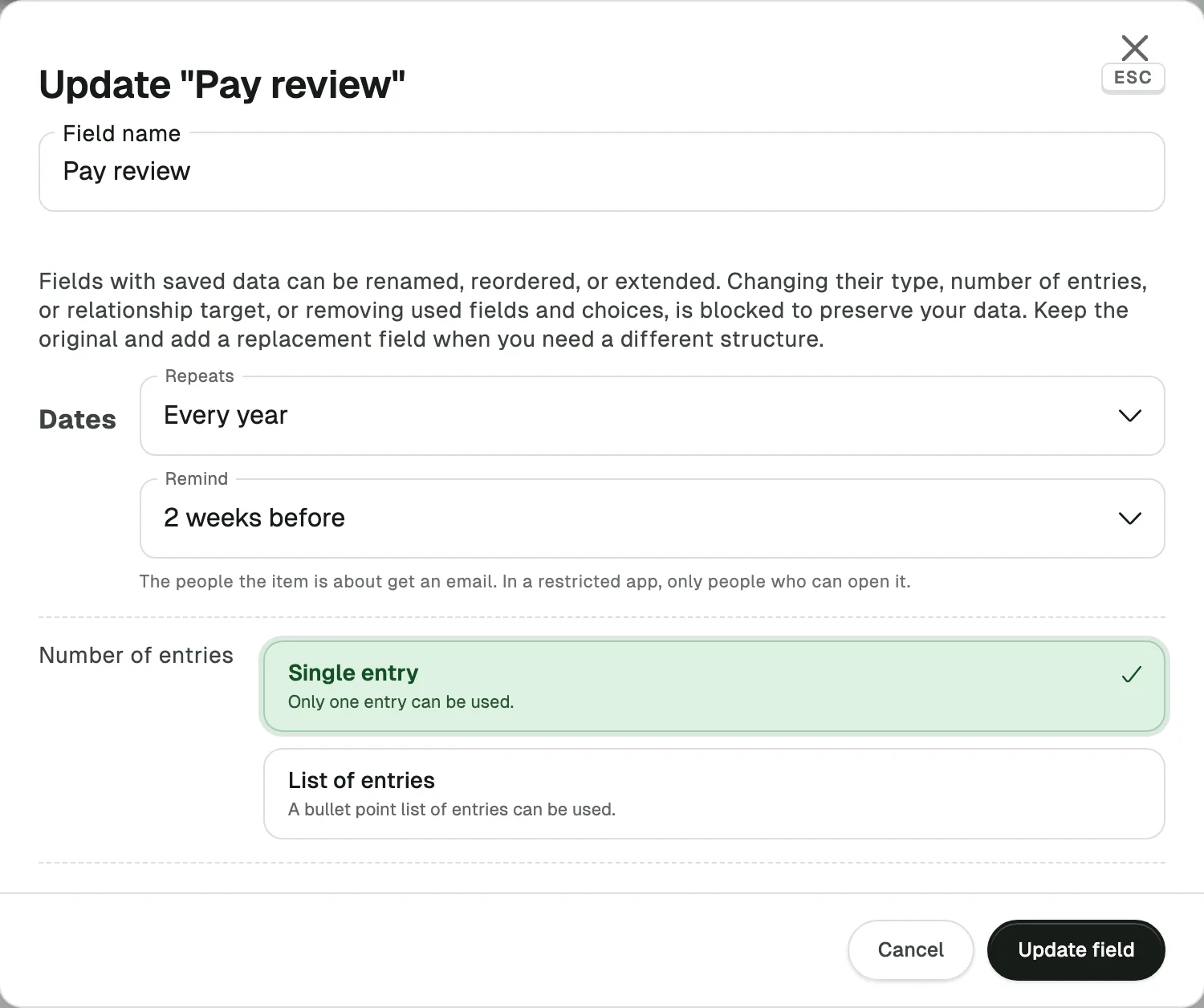
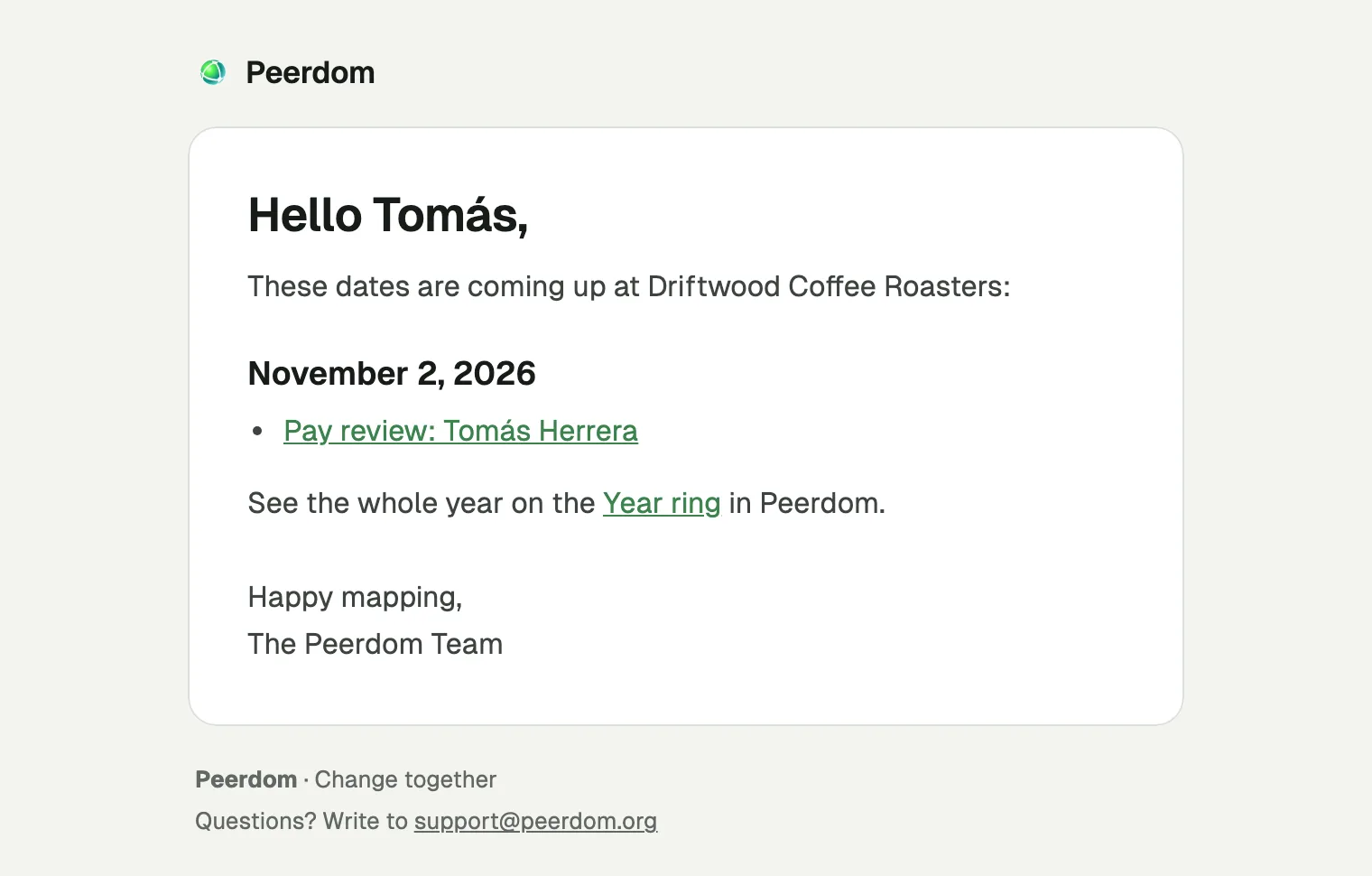
The salary round fits the same rhythm. Add a “Pay review” date to each person, let it repeat yearly, and Peerdom shows the next review date in their profile and sends a reminder two weeks before. Salary data is sensitive, which is one reason Peerdom keeps all of it in Switzerland, under Swiss data protection law.
Spring: elections and decisions on time
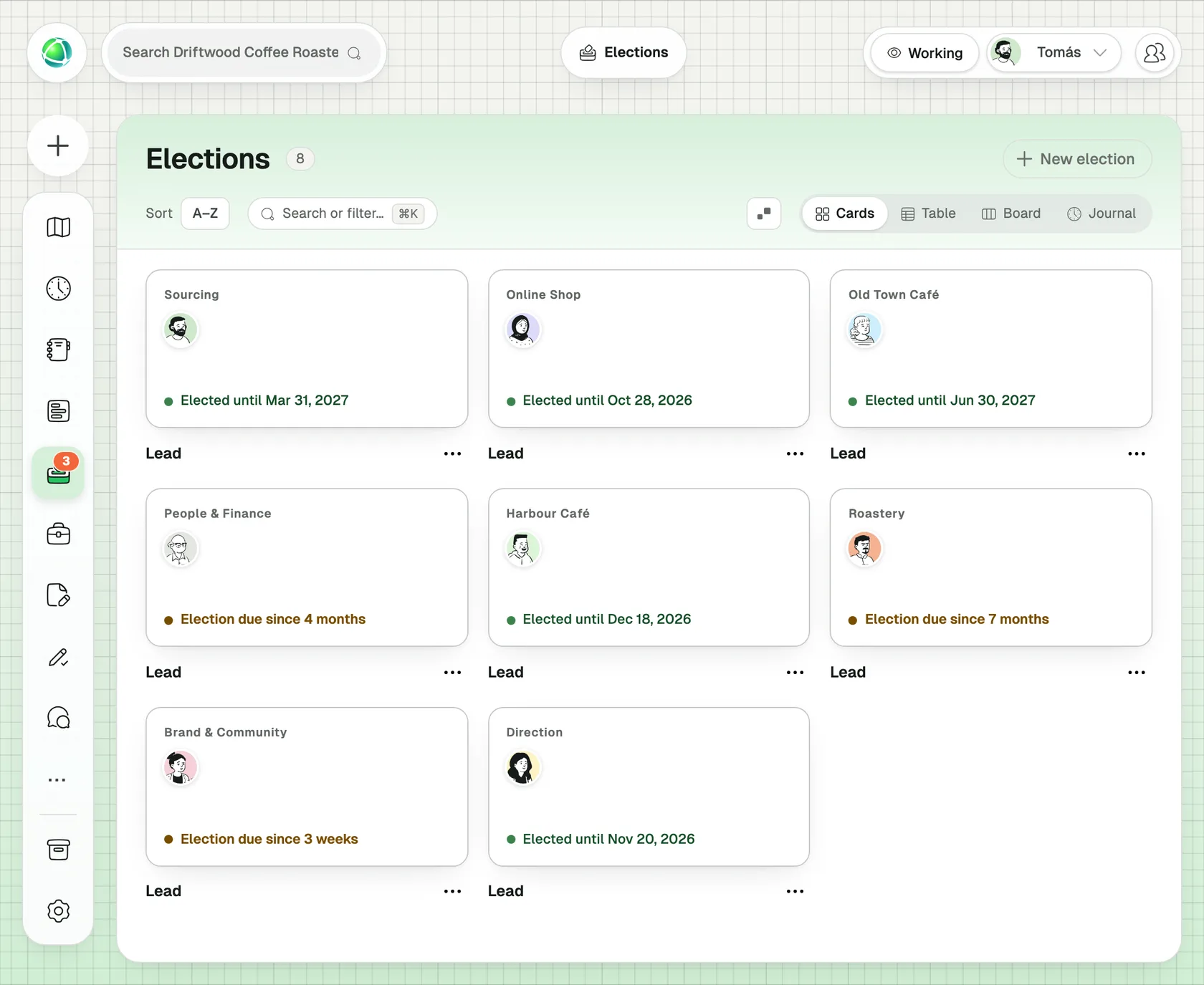
Spring brings the annual meeting, board elections and, in self-organized teams, the re-election of roles whose term ends. Peerdom already tracks how long each person holds an elected role, and the Elections app lists every term that is ending soon. On the Year ring these term ends appear months ahead, so no role quietly runs past its mandate.
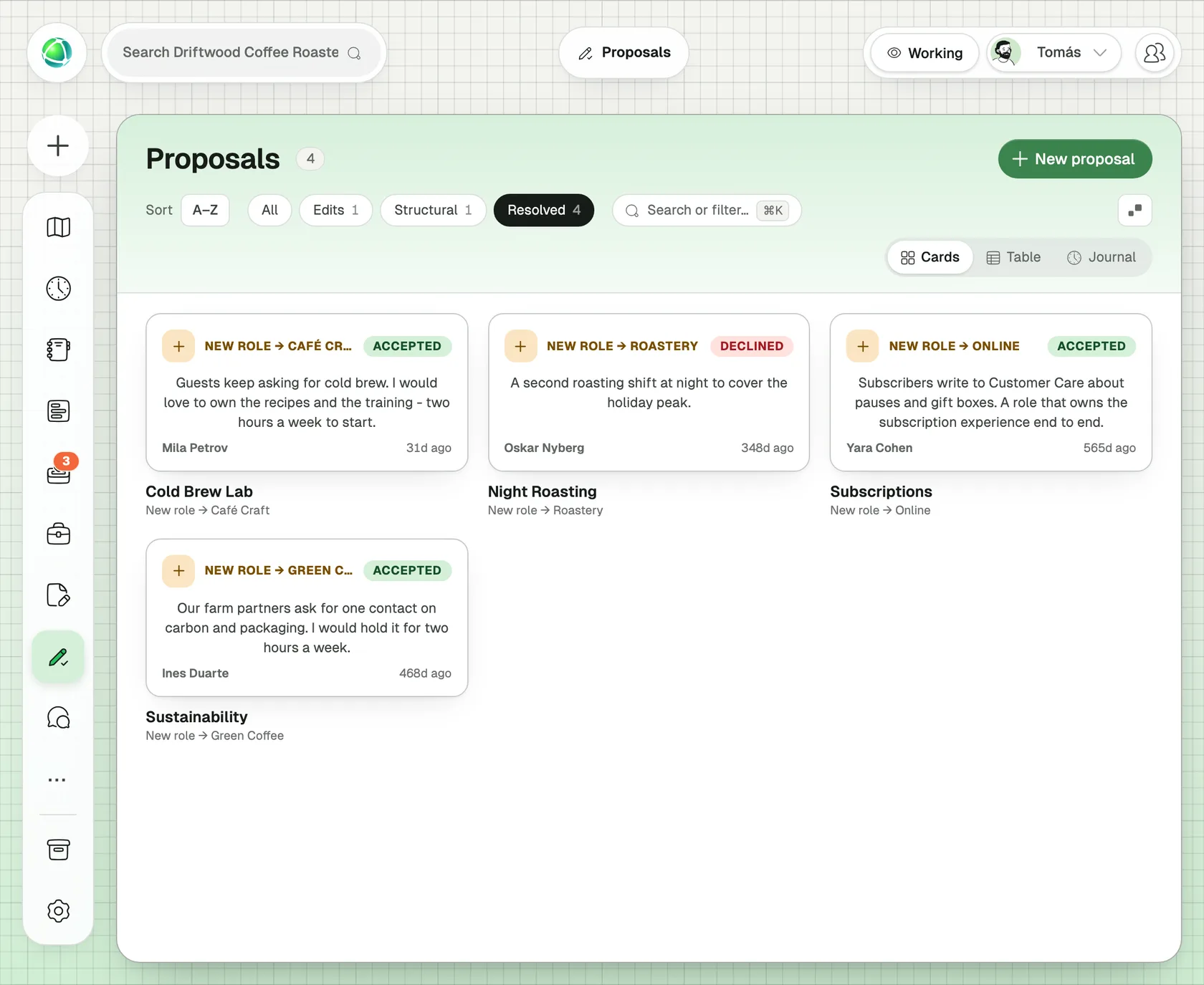
Decisions taken through Proposals land on the ring on the day they were decided. In December, the spring decisions are still there to look back on.
Summer: who is away, and who stands in
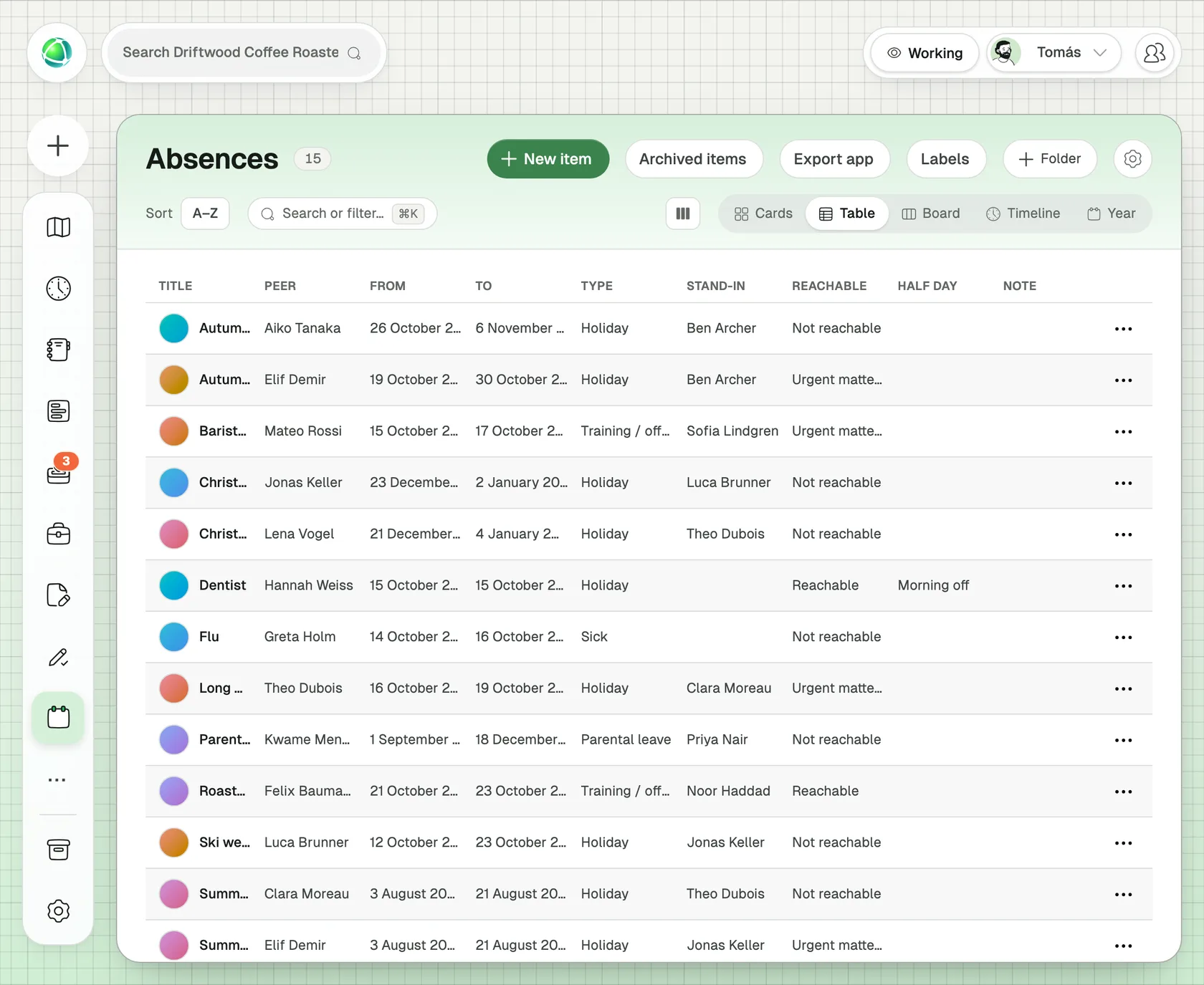
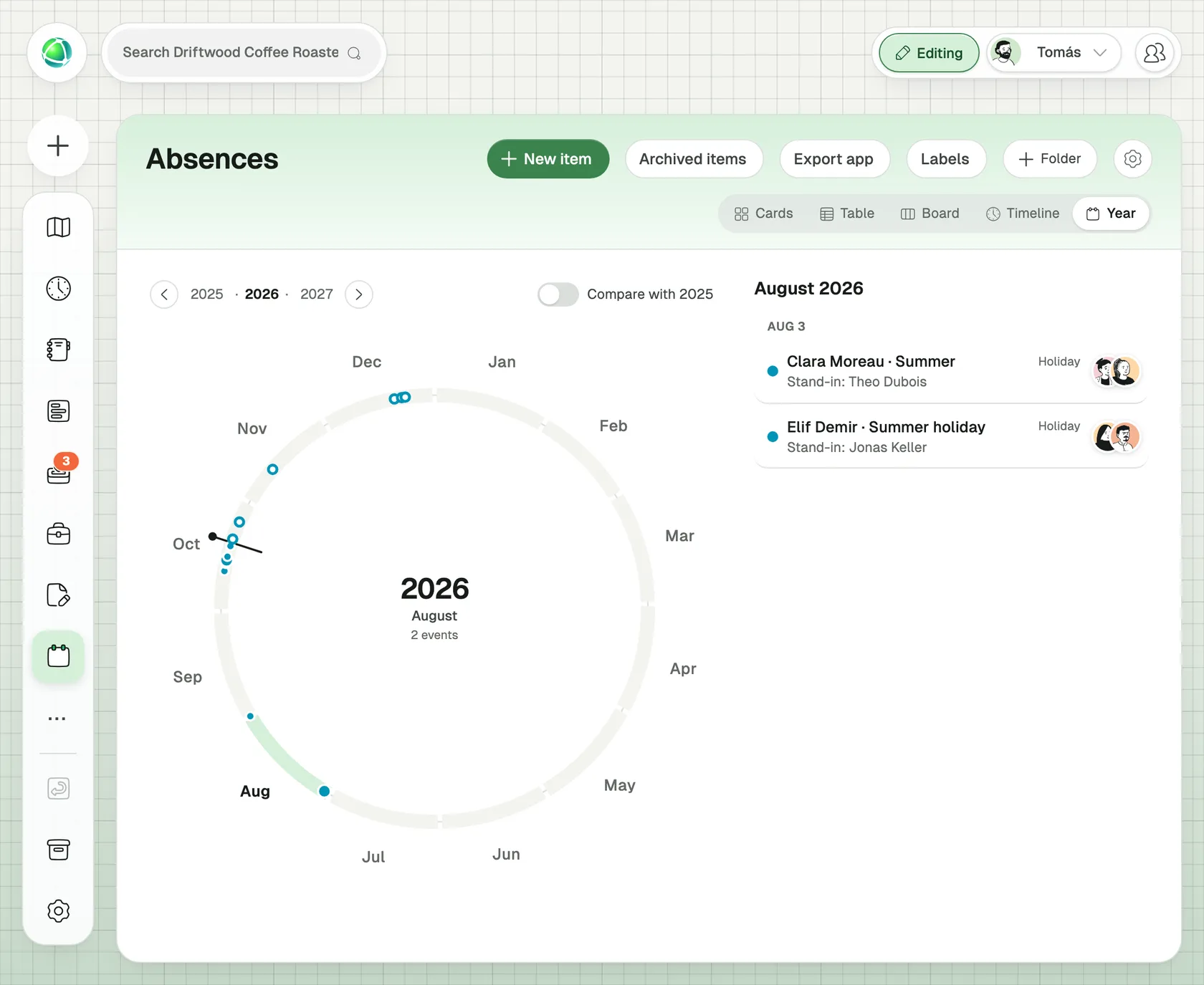
In July and August the question is simple: who is away, and who covers for them? An absences app, made in one click from the ready-made Holidays example, answers both. Each entry records the dates and a stand-in, so every entry shows who is away, what kind of absence it is, and who stands in, for example “Stand-in: Hugo Steiner”.
It has its own Year view. In June, the team sees the summer filling up and spots the week when three people from the same team are away at once, before it happens.
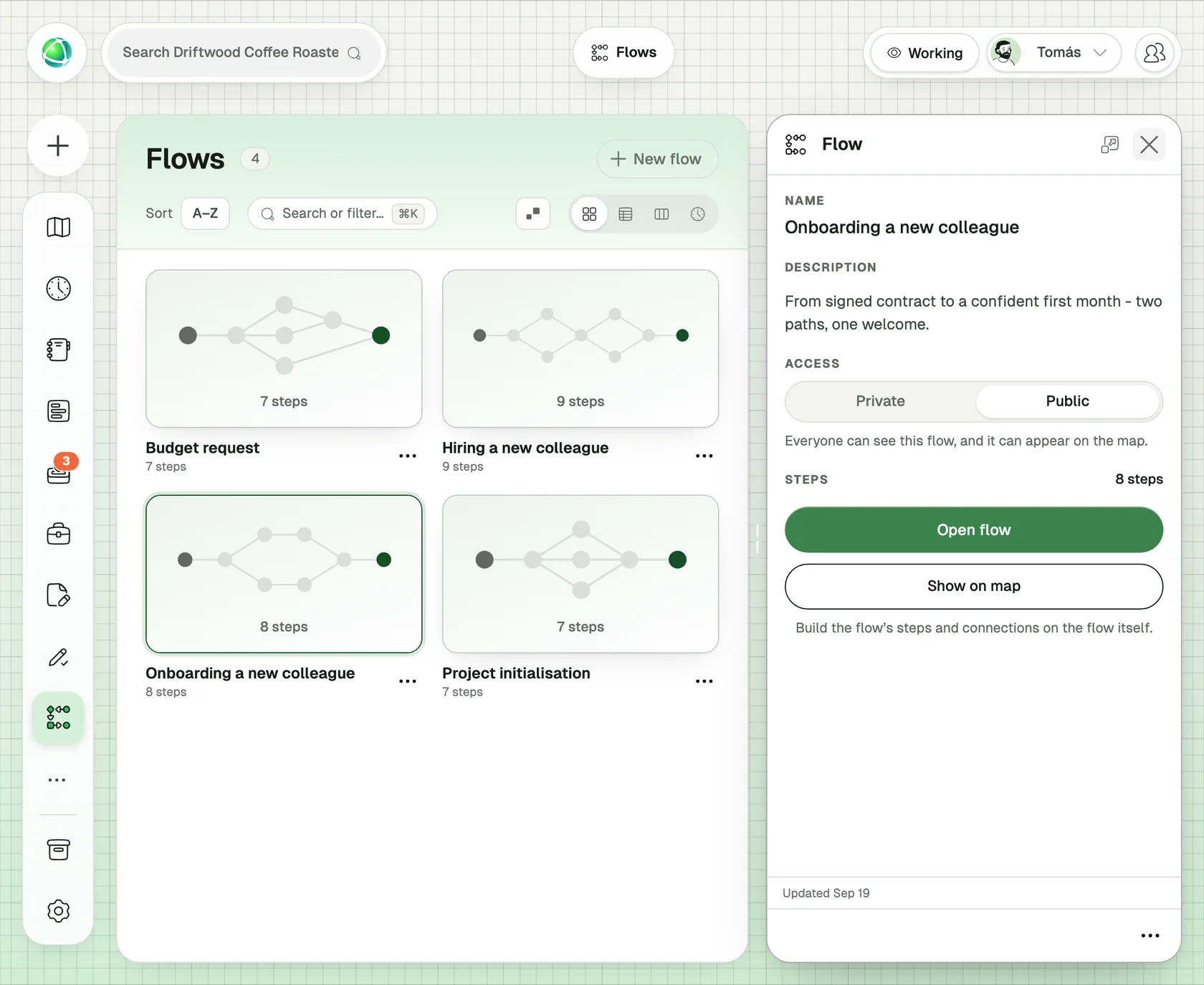
August is also when apprentices and interns start, a very Swiss rhythm. The Flows app holds the onboarding steps you wrote last year, so this year’s starters follow the same path without anyone rewriting it.
Autumn: budget, feedback and the year in review
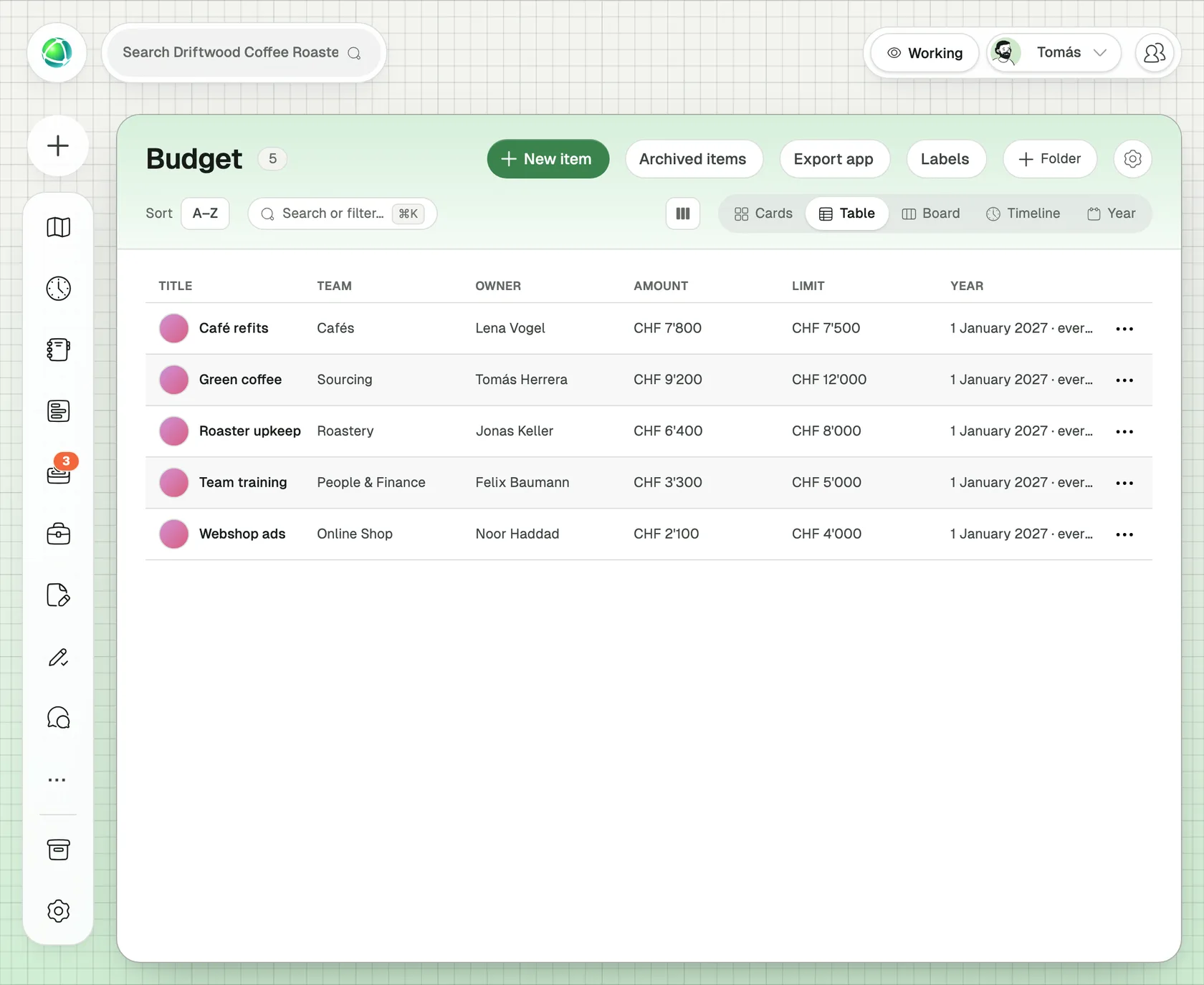
Autumn is planning season. The ready-made Budget app lists each team’s budget lines for the year and shows spending against the limit on the map. Because its year date repeats, next year’s budget starts from this year’s lines.
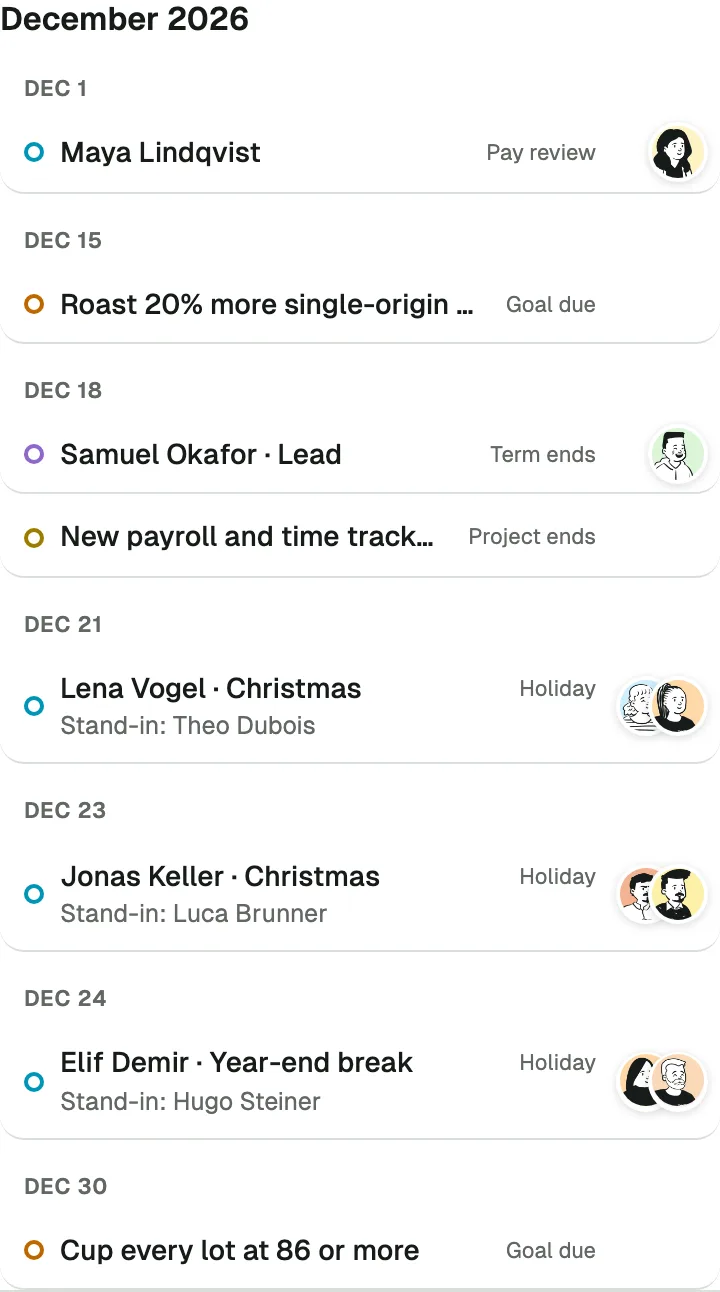
December is for feedback and looking back. The Feedback app runs the round and reminds people to answer. Meanwhile the Journal shows the whole year as a ring: who joined, which goals were completed, which roles changed hands, what was decided.
Switch on “Compare with 2025” and last year’s ring appears faintly inside this year’s. You see at a glance whether this year was busier, whether the same months were crowded, and which rhythms have settled in.
The flywheel: each round is easier than the last
The ring is round on purpose. Every turn of the year leaves something behind that makes the next turn lighter.
- Anticipate. The ring shows what’s ahead: terms ending, goals due, holidays booked, reviews coming up. Any date can also send a reminder a day, a week or a month before, to the people it concerns and only to people allowed to see it.
- Reflect. Last year sits one click away. Compare the months, the goal rounds and the decisions, and see what changed.
- Reuse. Goals, onboarding steps, budget lines and feedback rounds carry over. Nothing starts from an empty page.
- Repeat. Dates that repeat every week, month, quarter or year keep the rhythm going without anyone remembering to restart it.
Your organization’s rhythm may not match ours. With the Builder you can make your own app for any recurring moment: a certification renewal, a quarterly safety check, a yearly contract review. Give it a date that repeats and a reminder, and it joins the ring like everything else.
Your year stays in Switzerland
A year of an organization’s life holds sensitive details: pay reviews, feedback, absences. Peerdom is a Swiss company and keeps all of this data in Switzerland, under Swiss law and our Swiss Safe Harbour approach.
The Year ring, recurring goals and reminders work in Peerdom and Peerdom+. The Holidays and Budget examples, and any rhythm app you build yourself, use the Builder, available with Peerdom+.
Start your ring now, and by next December you’ll have a full year to look back on.