Most organizations have them. The holiday sheet in HR. The list of who has which office key, in a drawer. The overview of software licences that finance updates once a year. The safety officer’s file of first-aid certificates and when they expire. Each one started as a quick spreadsheet. Often it is out of date, kept by one person and hard for anyone else to find.
Lately there is a new temptation: ask an AI coding tool to build a tracker over the weekend. That tracker then needs hosting, access controls and a connection to your organization’s people, roles and teams, and someone to keep all of that running.
With App Builder there is a shorter way. You build the app you need in a few minutes, and it appears in Peerdom, where your organization already lives.
Build it, use it
Every app starts with something someone in your organization needs:
“Let everyone add their holidays and sick days, with who covers for them.”
Open App Builder, click New app and add the fields that sentence asks for: the person, the dates, the type of absence and the stand-in. Choose who can see the app, let everyone add their own items and pick how the app shows on the map. Everything saves as you type. When it’s ready, switch it from Draft to Active, and the app appears in the App Bar for everyone who has access.
Nobody writes code, and nothing new needs hosting.
Fifteen spreadsheets, fifteen apps
These are the lists we hear about in almost every organization, whatever its size or way of working. Each one starts as a sentence like the one above and takes a few minutes in App Builder. The screenshots show real apps in two demo organizations: Driftwood Coffee Roasters and Northwind Studio.
Absences
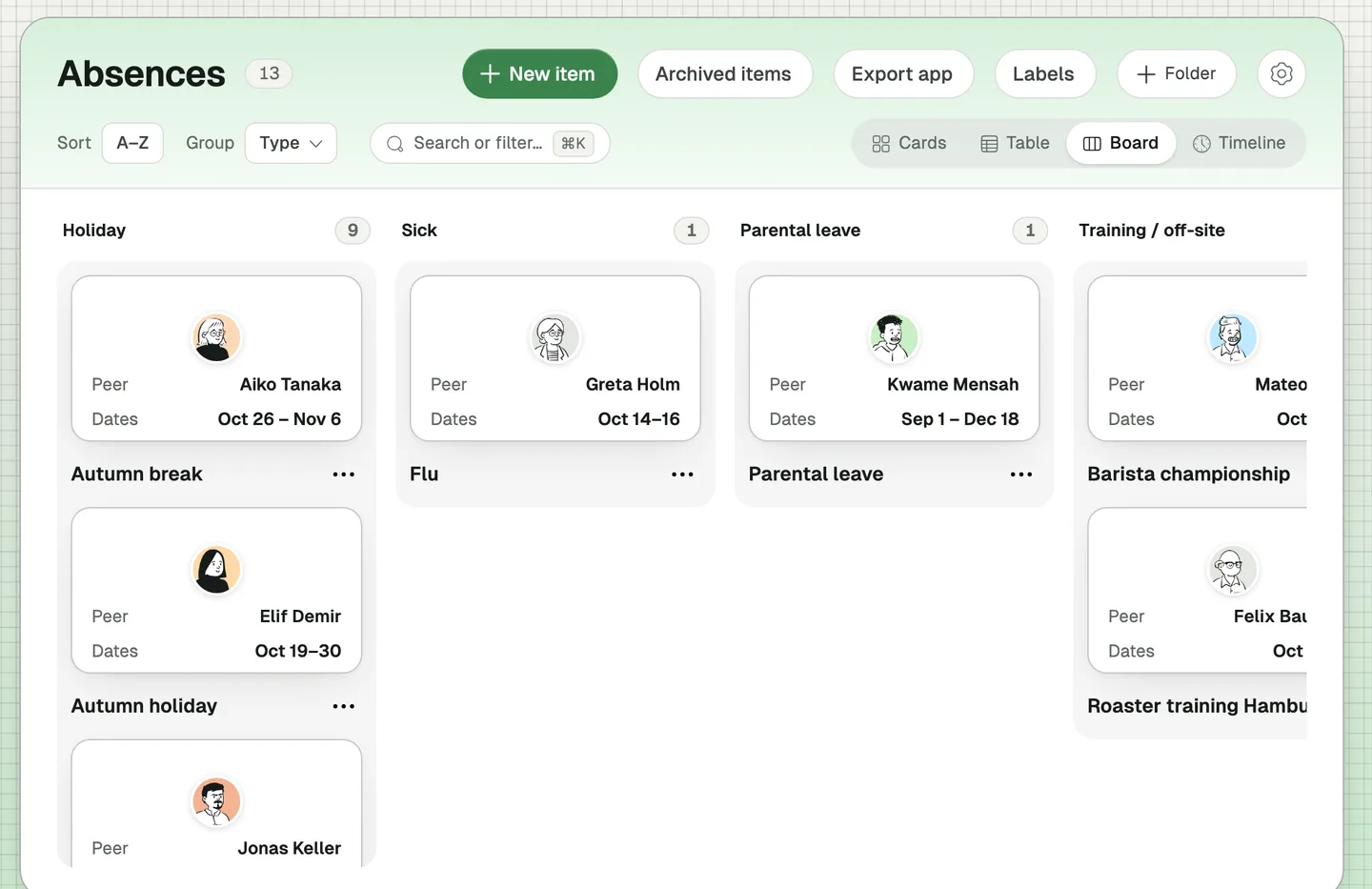
“Let everyone add their holidays and sick days, with who covers for them.”
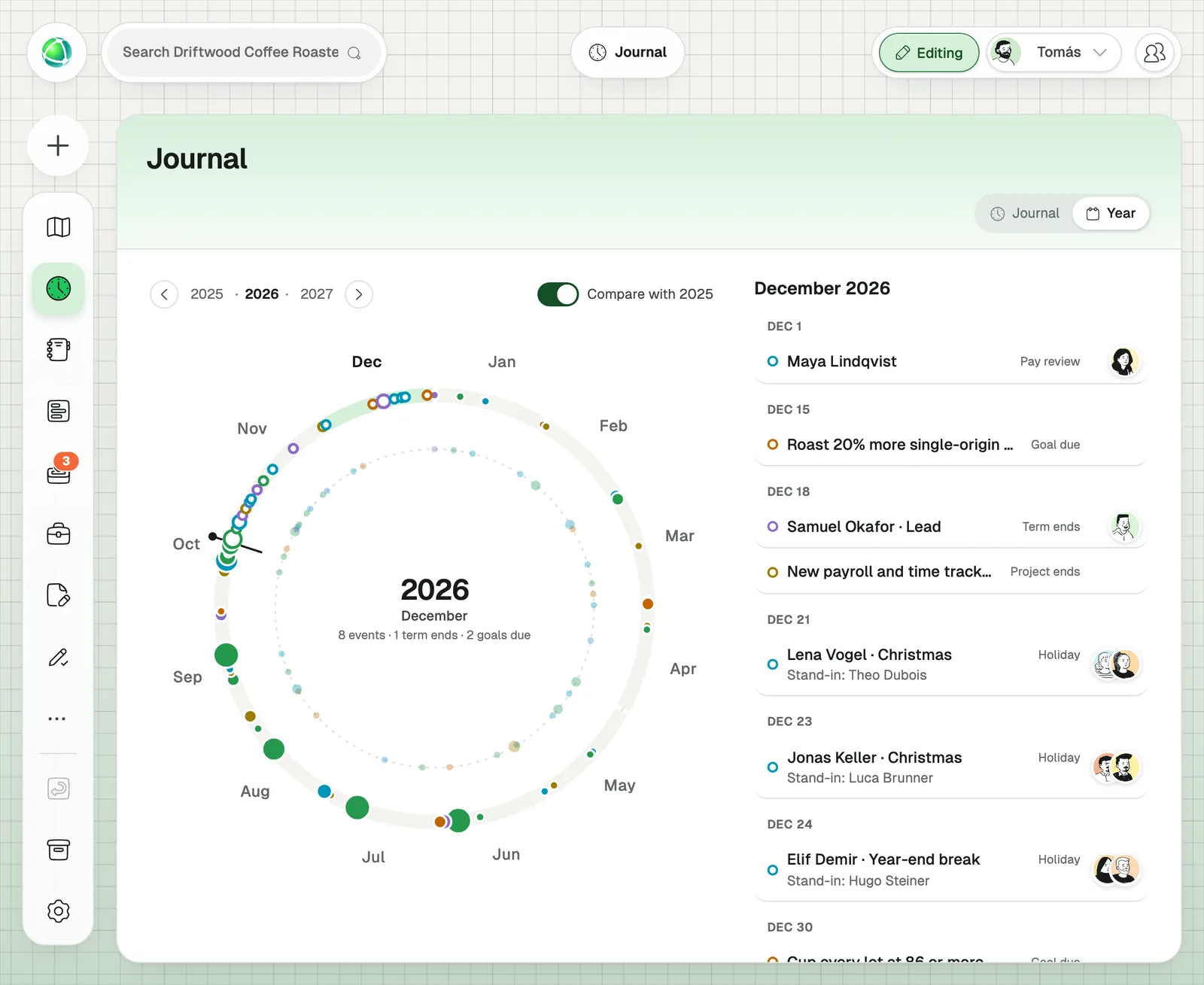
Replaces the HR holiday sheet. Members add their own absences, and Owners can record one for someone else. Group the board by type, or use the table for an overview.
Office days
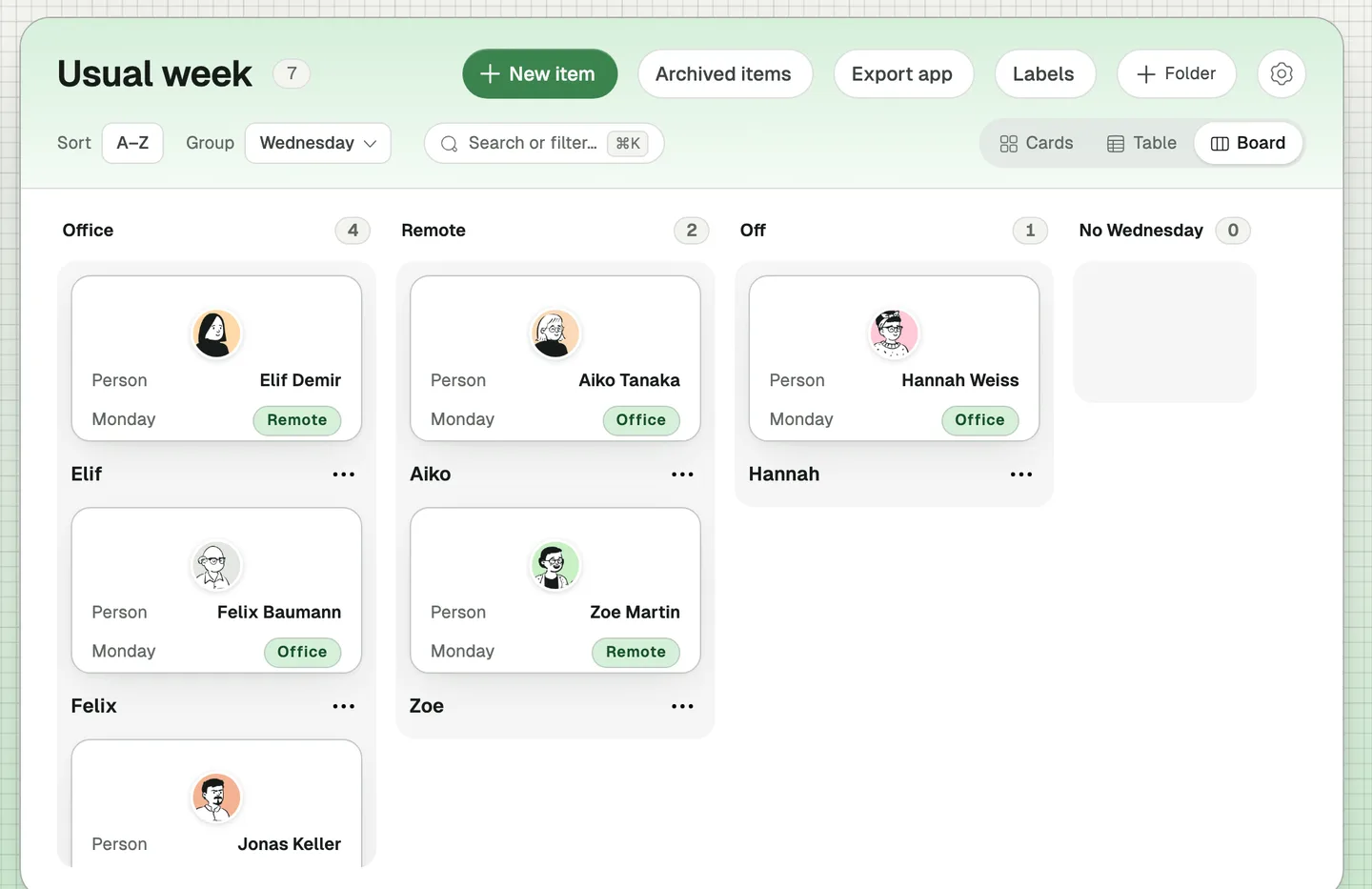
“Show which days each person usually works in the office and which days from home.”
Replaces the “who’s in on Wednesday?” message. Group the board by any weekday to see who you will meet at the office that day.
Room bookings
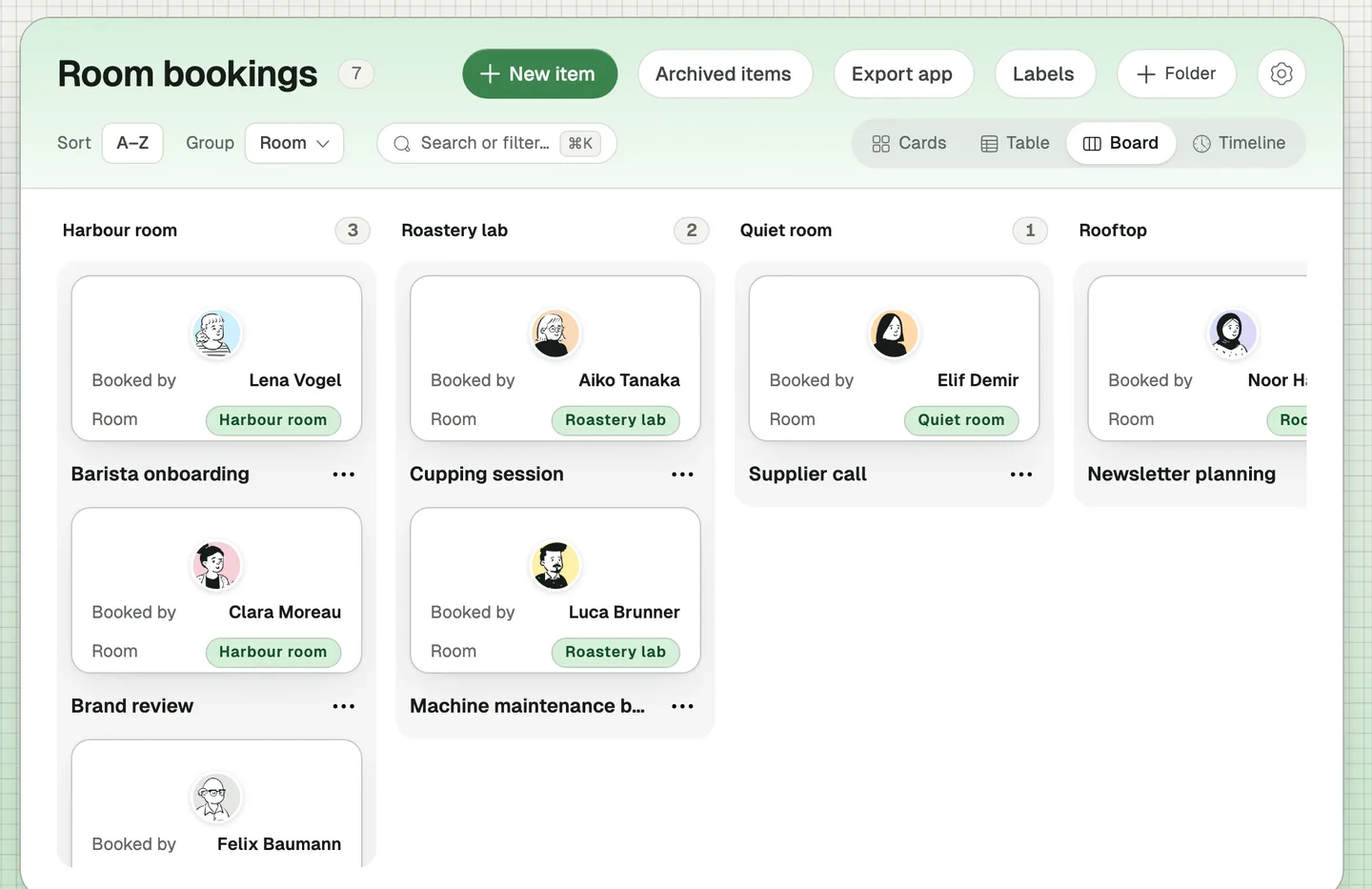
“Let everyone book our meeting rooms: which room, which day and time, who booked it and who joins.”
Keeps room bookings in one list instead of scattered messages. Group the board by room to see all bookings for the Harbour room together.
Recurring meetings
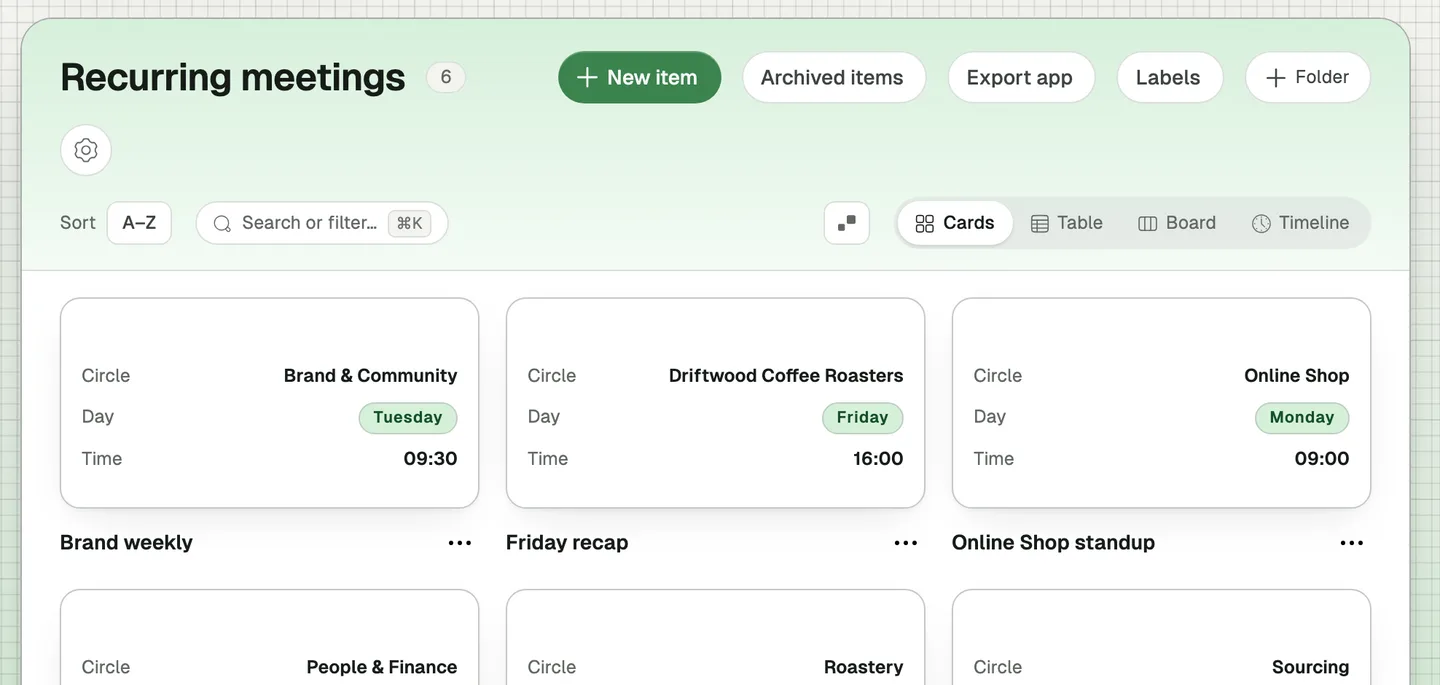
“List our recurring meetings per team, like the Monday standup and the Friday recap.”
Replaces the meeting overview in a wiki page. Each meeting belongs to a team and names its facilitator as a role, so it stays right when someone else takes the role over. On the map, every team shows how many recurring meetings it has.
Equipment
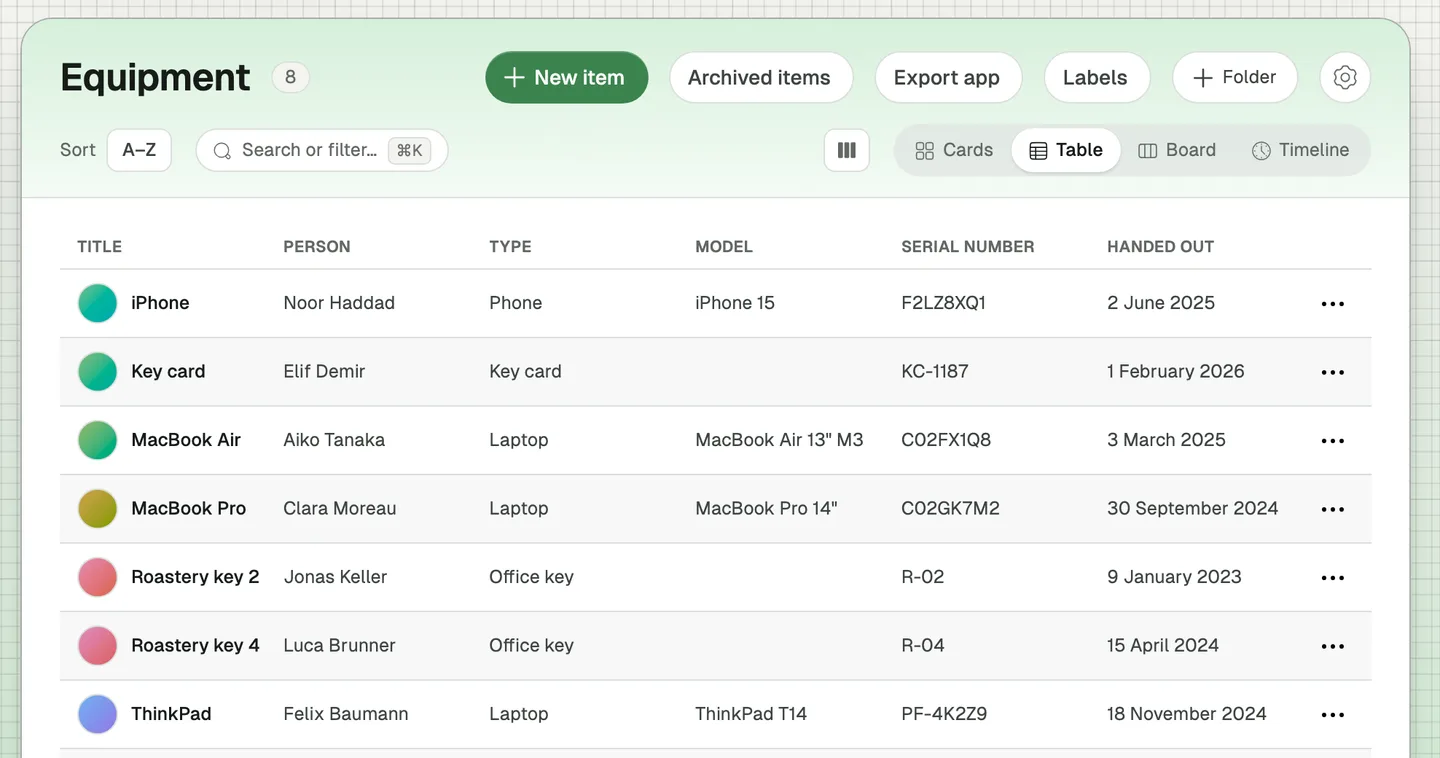
“Track which laptop, phone and key card each person has.”
Replaces IT’s asset sheet and the question “who has key 4?”. When someone leaves, their list of things to hand back is already there.
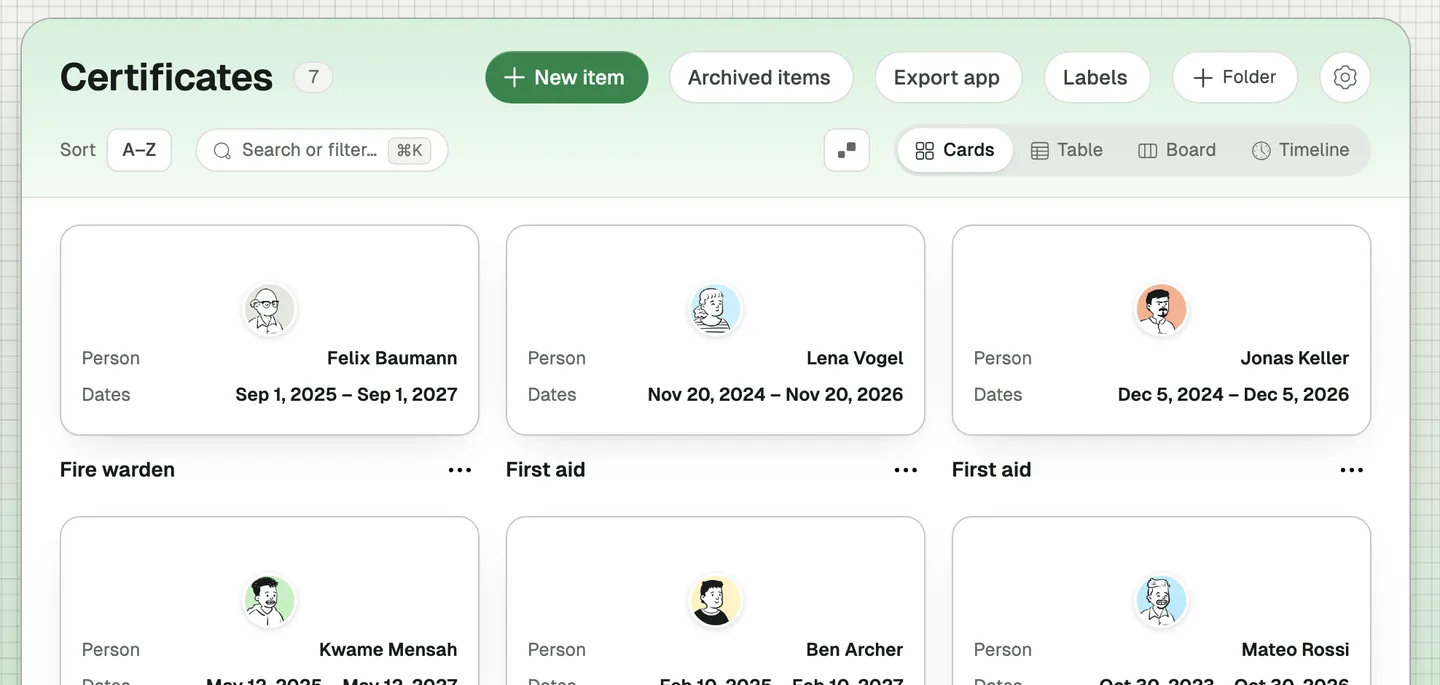
Certificates
“Keep track of first aid, food safety and forklift certificates and when they expire.”
Replaces the safety officer’s file. On the map, a ring around each certified person fills up as their certificate gets older, so the ones close to expiring stand out.
Software subscriptions
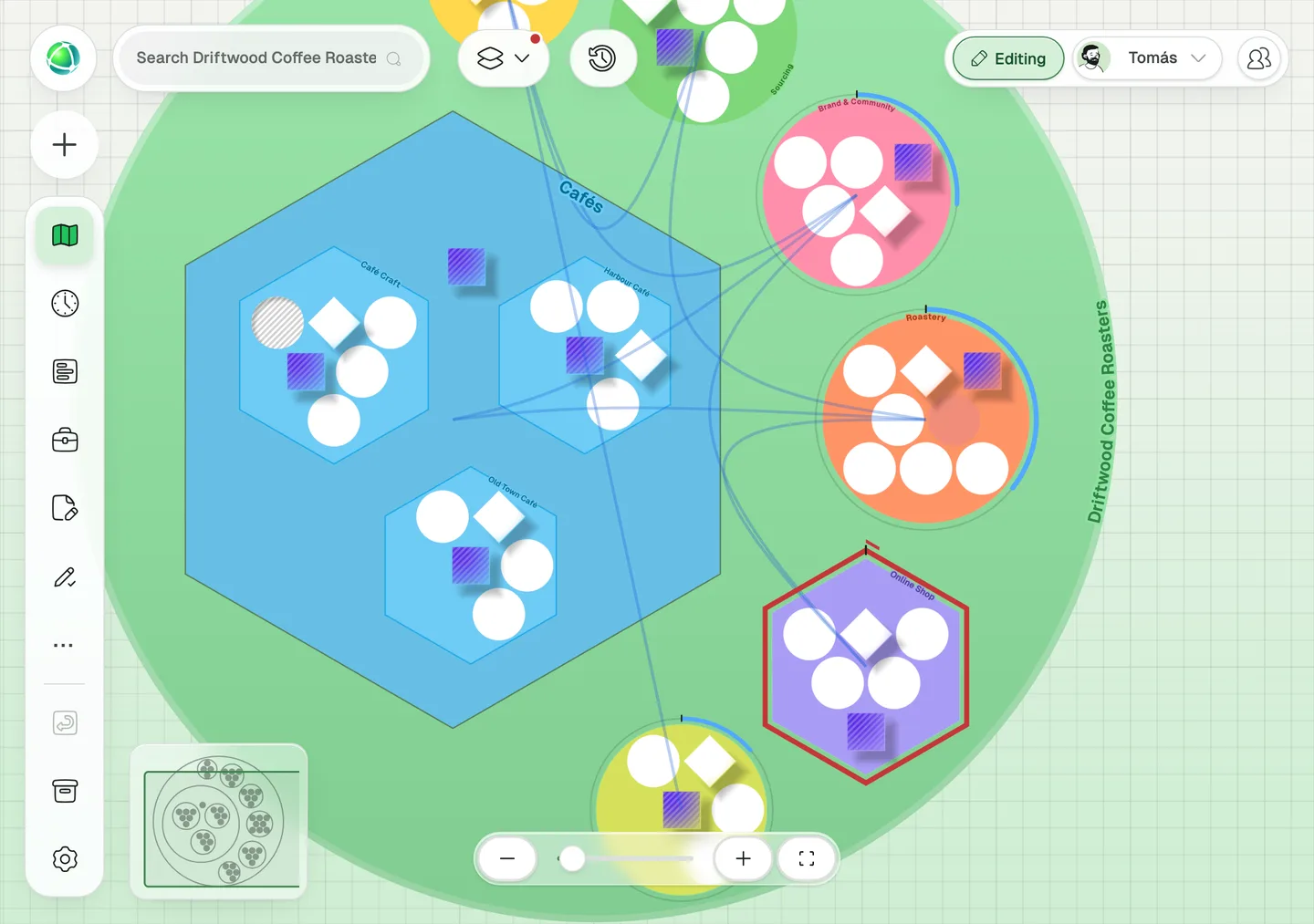
“List our software subscriptions per team, with what each costs a month.”
Replaces finance’s licence overview. Each team gets a gauge on the map that adds up its monthly cost against a limit. Here the Online Shop is over its CHF 500 and shows it in red.
Onboarding
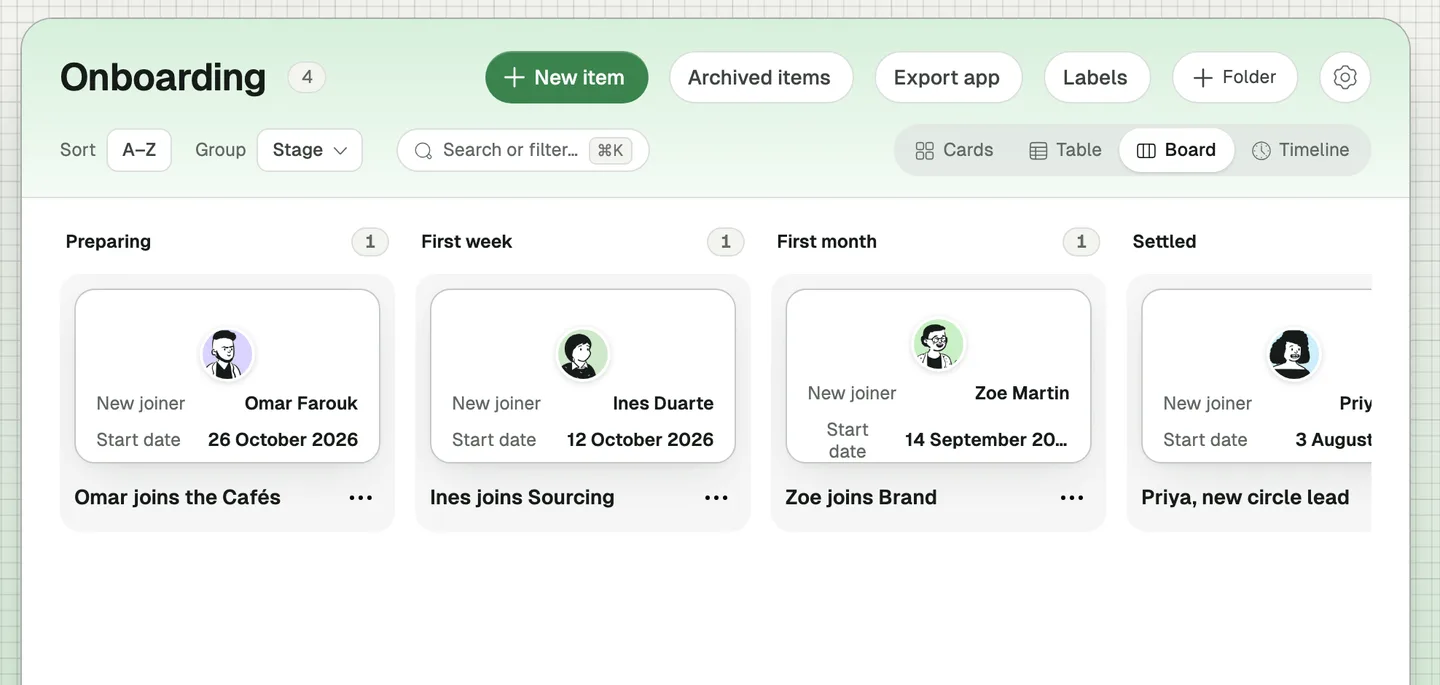
“Plan each new joiner: start date, buddy, laptop ready and how far along they are.”
Replaces the HR onboarding checklist. Group the board by stage to see who is still being prepared and who has settled in.
Kudos
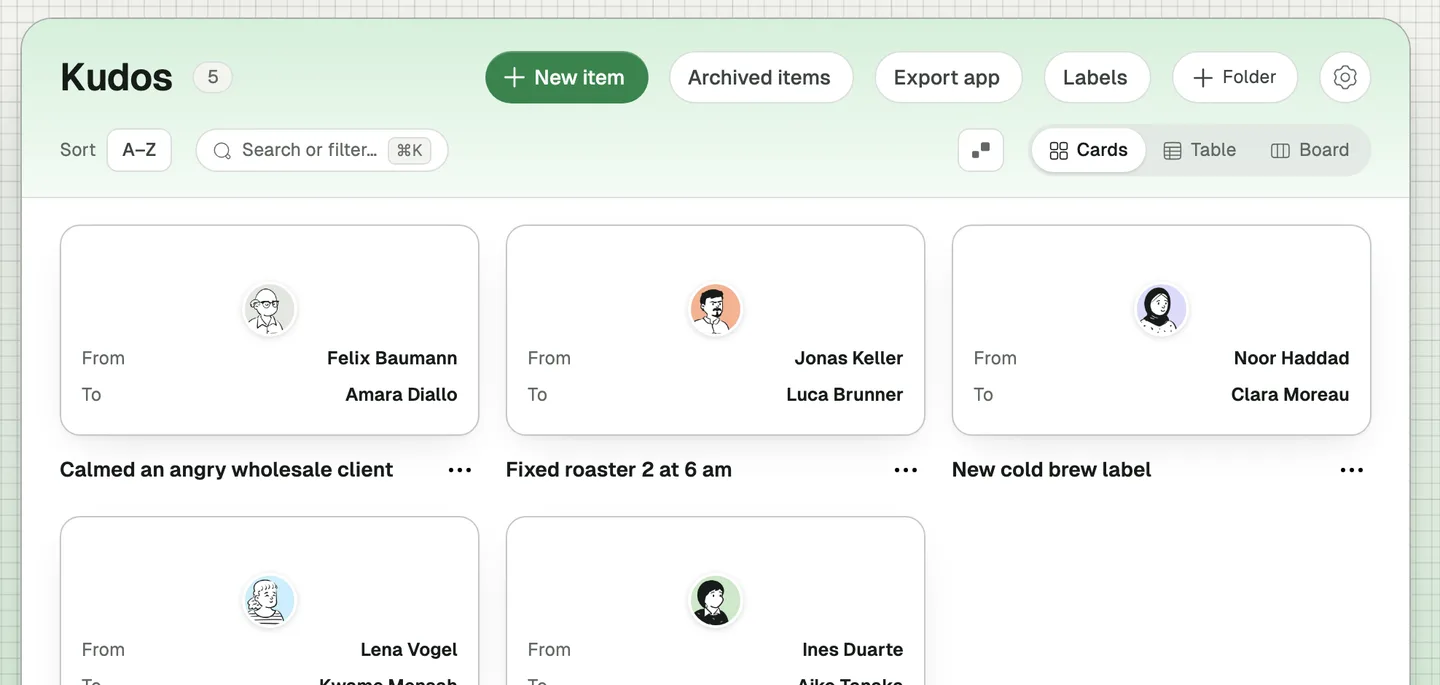
“Let people thank a colleague for something specific.”
Replaces shout-outs that scroll away in a chat. The thanks stay, and the thanked person is marked on the map.
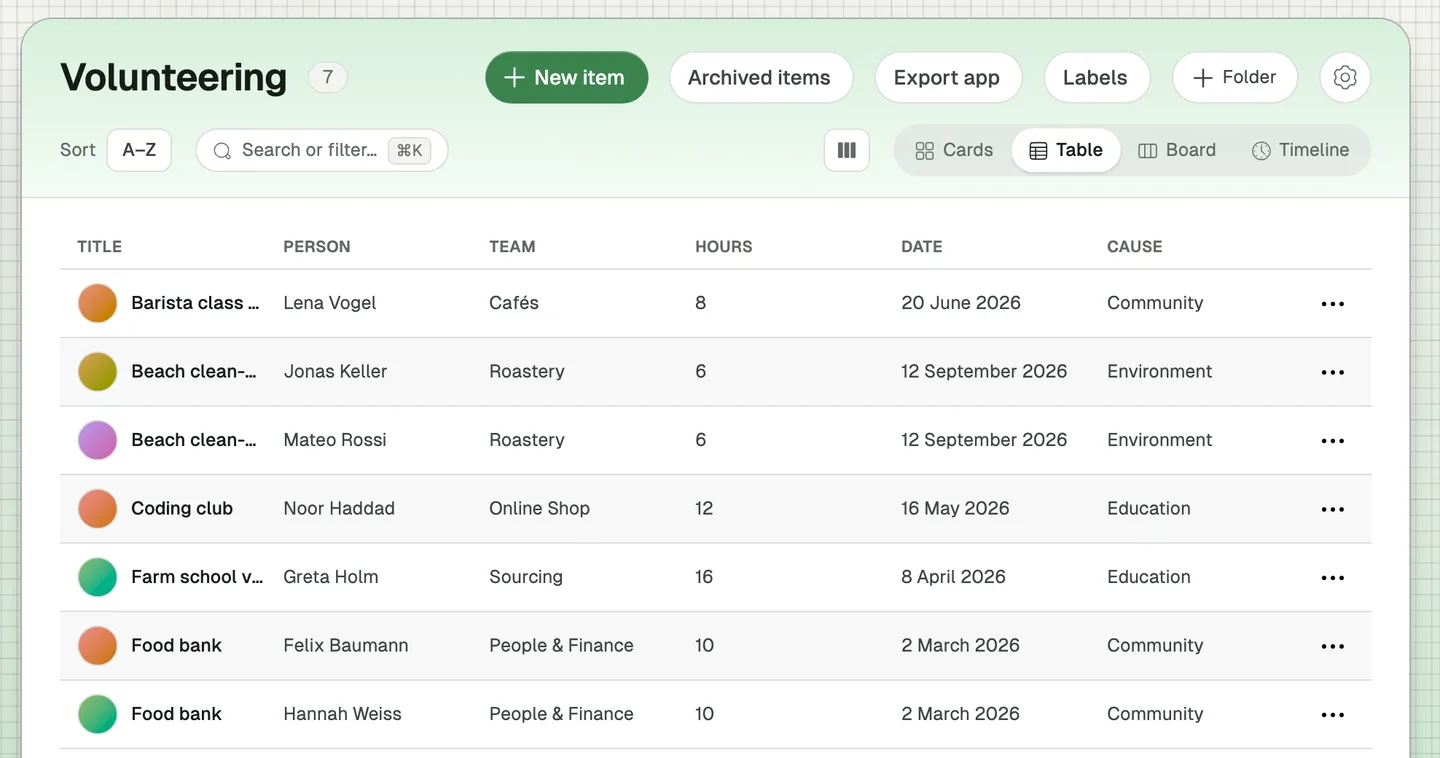
Volunteering hours
“Log volunteering hours per team against a goal of 40 hours a team.”
Replaces the impact reporting sheet. Each person logs their own hours, and each team sees its total against the goal on the map.
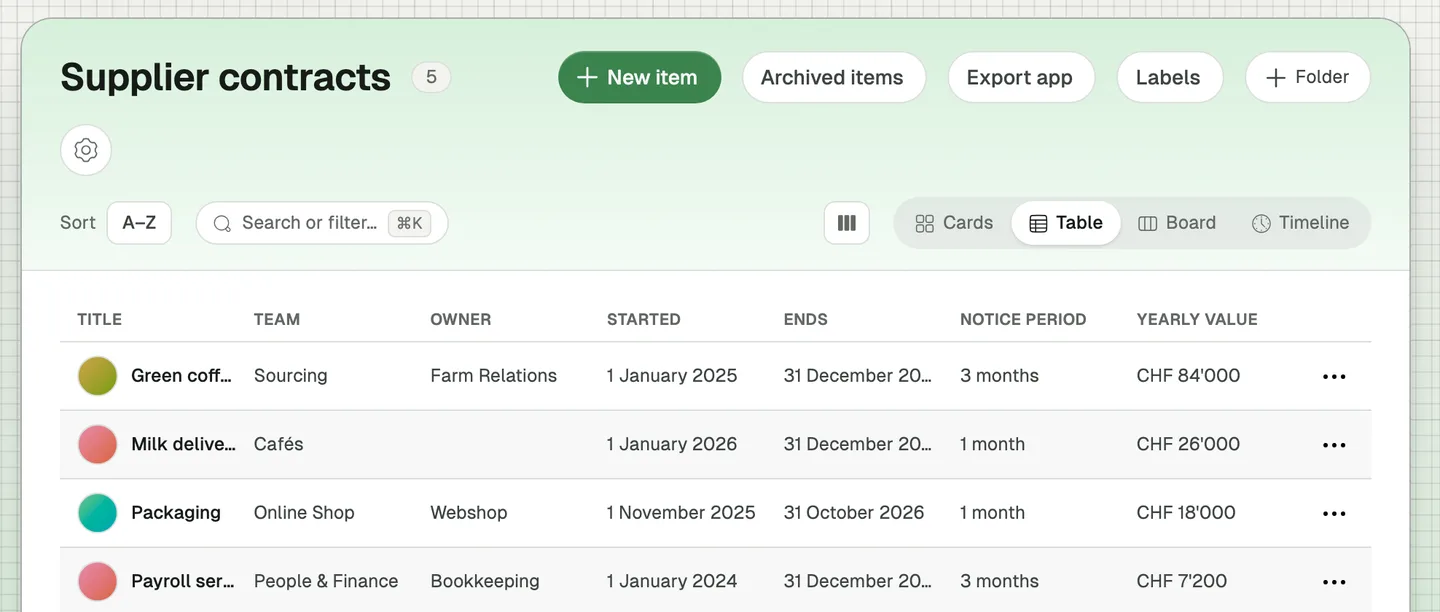
Supplier contracts
“Keep our supplier contracts in one place: who owns them, what they cost a year and when we must give notice.”
Replaces the contract list that only finance can find. On the map, a ring shows how far each team’s contracts have run, so renewals don’t come as a surprise.
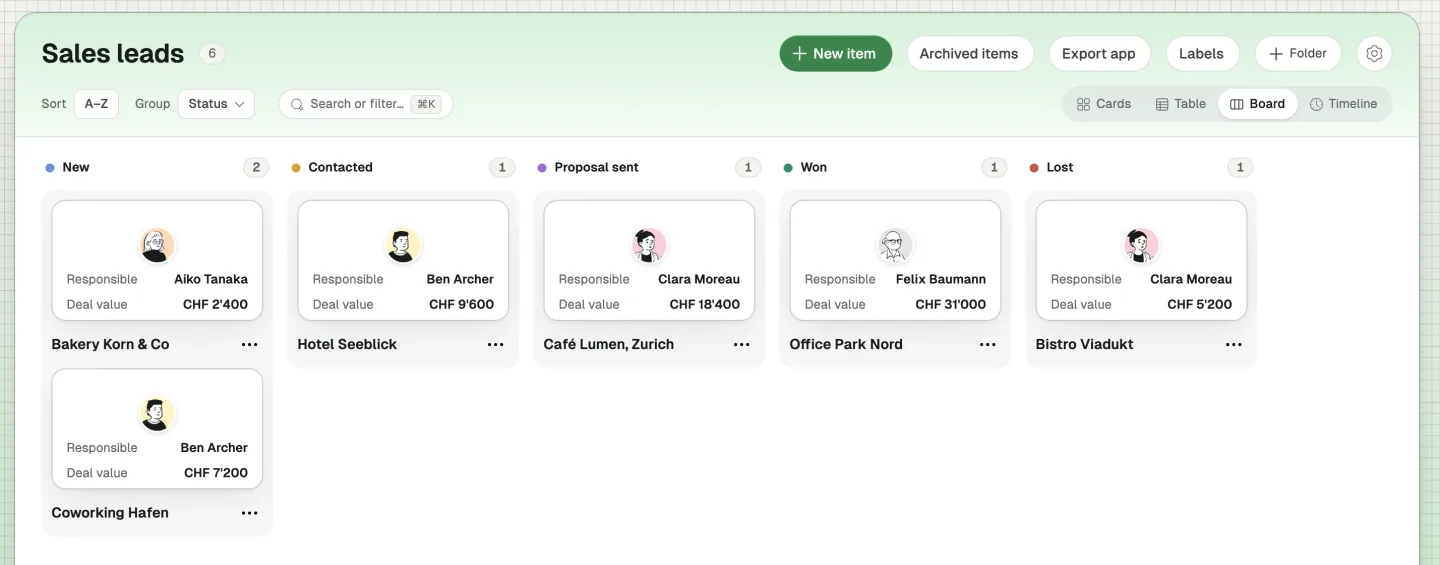
Sales leads
“Track our sales leads: who is responsible, where each one stands, what they’re interested in and what the deal is worth.”
Replaces the sales sheet that lives on one laptop. Group the board by status, each status in its own colour, and every card shows who owns the lead and what it’s worth. A lead can be interested in several things at once.
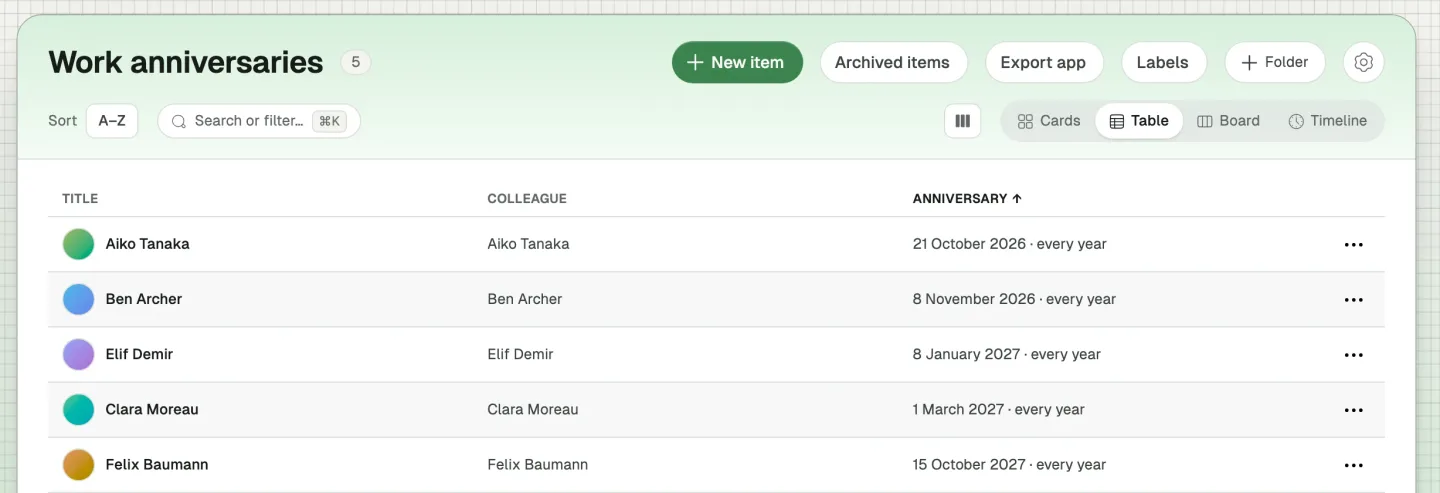
Work anniversaries
“Show everyone’s next work anniversary.”
Replaces the list of dates someone in HR keeps on a sticky note. The anniversary repeats every year, so the table always shows the next one, and sorting by it puts the coming ones first.
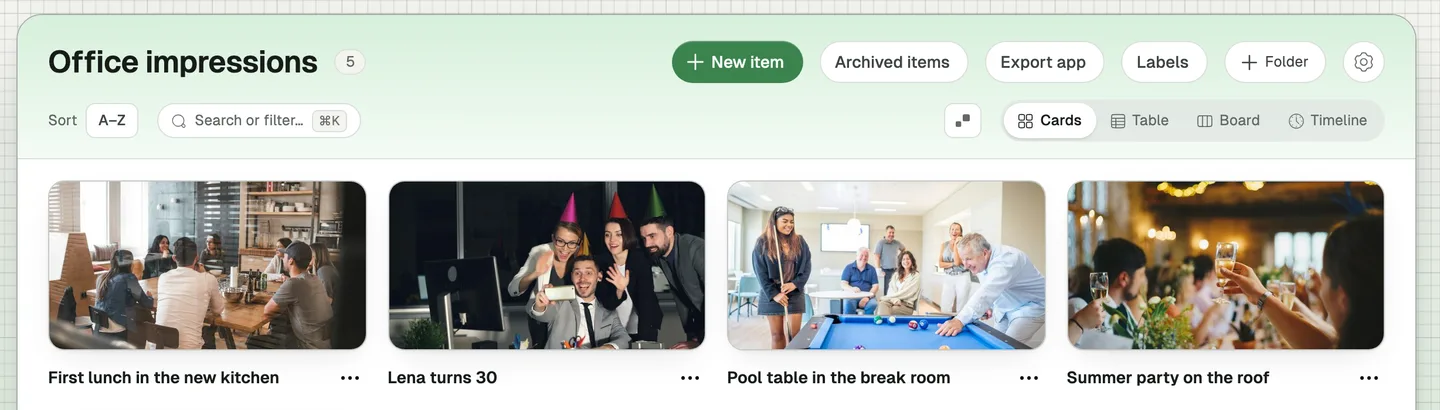
Office impressions
“Let everyone share photos of our events and everyday office life.”
Replaces the shared photo folder nobody can find. Anyone adds a moment with a few photos and a caption. The first photo becomes the card, so the app reads like a photo wall.
Expenses
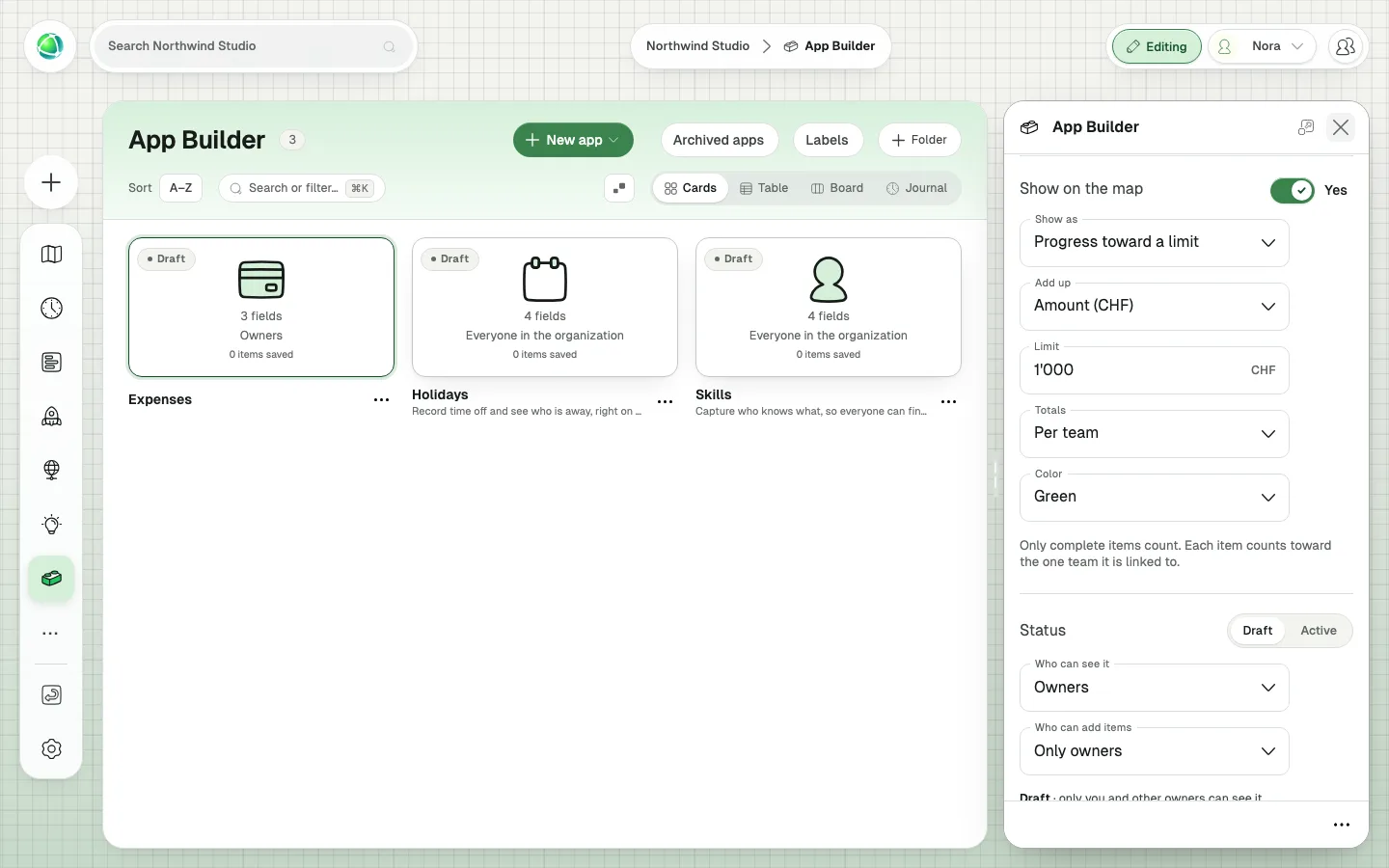
“Let each team log its small expenses with a photo of the receipt, and watch them against a budget of CHF 1,000.”
Replaces the spreadsheet someone compiles every Friday, and the envelope of receipts that comes with it. Whoever spends the money adds the amount and a photo of the receipt in one go. Below, we follow the same app in our second demo organization, Northwind Studio.
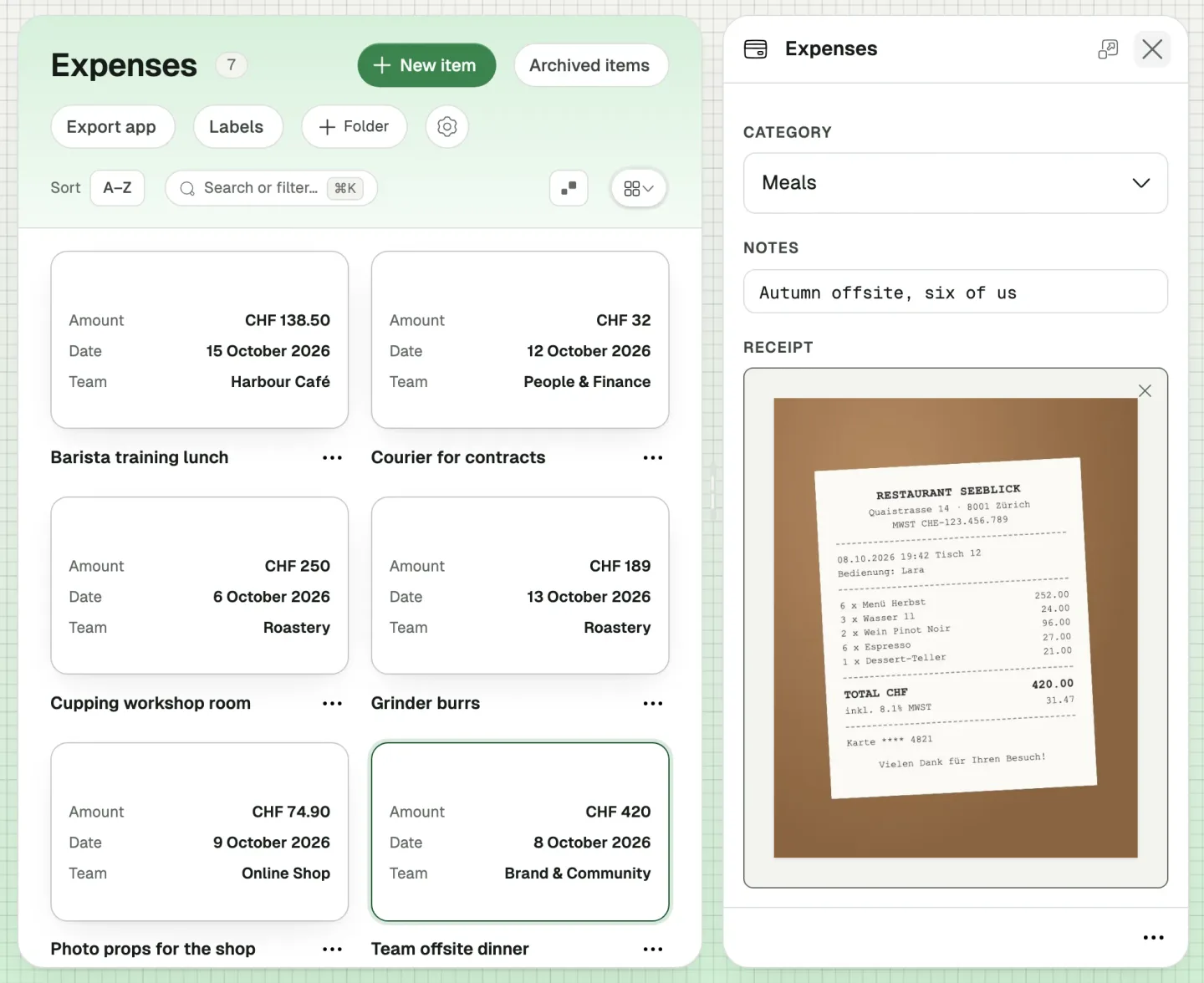
Expenses, up close
Say your organization gives each team a budget of CHF 1,000 for small expenses: a team dinner, a train ticket, a workshop room. You want everyone to see where each team stands.
The core fields of the Expenses app are an Amount in CHF, a Date and a Team, with a Receipt photo next to them. On the map, it shows as progress toward a limit of CHF 1,000 per team, and everyone who can see the app can add their own expenses.
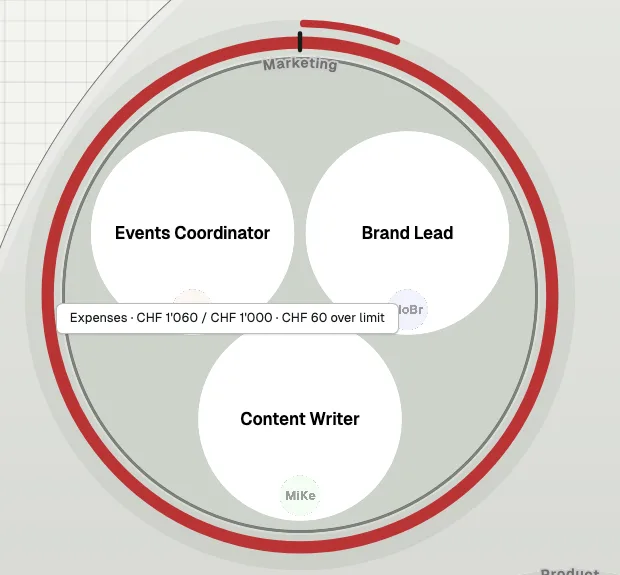
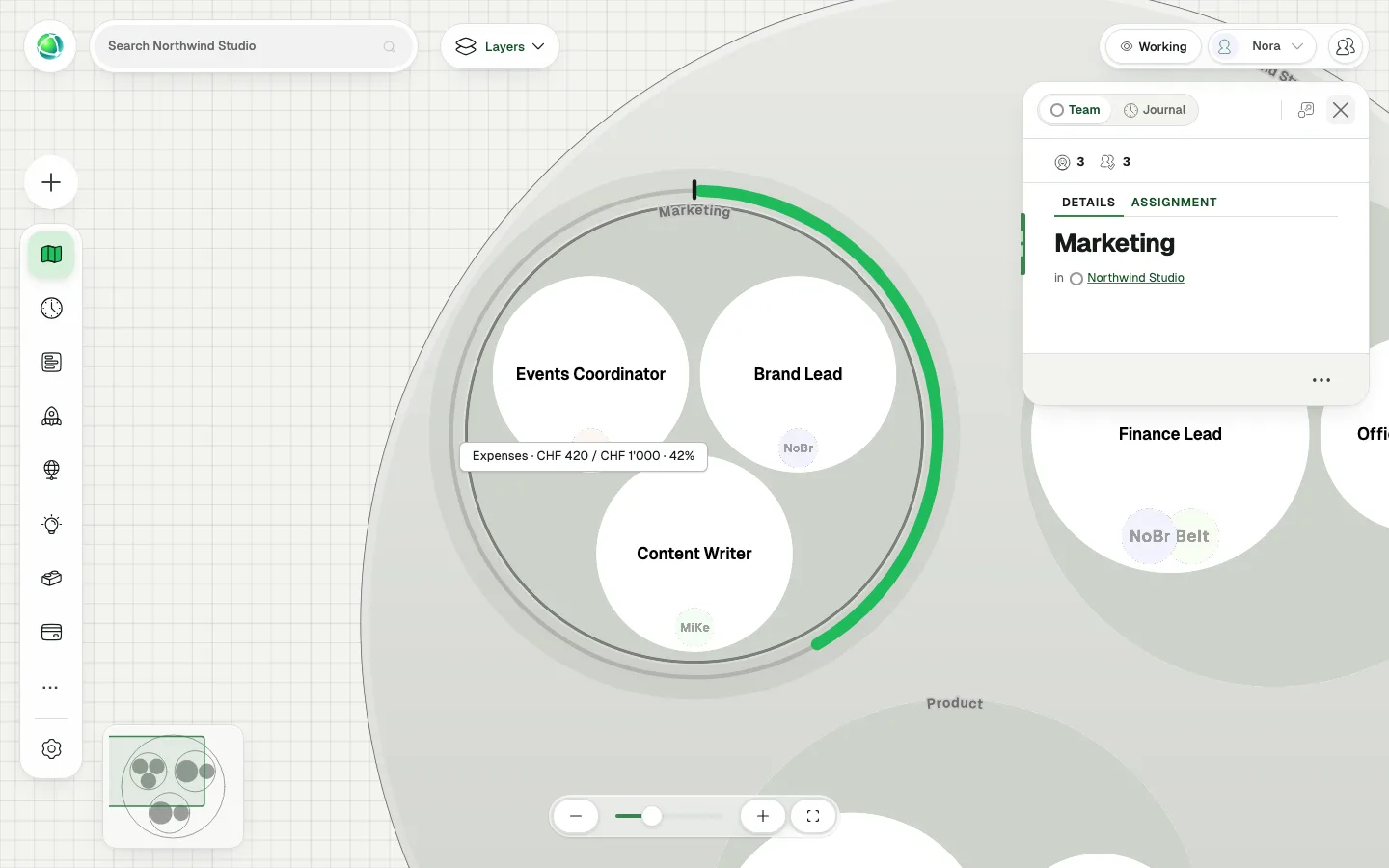
Marketing logs a team offsite dinner: CHF 420. Around the Marketing team on the map, a gauge appears: a small mark at the top shows the limit, and a green line runs from it to 42%.
A few days later, a Member of Marketing books a train to Bern for a client visit. They open Expenses from the App Bar, add CHF 640, and close the panel.
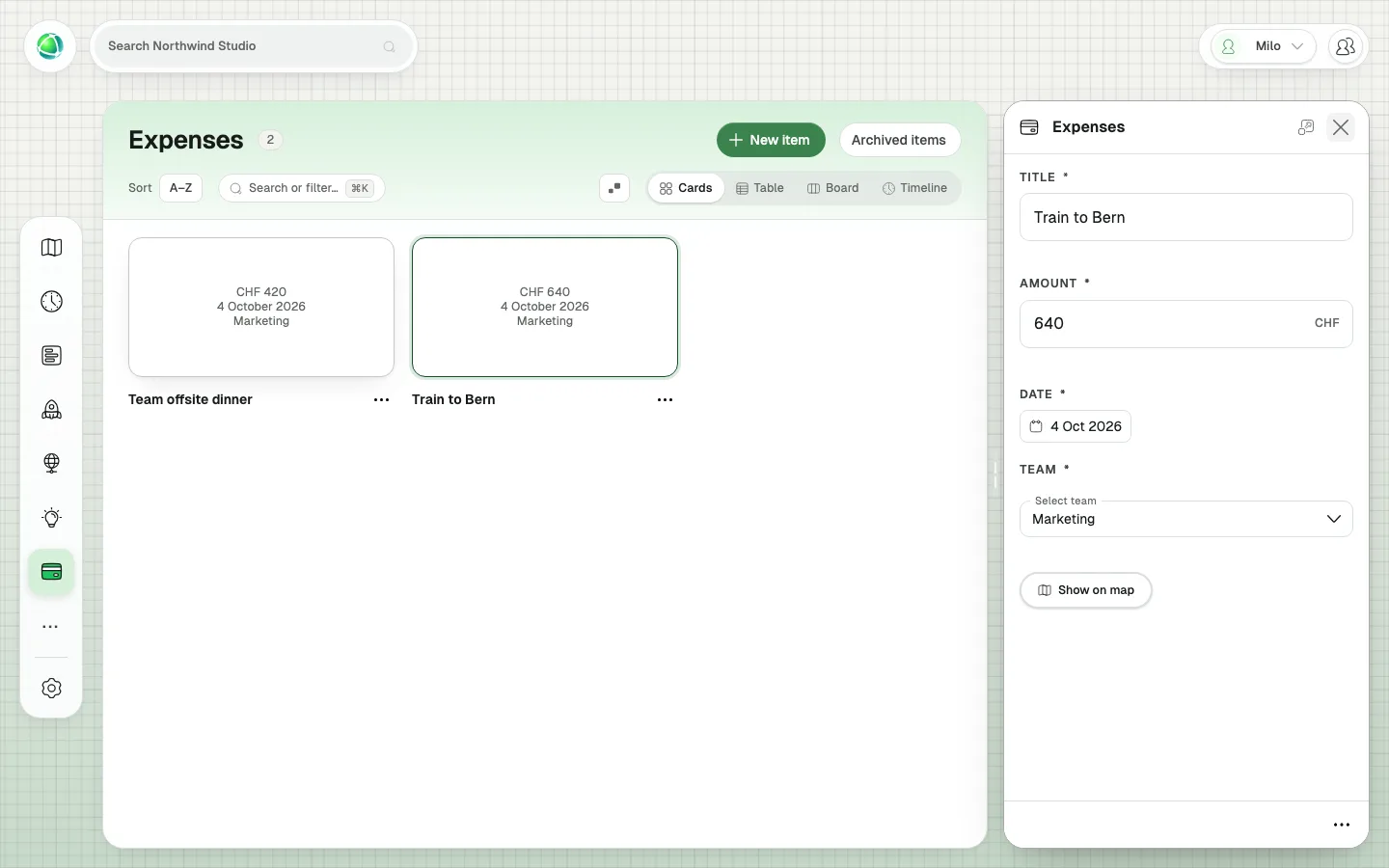
On every open map, the Marketing gauge turns red and runs a short lap past the limit mark. CHF 1,060 against a limit of CHF 1,000: sixty francs over. Nobody refreshed anything, and nobody had to send an email about it. The person who spent the money captured it, and the map told everyone else.
Why not just build it yourself?
An AI coding tool can write a holiday tracker in an afternoon. That tracker then needs hosting, logins, access rules and a way to know your people, roles and teams. In Peerdom, these are already there:
- Your organization. An app in Peerdom knows your people, roles and teams. A certificate belongs to a person, a meeting to a team, a facilitator to a role. When someone takes over a role, the app is already right.
- A place people already look. Active apps appear in the App Bar for the people who have access and, if you want, on the map, next to everything else your organization keeps in Peerdom. Nobody needs another login.
- Access that already works. Owners decide who sees an app and who adds to it. Members change only their own items. Archive and recovery work as in every Peerdom app.
- Your data in Switzerland. With our Swiss Safe Harbour approach, what your apps save in Peerdom is hosted in Switzerland, with the same backups as the rest of your organization’s data. That matters for exactly these lists: absences, certificates and equipment are personal data.
Agnostic by design
Peerdom has never told organizations how to work. Some of our customers practice holacracy, some use sociocracy, some are on a teal journey, and many run classic hierarchies with a few self-organizing teams inside. App Builder keeps that promise. You don’t get a fixed set of apps for one way of working. You build the apps your way of working needs.
The people closest to the work shape their tools
In most companies, changing a tool means asking someone else, then waiting. With App Builder, the people who know what needs capturing set it up themselves, in a few minutes. If something is missing, a field is added in a minute, and what people have already entered stays.
Getting started
App Builder is an add-on for Peerdom+: Owners add it from the App Store. Holidays and Skills are then already waiting as drafts, and Expenses is one click away as an example. To build your first app, follow the step-by-step guide.
Common questions
Do I need to know how to code? No. You build every app in this post in App Builder: name it, pick its fields and choose how it shows on the map. There is nothing to host.
Which plan do I need? App Builder is an add-on for Peerdom+. Owners add it from the App Store.
Who can build apps? Owners design apps and decide who can see each one and who can add items. Members add items to the apps they are given and change only their own.
Where is the data stored? What your apps save in Peerdom is stored in Switzerland, with the same access rules and backups as your other Peerdom data.
Does App Builder work for my way of organizing? Yes. It does not assume a methodology. The apps link to your own teams, roles and people, whatever you call them.