Skip to content
Book a demo Get Started

App Builder

Build the apps your organization needs, without writing code.

Every Peerdom app captures information and brings it onto the map, so everyone can understand the organization at a glance. With App Builder, you decide what gets captured: choose the fields, show the result on the map, and let the people closest to the work add their own items.

Add it to your map See pricing Add-on for Peerdom+. Try it free for 15 days. Hosted in Switzerland.

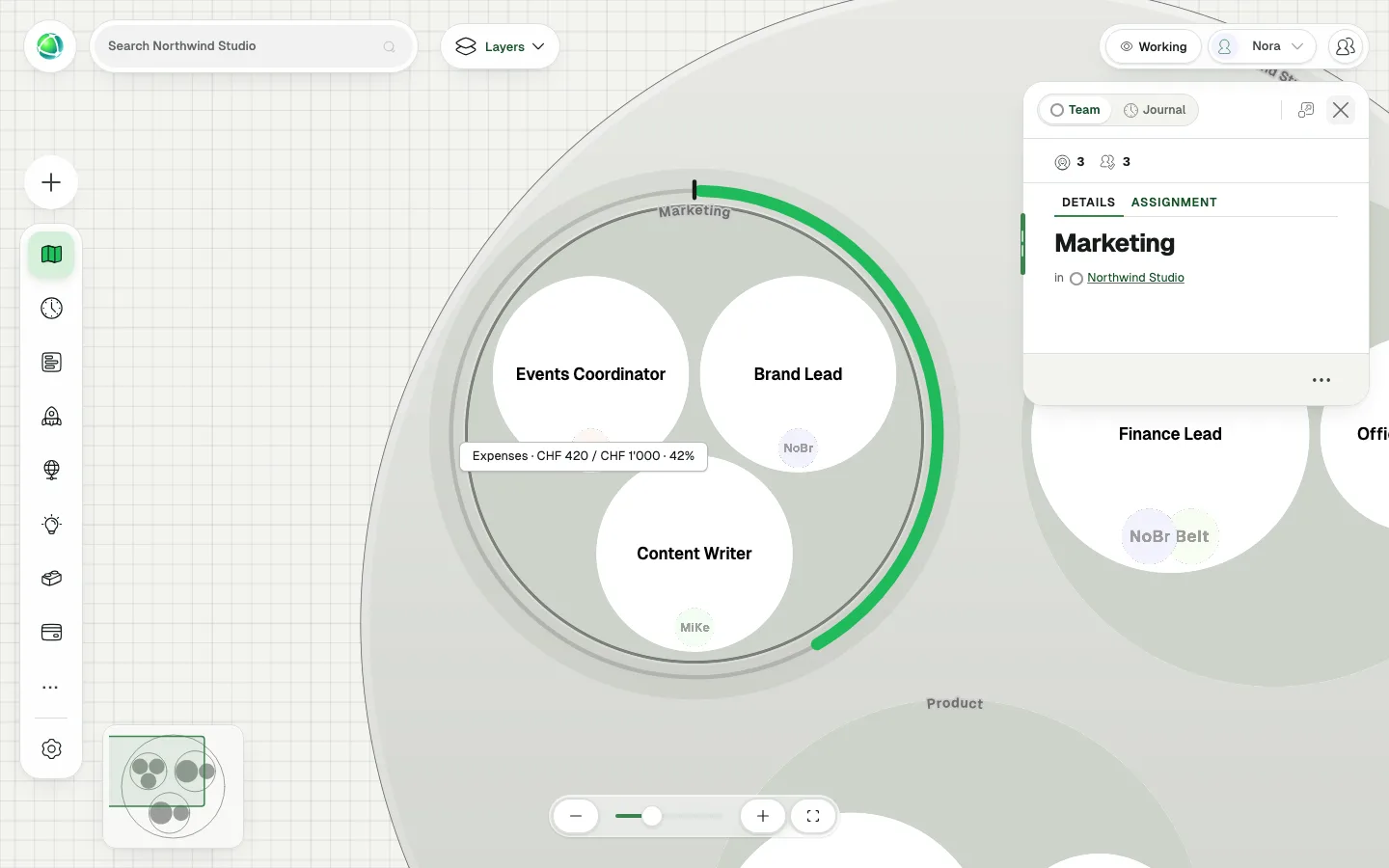
The Marketing team on the Peerdom map with a gauge around it: a limit mark at the top and a green line running clockwise to 42%, with a tooltip reading Expenses, CHF 420 of CHF 1'000.

What’s in it for you

  • Apps of your own, with the fields your organization needs
  • Each app on the map: progress toward a limit, progress over time, a count per team or a slice per person
  • Drafts only Owners see, then live for the people you choose
  • Items people add themselves, live on every open map

Your fields, your app

Give the app a name and an icon, then add the fields you need: text, numbers, amounts with a currency, progress, dates that can repeat, times, yes or no, choices in their own colours, photos, and people, roles and teams. There is no Save button. Everything saves as you type, and renaming a field keeps what people have already entered.
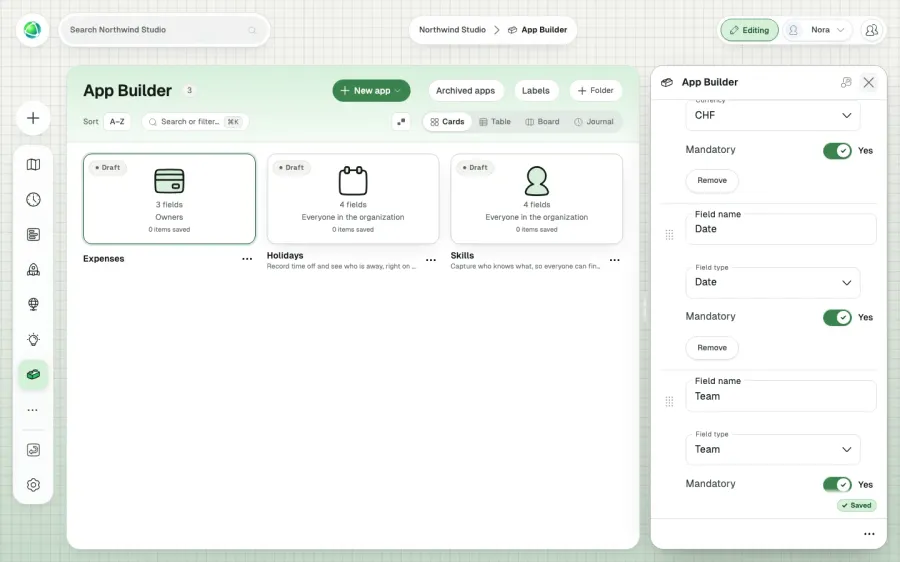
The App Builder settings panel with three fields for an Expenses app, Amount in CHF, Date and Team, all mandatory.

On the map, where everyone looks

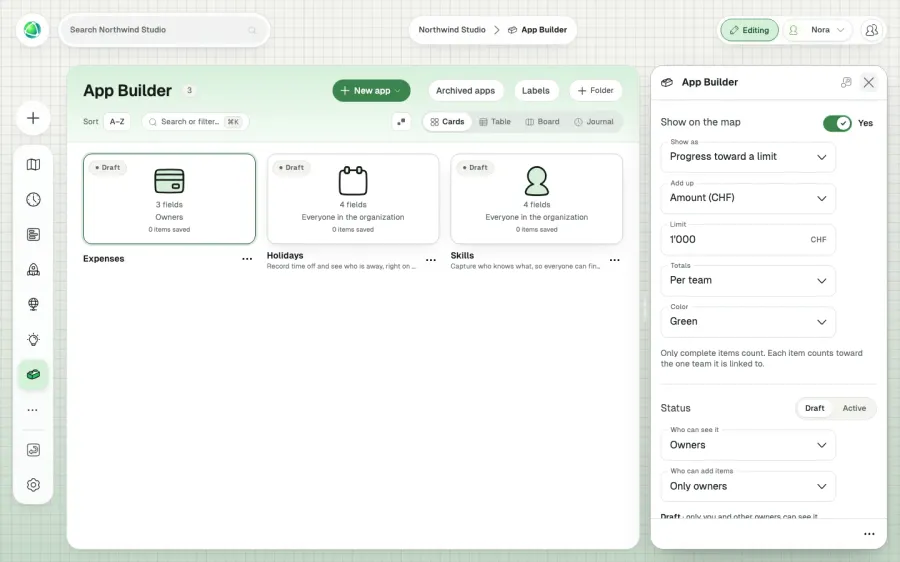
What people capture becomes part of the picture the whole organization already reads. Show it as progress toward a limit, a gauge around each team with a mark where the limit sits, as progress over time from start and end dates, as a marker in each team, or as a slice around each person.

The map settings of a custom app, showing it as progress toward a limit, adding up the Amount field against a limit of CHF 1'000, with totals per team.

Owners design, everyone contributes

An app starts as a draft that only Owners see. When it is ready, switch it to Active and choose who can see it and who can add items. Members add items from the App Bar and change their own, while Owners can change all of them.

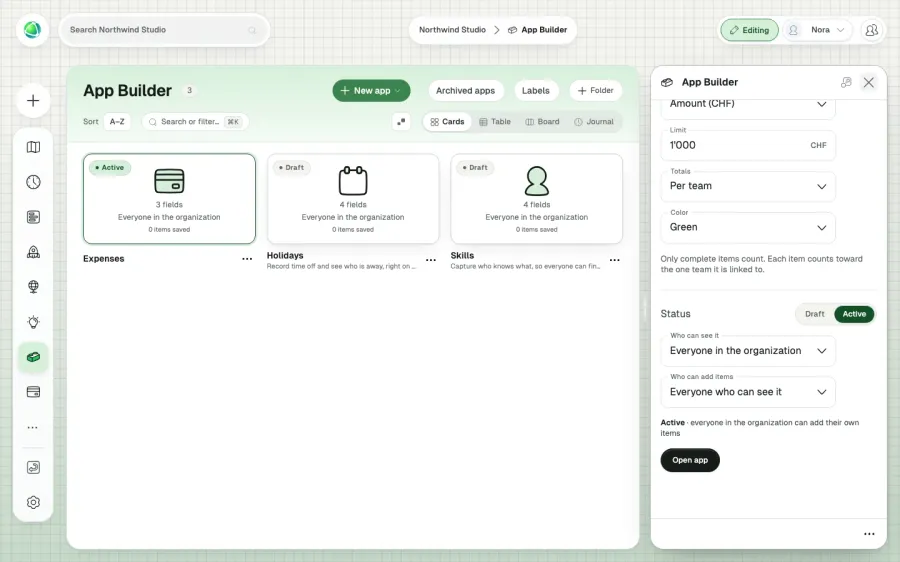
The status section of a custom app, set to Active, visible to everyone in the organization, and open to everyone who can see it for adding items.

Live on every map

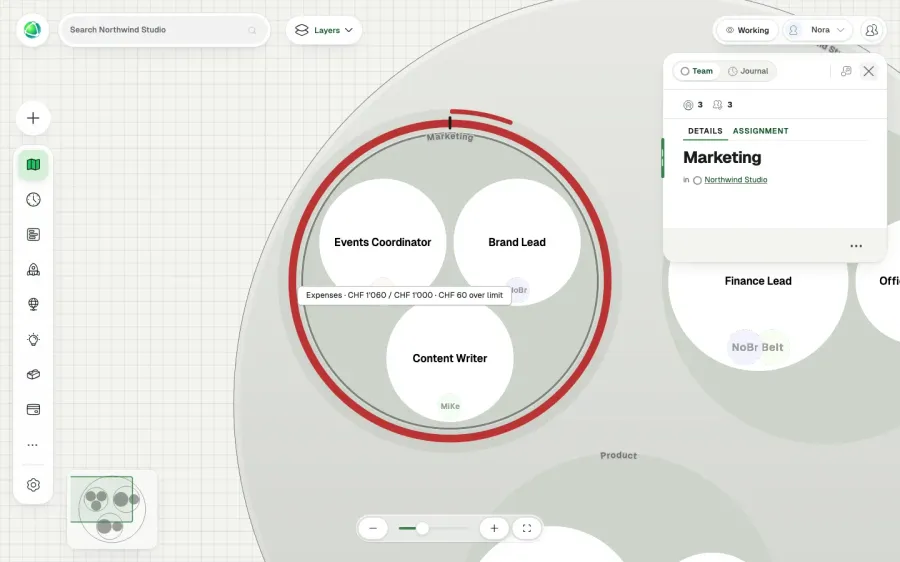
Take an Expenses app with a limit of CHF 1,000 per team. Marketing has logged CHF 420, so its gauge sits at 42%. A Member adds a CHF 640 train ticket, and the gauge turns red on every open map, running a short lap past the limit mark: CHF 60 over, without anyone reloading.

The Marketing team with a red gauge all the way around it and a short outer lap past the limit mark, with a tooltip reading Expenses, CHF 1'060 of CHF 1'000, CHF 60 over limit.

Start from an example

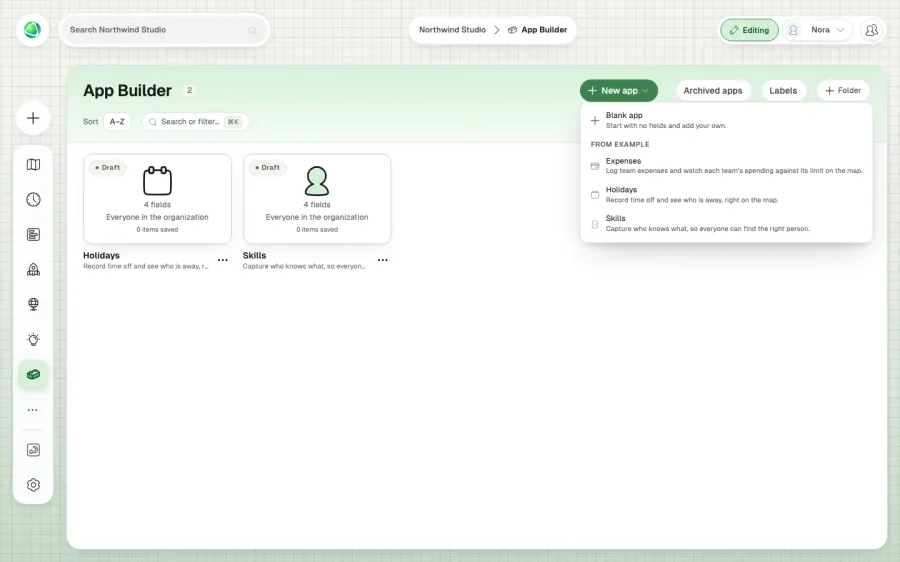
Holidays and Skills are ready as drafts, and Expenses is one click away. Change any of them, or start from a blank app. Your apps work like every Peerdom app, with labels, folders and a Board view, plus a Timeline when the app has a date field. App Builder is available in the App Store for organizations on Peerdom+.

The New app menu in App Builder, offering a blank app or the Expenses, Holidays and Skills examples.

Frequently asked questions

What does App Builder do?

App Builder lets Owners create their own Peerdom apps without code. You choose the fields an app captures, such as amounts, dates, people or teams, and how it shows on the map. People then add items, and the map updates for everyone as they do. How it works, step by step

Who can build apps, and who can add items?

Owners design apps and decide who can see each one: Owners only, selected people, or everyone in the organization. They also decide who can add items: only Owners, or everyone who can see the app. Members change only the items they added; Owners can change all of them.

How does a custom app show on the map?

You pick one display per app: progress toward a limit for each team, a gauge with a mark at the limit that turns red when the limit is reached; progress over time from a start and an end date; a marker in each team that counts its items; or a slice around each person or team. Only items with every mandatory field filled in appear on the map.

Does App Builder fit holacracy, sociocracy or a classic hierarchy?

Yes. App Builder does not assume a way of working. The apps you build capture what matters in your organization and connect it to your own teams, roles and people, whether you organize in circles, in departments, or in something of your own.

Do I have to start from scratch?

No. Holidays and Skills are ready as drafts in App Builder, and an Expenses app with a spending limit per team is available as an example. Each example is an independent copy you can change, or you can start from a blank app.

Is App Builder included in Peerdom+?

App Builder is a paid add-on for organizations on Peerdom+. Add it from the App Store, where you can also start a free trial.

Add it to your map Free for up to 10 people. No credit card.