Build your network
Easily invite and connect with other organizations. Customize access levels for each network partner, giving you full control over what information you share.
Team up with other organizations.
Connect with partners, suppliers, and clients to strengthen relations and create opportunities. Easily share contact details, insights, and best practices with the organizations you work with.
Add it to your map See pricing Included in Peerdom+. On Peerdom, try it free for 15 days. Hosted in Switzerland.
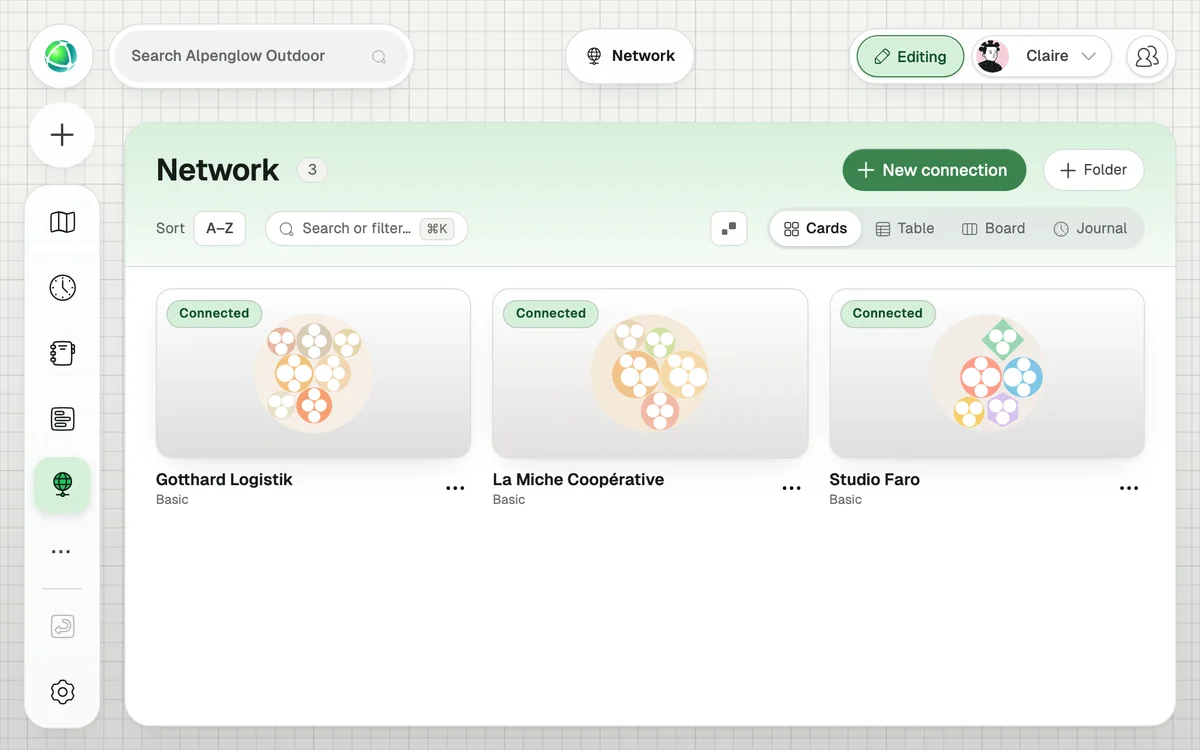
Easily invite and connect with other organizations. Customize access levels for each network partner, giving you full control over what information you share.
Display your network as a layer on your map, making it easy to see all relationships with other organizations. Dive into a partner map or get further details about your partner with a single click!
The Network app lets your organization establish trusted connections (called affiliations) with other Peerdom organizations. You can see each other’s structures with controlled access levels.
Three levels. Basic (view structure with anonymized names), Regular (view structure with full names and contact info), and High (edit access plus visibility into the other organization’s extended network).
Yes. It is part of the core Peerdom+ subscription at no extra cost.
No. Each organization remains completely separate. Affiliations provide visibility, not data sharing. Accounts, projects, goals, and roles stay within each organization.
Yes. Either organization can stop sharing at any time. The connection ends immediately and can be re-established later with a new request.
With the Network layer enabled, connected organizations appear as external nodes attached to your main group. Click one to see a button that navigates you to their map.
Yes. You enter their organization slug (the part after peerdom.org/). There’s no directory or search: connections are intentional and invitation-based.