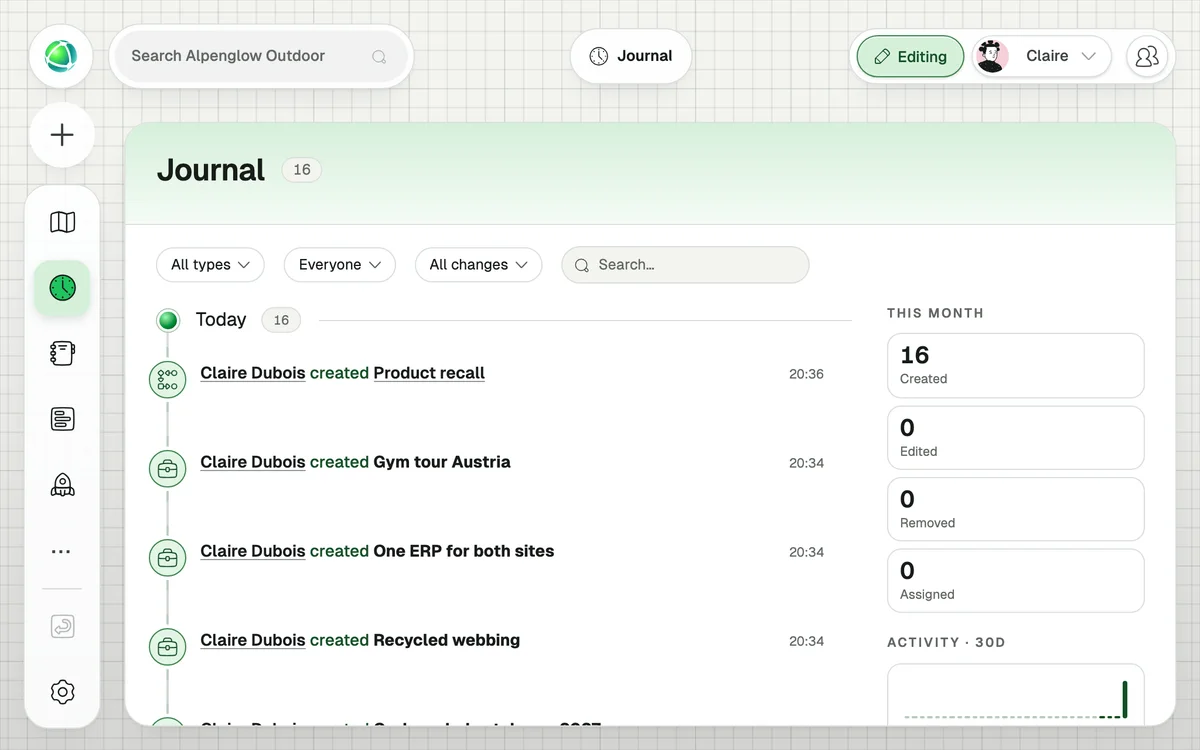
Journal App
Keep track of decisions and changes inside the Journal App.
Navigating organizational oceans can be tricky. That’s why we’ve given the Peerdom map a logbook to look back on and learn from.
Works great with
Frequently Asked Questions
Every modification in Peerdom — role assignments, group creation, purpose updates, goal completions, project changes, network affiliations, and more. Each entry shows who did what, and when.
The Journal retains your complete history from the day your organization was created. There is no automatic purging or retention limit.
Yes. Select any node on the map and open the Journal tab in the inspector panel — it filters the history to only that node’s changes.
Yes. The Journal is part of the Peerdom+ core and costs nothing extra.
You can undo your most recent action using the Undo button in the side panel. For older changes, the Journal serves as an audit trail so you can manually reverse them.
Members, Editors, and Owners. Guests cannot see the Journal.
Yes. Changes made in draft maps appear with a “draft” label, so you can clearly distinguish them from live changes.