Skip to content
Book a demo Get Started

Drafts App

Experiment different organization forms with the Drafts App.

The Drafts App lets you develop alternatives to your current organizational form, at your own pace.

Add it to your map See pricing CHF 1 per person per month, added to Peerdom+. Try it free for 15 days. Hosted in Switzerland.

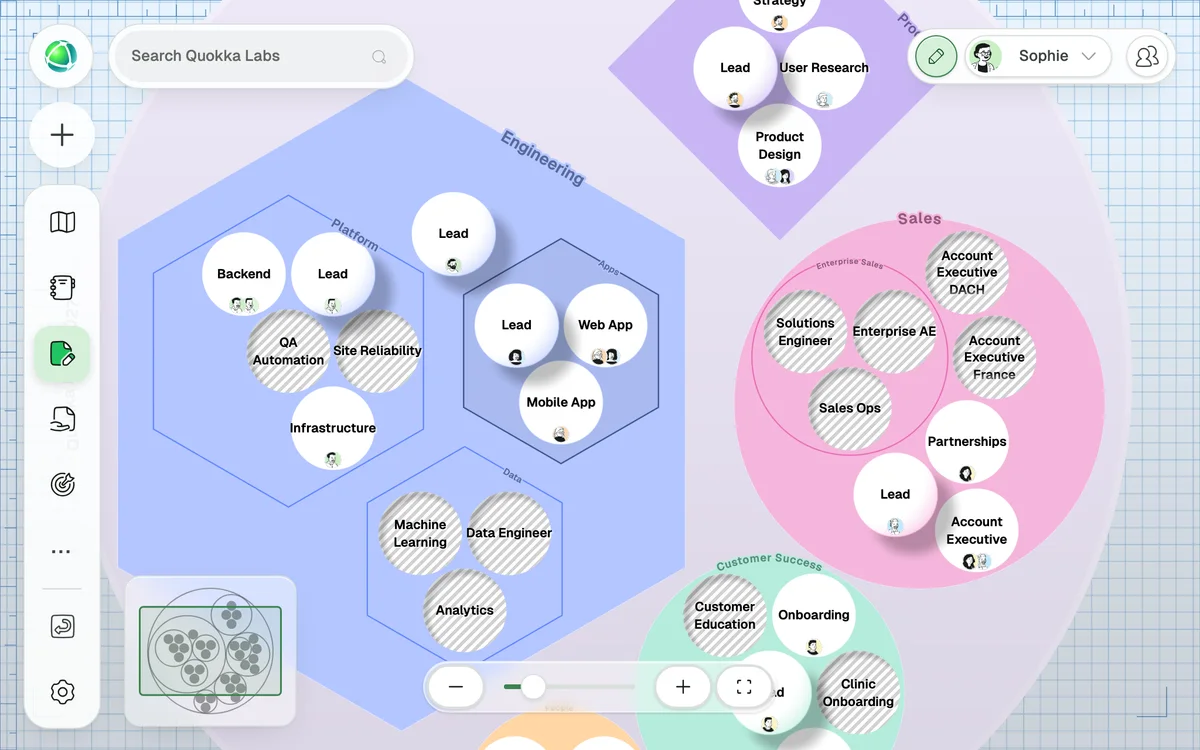
Peerdom Drafts: a draft map of the organization in 2027, planned roles hatched

What this app adds

  • Private copies of your map to try a new structure
  • Move, add and remove teams and roles without touching the live map
  • Share a draft with the people who should review it
  • Publish a draft as your new map when it is ready

Explore endless possibilities

Use the Drafts App to imagine your organization with and without certain circles, roles, or partners in your network. Peerdom also makes it easy to switch between nested or unnested circle views, so you get to choose what alternative fits your organization best.
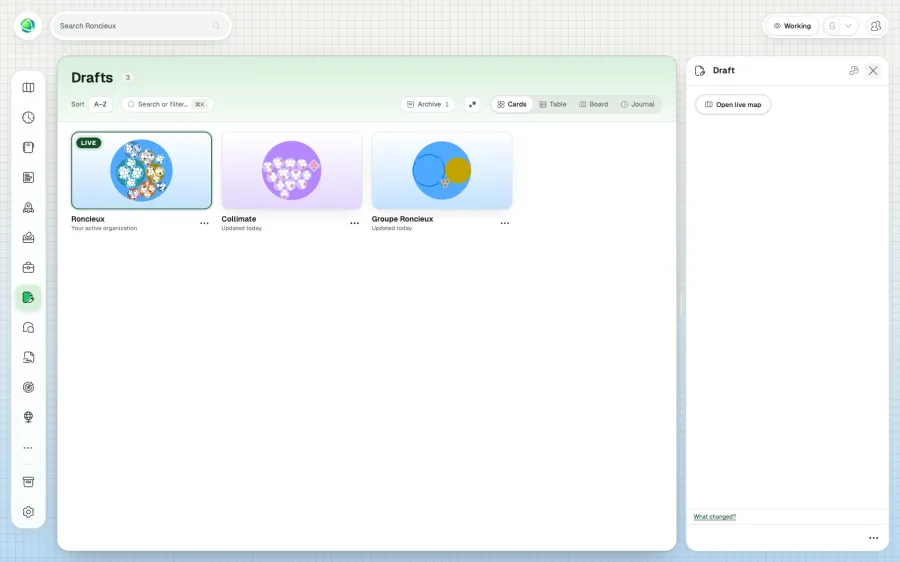
Create now, publish later

Start from scratch or copy your live map to start experimenting with drafts. When you’re ready, you get to choose exactly when you publish it as the new live map – or if you don’t, thanks to our archive feature!

Screenshot of how one can publish a draft on a later stage

Some privacy, please!

Your draft maps can be hidden or shared with others. The Drafts App gives you a playground to experiment in privacy and let your ideas mature before you present them to others in your organization.

Frequently asked questions

What is the Drafts app?

Drafts lets you create sandbox versions of your org chart where you can experiment with structural changes while the live map stays as it is. When you’re satisfied, publish the draft to go live.

What happens to the current live map when I publish a draft?

It becomes a draft of its own. Any Owner can publish it again to go back, so every version stays available.

Can I move individual nodes between the live map and a draft?

Yes. You can copy or move specific circles and roles between maps without publishing the entire draft: perfect for incremental changes.

Can multiple people collaborate on a draft?

Yes. Once you make a draft visible to the team, all Editors can make changes to it. To work together on a draft that stays private, share it with a link: Members you share it with can view it, and Editors and Owners can edit it.

How much does the Drafts app cost?

+1 CHF per user per month on top of your Peerdom+ subscription.

How do I tell if I'm in a draft or the live map?

Drafts display a distinctive blueprint-style background (blue grid pattern), so you always know where you are.

Can I create a new organization from a draft?

Yes. You can publish a draft as an entirely new Peerdom organization: useful for spin-offs, subsidiaries, or templates.

Do goals and projects carry over into drafts?

Goals, projects, and contribution data stay with the live map, and reappear automatically when you move nodes back from a draft to live.

Can I have multiple drafts at the same time?

Yes. Your organization can keep several drafts open at once. Each draft is independent, so different teams can work on separate structural proposals side by side, while the live map stays as it is.

Can I merge changes from two drafts?

You can combine them by hand: copy or move individual circles and roles from one draft to another, or to the live map. Merging is not automatic.

Add it to your map Free for up to 10 people. No credit card.