All peers at a glance
See your whole workforce, connected. Quickly find and connect with peers across the organization. Message, view profiles, and discover more about your colleagues. Sort and regroup peers based on your criteria.
The portal to your peers. Effortlessly find, update, and message colleagues across your organization. Enhance security and reduce data entry by integrating with your employee directory.
Add it to your map See pricing CHF 1 per person per month, added to Peerdom+. Try it free for 15 days. Hosted in Switzerland.
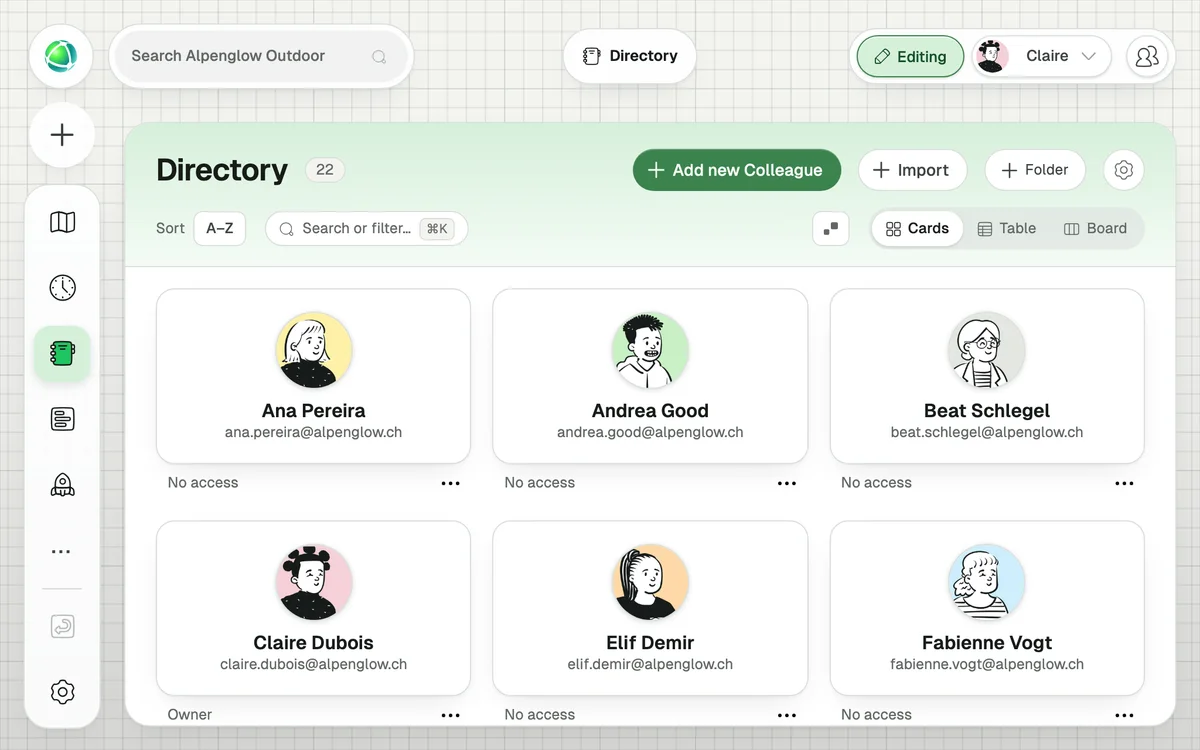
See your whole workforce, connected. Quickly find and connect with peers across the organization. Message, view profiles, and discover more about your colleagues. Sort and regroup peers based on your criteria.
Keep all your employee data in one place. Integrate Peerdom with your HRIS, external directory, or SSO provider. Simplify login, enhance security, and synchronize additional employee data automatically. Compatible with Microsoft Entra ID and Google Workspace.
Optimize user management and access rights. Import peers in bulk or manage individuals easily. Gain insights with analytics on workload, joining dates, and tool usage.
A searchable, filterable view of everyone in your organization, with table and card views, sortable columns, custom fields, and a context sidebar for quick previews. It also includes SSO integration.
Azure AD (Microsoft Entra ID), Google Workspace, Okta, and any SCIM-compatible identity provider.
An automatic sync runs daily. New users in your identity provider are added to Peerdom; removed users are marked as “left.” Names, emails, and avatars stay in sync. Owners can also trigger a manual sync anytime.
+1 CHF per user per month on top of your Peerdom+ subscription. SSO is included at no additional cost.
Yes. Owners can import people via CSV from Settings → Import. Download the template, fill in your data, upload, and confirm.
Yes. In table view, you can show or hide columns (including custom fields), reorder them, and sort by any column. Your preferences are saved across sessions and devices.
No. The Directory is visible only to Members, Editors, and Owners. However, Guests can still log in via SSO if configured.