Dynamic Org Charts vs Static Org Charts: Why It Matters
Bastiaan Van Rooden
The org chart was invented in 1855 and barely evolved since. Here's why dynamic, real-time organizational maps are replacing static diagrams, and what that means for your organization.
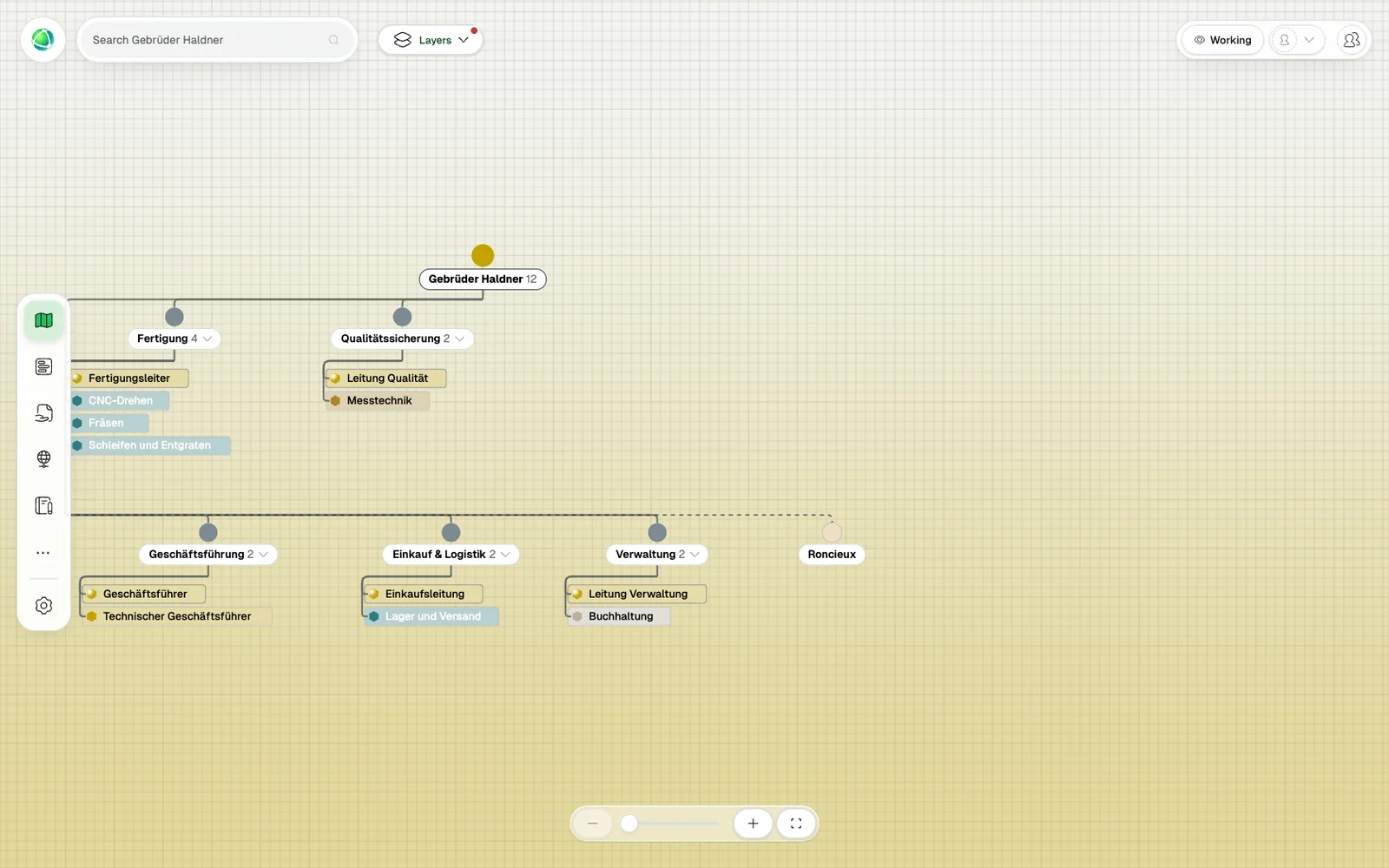
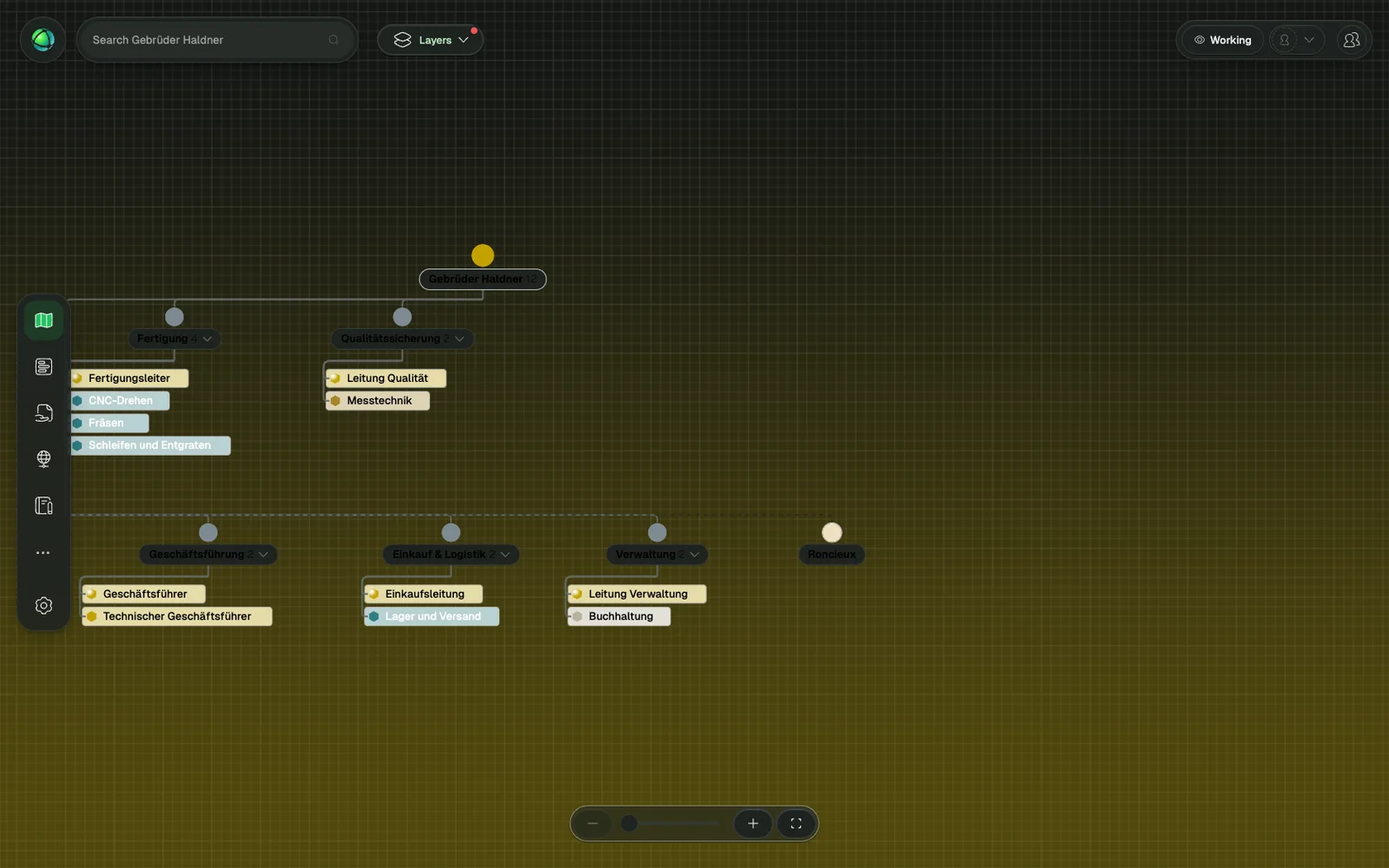
In 1855, Daniel McCallum, superintendent of the New York and Erie Railroad, drew the first known organizational chart, a hand-drawn diagram connecting names to positions and positions to divisions across his 500-mile railroad.
The basic concept (boxes, lines, names, titles) has barely changed in the 170 years since.
Most organizations today still create their org charts in PowerPoint or Visio. The chart gets shared once at a company meeting, distributed as a PDF, and forgotten within weeks. By the time anyone looks at it again, people have moved roles, teams have restructured, and departures have left gaps nobody documented.
Meanwhile, the organizations these charts represent have become exponentially more complex: matrix structures, network organizations, remote teams, cross-functional projects, Spotify-model tribes, and now AI agents joining the workforce as autonomous participants. The static org chart was designed for a railroad. It was not designed for this.
The question is not whether your org chart is accurate. It is whether the format was ever designed to be.
What Is a Static Org Chart?
A static org chart is a fixed diagram of organizational structure, created at a specific point in time. It is accurate the day it is made and begins decaying immediately.
The typical static org chart is built in PowerPoint, Visio, Excel, or Lucidchart. It shows names, job titles, and reporting lines, and nothing else. There is no purpose statement for a team, no description of what a role actually does, no indication of who is overloaded or what positions are vacant.
Static org charts are authored by one person, usually someone in HR. There is no collaboration, no version history, and no mechanism for keeping the information current. When the chart needs updating, someone rebuilds it from scratch, or, more commonly, nobody does. Distribution is equally constrained: the chart is shared as a PDF, an image, or a slide. There is no search, no filtering, and no way to explore the structure interactively.
Static org charts do still serve a purpose in narrow contexts: very small teams of fewer than ten people, one-time legal documentation, or board presentations that require a simple snapshot. But for any organization that changes (which is every organization) the static format creates problems that compound over time.
What Is a Dynamic Org Chart?
A dynamic org chart is a living, interactive representation of organizational structure that stays current as the organization evolves. There is no “update cycle” because the map is the system of record itself.
Where a static org chart shows names and titles, a dynamic org chart shows roles with purpose, accountabilities, goals, and projects. A single person can hold multiple roles across different teams. A single role can be shared by multiple people. The structure is not a simplified tree; it is a navigable model of how work is actually organized.
Dynamic org charts are collaborative. Multiple editors work simultaneously, each maintaining their own area. Instead of one HR person responsible for the entire company structure, teams own and update their own maps. The interface is interactive: click into teams, search by name or skill, filter by department, and explore the full depth of the organization. Multiple views (nested circles, tree diagrams, list views, even spatial layouts) let people see the same structure from different angles.
The analogy is navigation. You would not navigate a city with a paper map from 2019. You would use a digital map that shows real-time conditions and lets you search for destinations. A dynamic org chart does the same for organizational structure, giving every person a way to orient themselves based on reality, not a document from last quarter.
Head-to-Head Comparison
The differences between static and dynamic org charts are not marginal. They are structural. The following comparison covers the dimensions that matter most in practice.
| Feature | Static Org Chart | Dynamic Org Chart |
|---|---|---|
| Accuracy | Outdated the moment it is saved | Always reflects the current state |
| Collaboration | One author, no concurrent editing | Multiple editors working in real time |
| Detail level | Name and job title | Roles, purpose, accountabilities, goals, projects |
| History | No version tracking | Full change journal: who changed what, when |
| Views | Single fixed layout | Multiple views: circles, tree, list, spatial |
| Search | None (Ctrl+F on a PDF at best) | Find anyone by name, skill, role, or team |
| Analytics | None | Insights: role concentration, workload distribution, vacancies |
| Accessibility | PDF or image file, shared manually | Web link, embeddable on intranet or SharePoint |
| Integrations | None | API, webhooks, SSO, HR system sync |
| Scale | Becomes unreadable past 50 people | Works for organizations from 3 to 30,000 |
| Onboarding | New hire reads a static document | New hire explores the structure interactively |
| Cost | Free tool, expensive in hidden time | Small per-user subscription |
| AI-ready | No: agents cannot query an image | Yes: API-accessible structure for programmatic use |
The cost row deserves particular attention. Static org charts appear free because the tools are already available. But the real cost is in hours spent rebuilding the chart, decisions made on stale information, and onboarding time lost when new hires cannot find their way. Dynamic org charts have a visible subscription cost but eliminate hidden costs that most organizations never quantify.
When Dynamic Org Charts Make the Difference
The gap between static and dynamic becomes most visible in recurring organizational situations where the format of your org chart directly affects outcomes.
1. Onboarding a new employee
With a static org chart, a new hire receives a PDF on their first day. Over the following weeks, they piece together the real structure through conversations, trial and error, and asking “who handles this?” The PDF showed reporting lines. It said nothing about who actually does what.
With a dynamic org chart, the new hire explores the map on day one. They click into their team, see roles and accountabilities, understand adjacent teams, and find the right person for procurement, IT support, or project approvals, without sending a single email.
“We are impressed by Peerdom’s visual clarity and intuitiveness. We were able to easily personalise it to bring instant clarity on who is currently working on what.” — Markus Eichel, Lufthansa
2. Reorganization
With a static org chart, leadership designs the new structure behind closed doors, announces it via email, and someone in HR updates the PowerPoint three months later. People operate in a fog, unsure whether the new structure is in effect and unclear on their new responsibilities.
With a dynamic org chart, the new structure is designed collaboratively using drafts, then published to the entire organization simultaneously. Everyone sees the change in real time. For a deeper look at managing this kind of transition, see the complete guide to organizational change management.
3. Mergers and acquisitions
With static org charts, two organizations bring two separate PowerPoint files to the table. Nobody knows how to merge them. Overlapping roles and structural gaps are invisible until months into integration when they surface as conflicts.
With a dynamic org chart, both organizations are mapped in the same platform. Overlaps become visible immediately. The combined structure can be designed, reviewed, and published, giving everyone a shared picture of where they stand.
4. Finding an expert
With a static org chart, finding the right person means asking around, sending emails, posting in Slack, and hoping someone knows someone.
With a dynamic org chart, you search by skill, role, or team. The person responsible for data privacy in Europe, the product lead for the mobile app, the coach certified in conflict resolution: findable in seconds.
5. Compliance and audits
With a static org chart, auditors frequently find discrepancies between the documented structure and reality. The chart says one thing; the organization does another. This creates compliance risk, particularly for organizations pursuing ISO certification or operating under regulatory requirements.
With a dynamic org chart, the map is reality. It reflects the current state of the organization, with a full history of changes and an exportable audit trail. When auditors ask for documentation, the answer is a link, not a frantic scramble to update a PowerPoint.
6. AI workforce integration
With a static org chart, AI agents have no way to understand your organizational structure. They cannot query a JPEG. There is no API to access.
With a dynamic org chart, agents query the structure via API, understanding roles, boundaries, and accountability before taking action. As organizations introduce AI agents into their workflows, the structural clarity that a dynamic map provides becomes a prerequisite for responsible integration.
The Hidden Cost of Static Org Charts
The direct cost of maintaining a static org chart is measurable: someone spends hours rebuilding it whenever leadership requests an updated version. But the indirect costs are larger and less visible.
Time. Every manual update requires collecting information from across the organization, verifying it, rebuilding the diagram, and redistributing it. In organizations that change frequently, this cycle repeats monthly.
Decisions on stale data. Leadership making structural decisions based on a six-month-old diagram is operating on assumptions, not facts. Roles that no longer exist, people who have left, teams that have restructured, all invisible.
Onboarding delays. New employees without clear structural maps take significantly longer to become productive. The time spent asking colleagues who handles what and navigating informal networks is a real productivity cost.
Missed collaboration. Silos persist when nobody can see across them. A static org chart shows vertical reporting lines but hides the cross-functional relationships where the most valuable collaboration happens.
Compliance risk. Regulatory frameworks increasingly require documented structures with clear accountability. When the documented structure does not match reality, the organization is exposed to genuine governance gaps.
Change resistance. People resist what they cannot see. When structural changes happen behind closed doors and are communicated through static documents, trust erodes. Transparency is a mechanism for reducing resistance, not just a value statement.
“Peerdom is like ‘lifting the fog’ from an area you can’t quite see. In strategy videogames, you have a world map which starts foggy and only clears up when you explore. Peerdom immediately shows you the full lay of the land in absolute clarity, without having to explore it first.” — Jon Barnes, Peerdom Companion
Making the Switch
Moving from a static to a dynamic org chart does not require a transformation project. It is one of the simpler changes an organization can make, with disproportionately large returns.
1. Start with what you have
Most dynamic org chart platforms let you import your current structure from a CSV or spreadsheet. Some, including Peerdom, offer AI-assisted map generation that creates a starting point from a few basic fields. Get something up quickly, then refine.
2. Map reality, not aspiration
Document who actually does what today. Not the ideal structure you discussed at last year’s offsite, but the real one, including the informal roles, the overlapping responsibilities, and the gaps. Aspirational structures can come later, using draft features that let you design and review changes before publishing them.
3. Distribute ownership
The single biggest reason static org charts die is that one person is responsible for updating them. Give teams edit access to their own areas. When marketing hires someone, the marketing lead updates the map. When engineering restructures its squads, the engineering lead reflects the change. Distributed ownership keeps the map alive.
4. Embed it where people work
If the org chart lives in a separate tool that people have to remember to visit, they will not visit it. Put the map on your intranet (SharePoint, Confluence, Notion) wherever your teams already go for information. Most dynamic platforms support embedding via iframe or direct link. The self-management software guide covers how these platforms fit into your broader tool ecosystem.
5. Let it evolve
A dynamic org chart is a living document. It should change as often as your organization does. Do not treat it as a project with a start and end date. Treat it as infrastructure: always on, always current, always available. Organizations on the showcase page demonstrate what this looks like in practice across different sizes and industries.
“We guide companies in organizational development. When it comes to mapping the organization, we always come across Excel sheets, a horror! Peerdom is our tool for this. Simple, practical, transparent, ingenious.” — DoDifferent
Frequently Asked Questions
Can I export a dynamic org chart to PowerPoint?
Most dynamic org chart platforms let you export snapshots for presentations and board reports. The export is useful for situations that require a static artifact (a board meeting, a regulatory filing). But for day-to-day use, the live, interactive version is what delivers ongoing value.
How much does a dynamic org chart cost?
Typically a small per-user subscription. Peerdom, for example, starts at the equivalent of a cup of coffee per employee per month, with a free tier for small teams. The relevant comparison is not “free tool vs. paid tool” but “visible subscription cost vs. invisible cost of stale information, wasted time, and manual maintenance.”
Is a dynamic org chart secure?
Yes. Enterprise-grade platforms support single sign-on (SSO), role-based access controls, and configurable visibility settings (public, private, or restricted to specific groups). You control who sees what.
Can guests view the org chart without an account?
Many platforms support private link sharing and public embedding. Partners, board members, and external consultants can view the organizational map without needing a full account. Access is configurable, from a read-only view of the entire organization to visibility restricted to specific teams.
How does a dynamic org chart handle matrix organizations?
Through multiple role assignments. Whether your organization uses a matrix structure, the Peach model’s center-periphery approach, or sociocratic circles, a person can hold roles in different teams simultaneously, creating visible cross-functional connections. A product manager who also serves as a sustainability lead in a separate circle appears in both contexts. A box on a static chart can only sit in one place. Dynamic maps do not have that constraint. For more on how roles differ from job titles and why that distinction matters, the role-based governance guide covers the topic in detail.
What is the difference between a dynamic org chart and an HRIS?
An HRIS (Human Resource Information System) manages HR data: payroll, benefits, leave, contracts. A dynamic org chart visualizes organizational structure: roles, teams, accountability, governance. They are complementary, not competing. The HRIS stores who works here and on what terms. The org chart shows how work is structured and who is responsible for what. Many organizations connect the two through API integrations so that employee data flows from the HRIS while structural data lives in the org chart.
See the difference for yourself
- Start mapping your organization for free: whether you run a traditional hierarchy, a flat structure, or a Teal organization, import your current structure or generate one with AI in minutes.
- Curious how it looks for organizations like yours? Book a demo and we’ll show you.
Keep reading
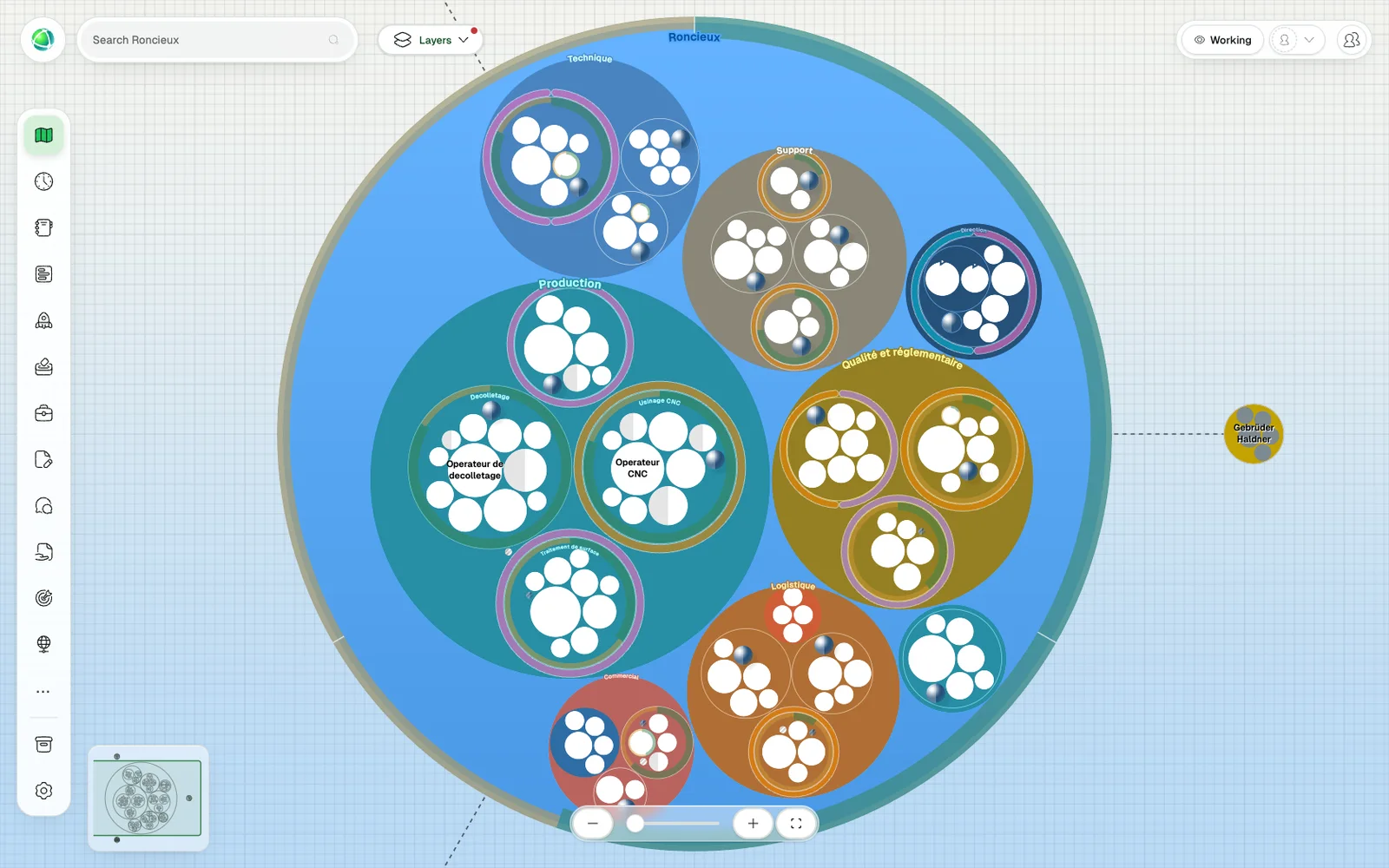
insights
Why most organizational change fails, and a practical framework to make transformation stick through visibility, role clarity, and continuous adaptation.
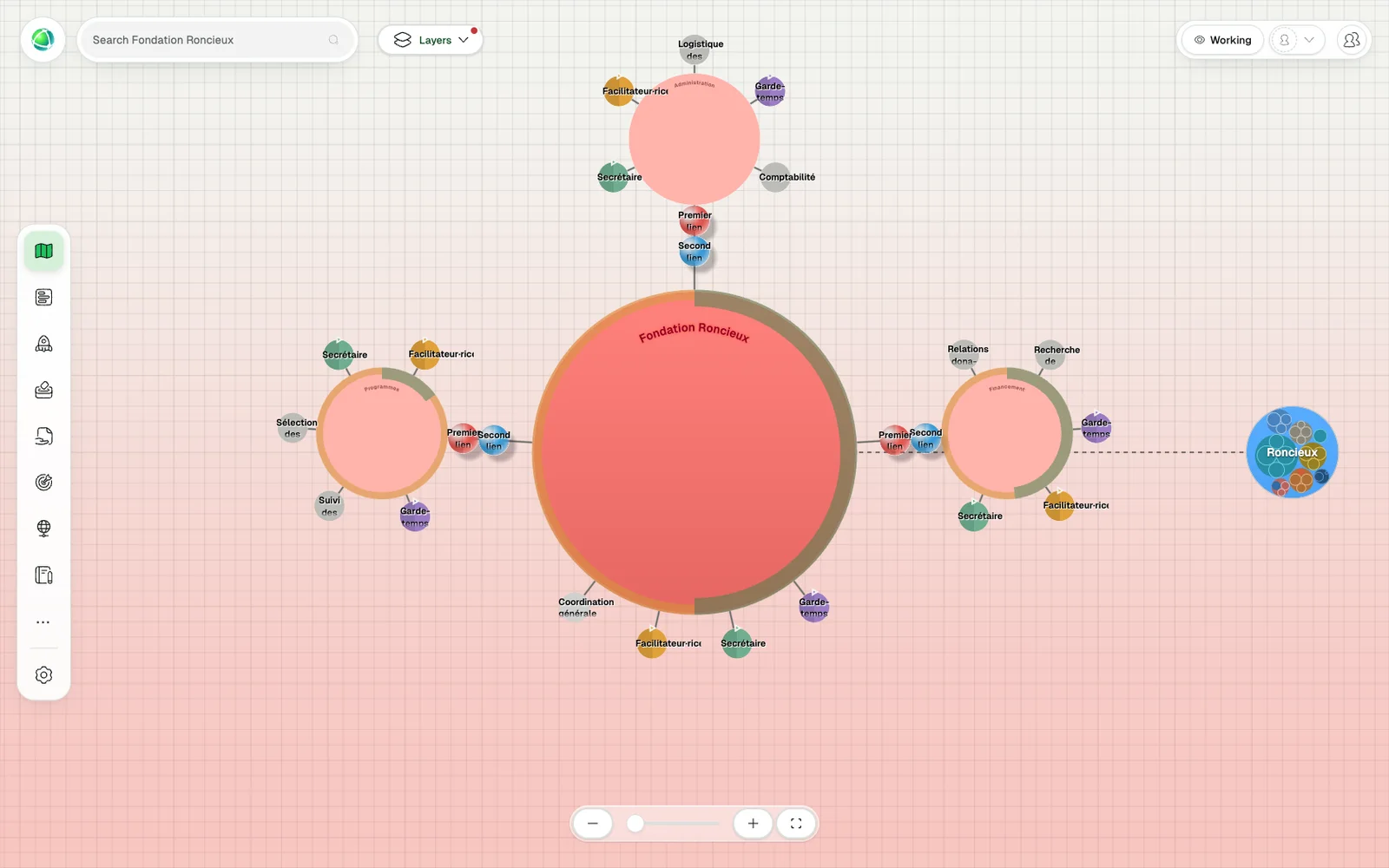
insights
A practical buyer's guide to self-management platforms: what to look for, how they differ from traditional tools, and how to evaluate the right fit for your organization.
insights
Explore AI-native organizations: how automation, intelligent agents, and adaptive structures reshape New Work. Learn how forward-thinking teams harness AI to boost agility, clarity, and collaboration.