Keep your workload in balance
Checking the sum of your contributions against your total contribution helps you keep your accountabilities in balance. The Contribution feature on your personal profile lets you revisit your priorities.
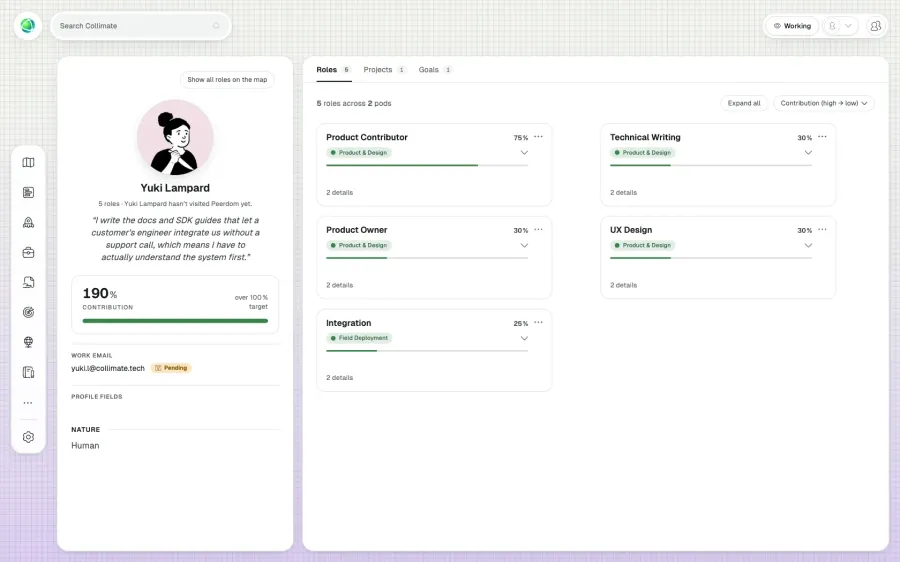
The Contribution App lets you add your contribution as percentage, hours per week or FTE to each one of your roles. Communicate your availability effectively to your peers for better teamwork.
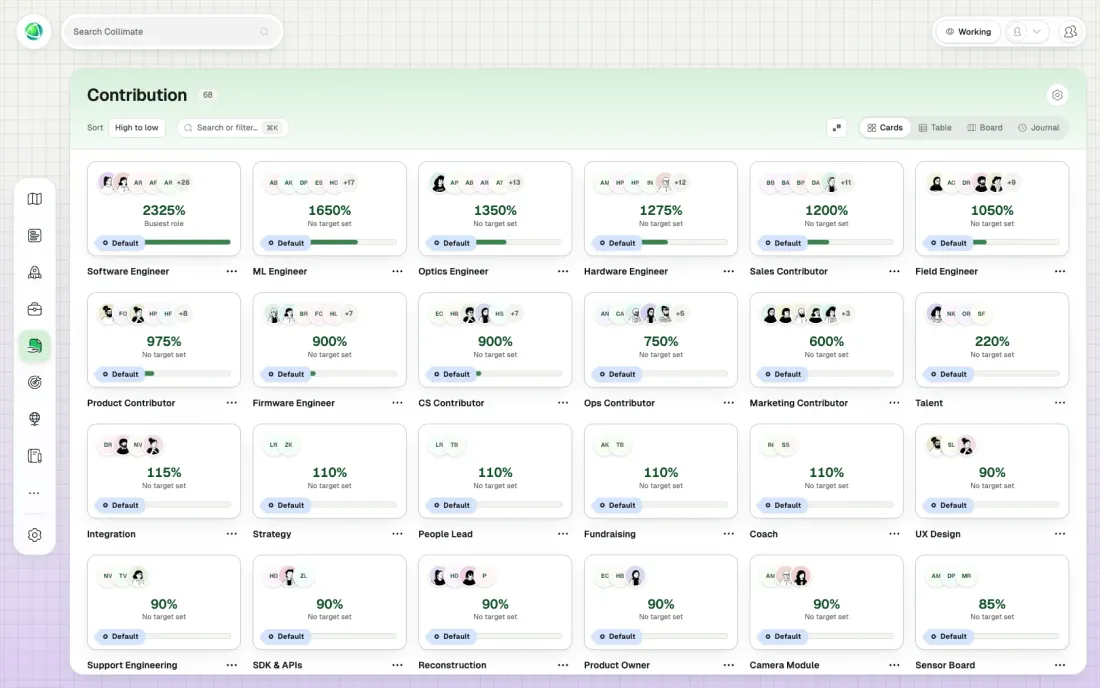
Checking the sum of your contributions against your total contribution helps you keep your accountabilities in balance. The Contribution feature on your personal profile lets you revisit your priorities.
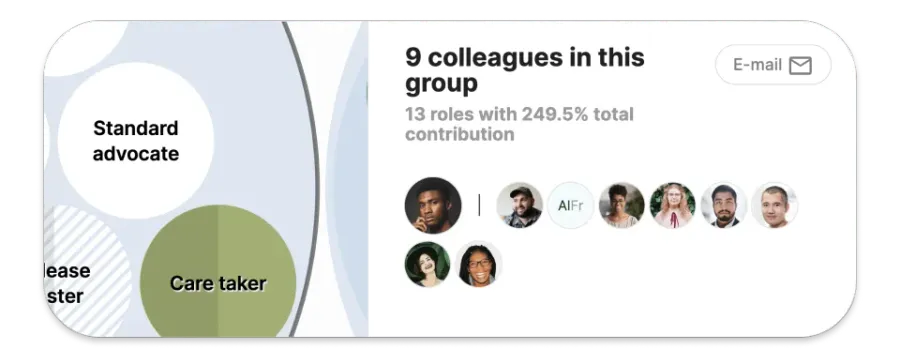
Clicking a circle or a role on your core map provides information on the total contribution of the team. Teams can decide together if they need more resources.
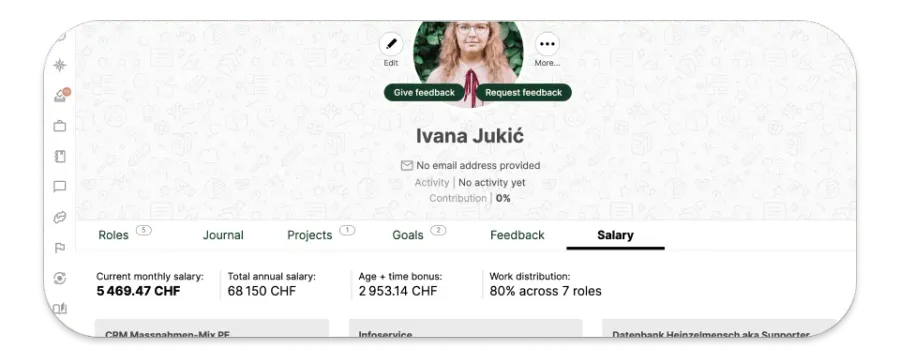
Did you know the Contribution App was actually a feature of Greenpeace’s custom Salary App? Peerdom offers opportunities to adapt the app to your salary system.
It tracks and visualizes how each person’s time is distributed across their roles. You can set contribution percentages per role, define targets, and instantly see how workload is balanced across people and roles.
Contribution measures allocation rather than logged hours: how much of someone’s capacity is dedicated to each role, for planning and balance.
Percentage (default), FTE, hours per week, hours per month, or hours per year. The unit is set organization-wide in Settings.
+1 CHF per user per month on top of your Peerdom+ subscription.
By default, yes. Owners can disable self-editing in Contribution settings if preferred.
Contribution is the most popular add-on: used by 80% of Peerdom customers. Most use it as a directional signal: if someone holds 10 roles, contribution shows at a glance where they focus most.
Yes. Owners can include contribution data in the organization export (Settings → My Data → Export).